MCP-SecurityTools 简介
MCP-SecurityTools 是一个专注于收录和更新网络安全领域 MCP 的开源项目,旨在汇总、整理和优化各类与 MCP 相关的安全工具、技术及实战经验。
| mcp name | 简介 |
|---|---|
| uncover-MCP | 使AI具有调用FOFA/SHODAN能力。 |
| ENScan_GO-MCP | 使AI具有一键信息收集能力。 |
| VirusTotal-MCP | 使AI具有VirusTotal的安全分析能力。 |
| cloudsword-MCP | 使AI具有云安全能力,一句话R穿云环境。 |
| ZoomEye-MCP | 使AI具有查询ZoomEye来获取网络资产信息 |
| AWVS-MCP | 使AI具有调用AWVS进行漏洞扫描能力 |
| GhidraMCP | 待更新,计划中 |
| IDA-MCP | 待更新,计划中 |
| Nmap-MCP | 待更新,计划中 |
零:介绍
MCP (Model Context Protocol) 是一个开放协议,用于标准化应用程序如何向 LLM 提供上下文。可以将 MCP 想象成 AI 应用程序的 USB-C 接口。就像 USB-C 为设备连接各种外设和配件提供标准化方式一样,MCP 为 AI 模型连接不同的数据源和工具提供了标准化的方式。
0.1 为什么选择 MCP?
MCP 帮助您在 LLM 之上构建代理和复杂工作流。LLM 经常需要与数据和工具集成,而 MCP 提供:
- 预构建集成列表,您的 LLM 可以直接接入
- 在不同 LLM 提供商和供应商之间切换的灵活性
- 在您的基础设施中保护数据的最佳实践
0.2 总体架构
从本质上讲,MCP 遵循客户端-服务器架构,其中主机应用程序可以连接到多个服务器:
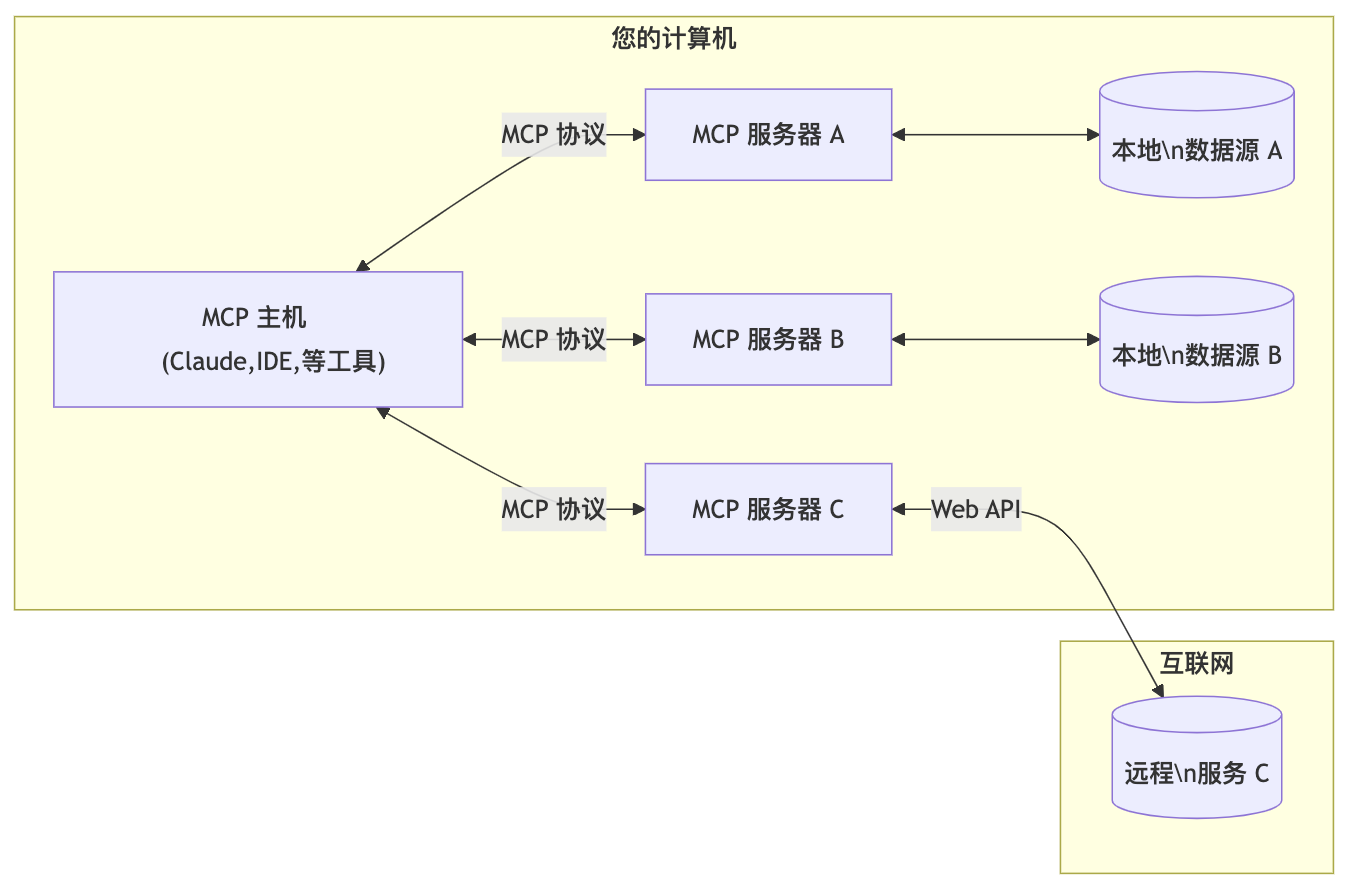
MCP 主机: 像 Claude 、Cherry Studio客户端、IDE 或 AI 工具等想要通过 MCP 访问数据的程序。
- MCP 客户端: 与服务器保持 1:1 连接的协议客户端
- MCP 服务器: 通过标准化的模型上下文协议暴露特定功能的轻量级程序
- 本地数据源: MCP 服务器可以安全访问的计算机文件、数据库和服务
- 远程服务: MCP 服务器可以连接的通过互联网提供的外部系统(例如通过 API)
一:uncover-MCP(使AI具有调用FOFA/SHODAN能力)
项目地址: https://github.com/Co5mos/uncover-mcp
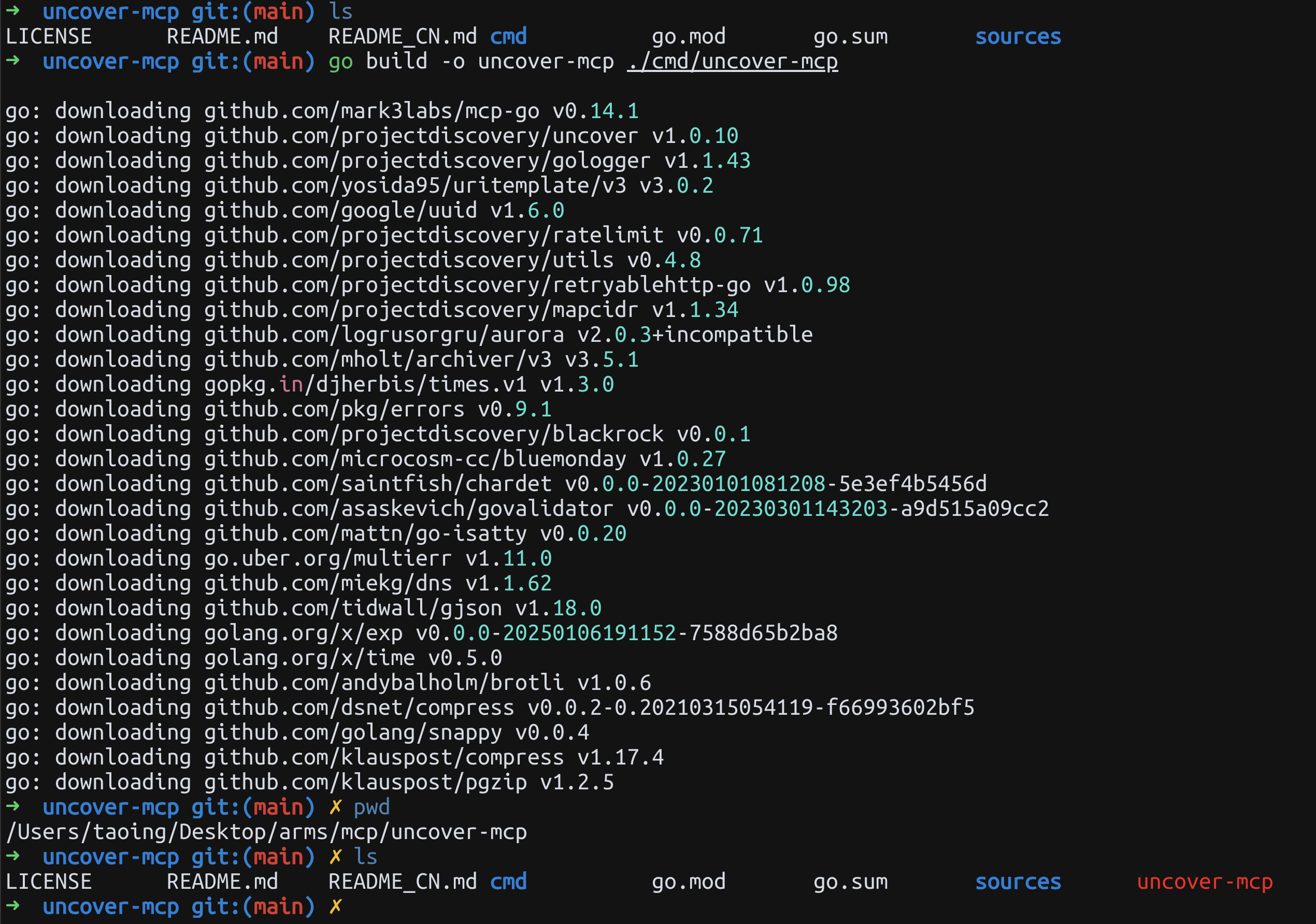
1.1 编译说明
# 克隆仓库
git clone https://github.com/Co5mos/uncover-mcp
cd uncover-mcp
# 构建项目(需在 Go 1.21 及更高版本中)
go build -o uncover-mcp ./cmd/uncover-mcp
# 推荐使用作者构建文件:https://github.com/Co5mos/uncover-mcp/releases/tag/v0.0.1-beta
1.2 使用方法
作为MCP服务运行实例:
{
    "mcpServers": {
        "uncover-mcp": {
            "command": "./uncover-mcp",
            "args": [],
            "env": {
                "SHODAN_API_KEY": "",
                "FOFA_EMAIL": "",
                "FOFA_KEY": ""
            }
        }
    }
}
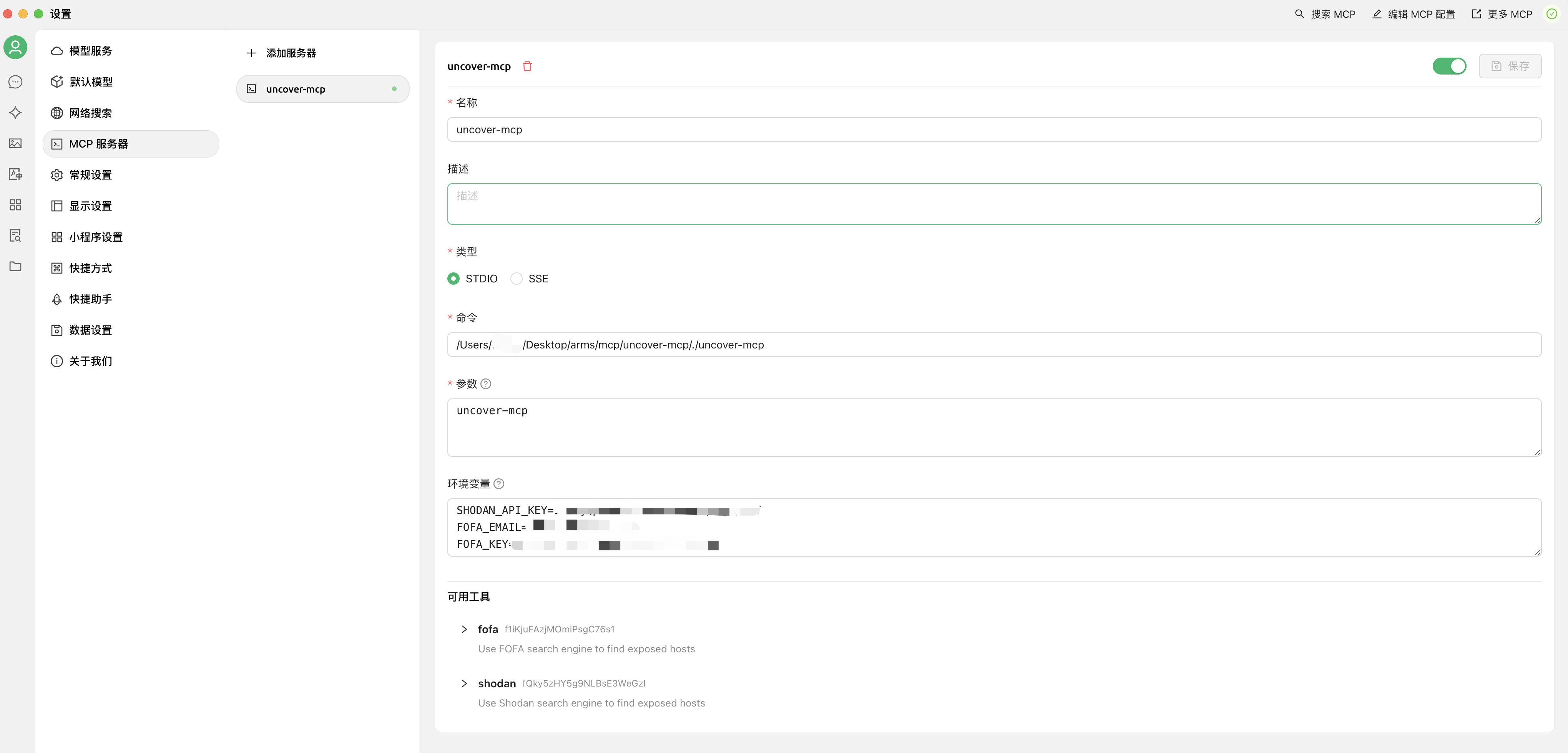
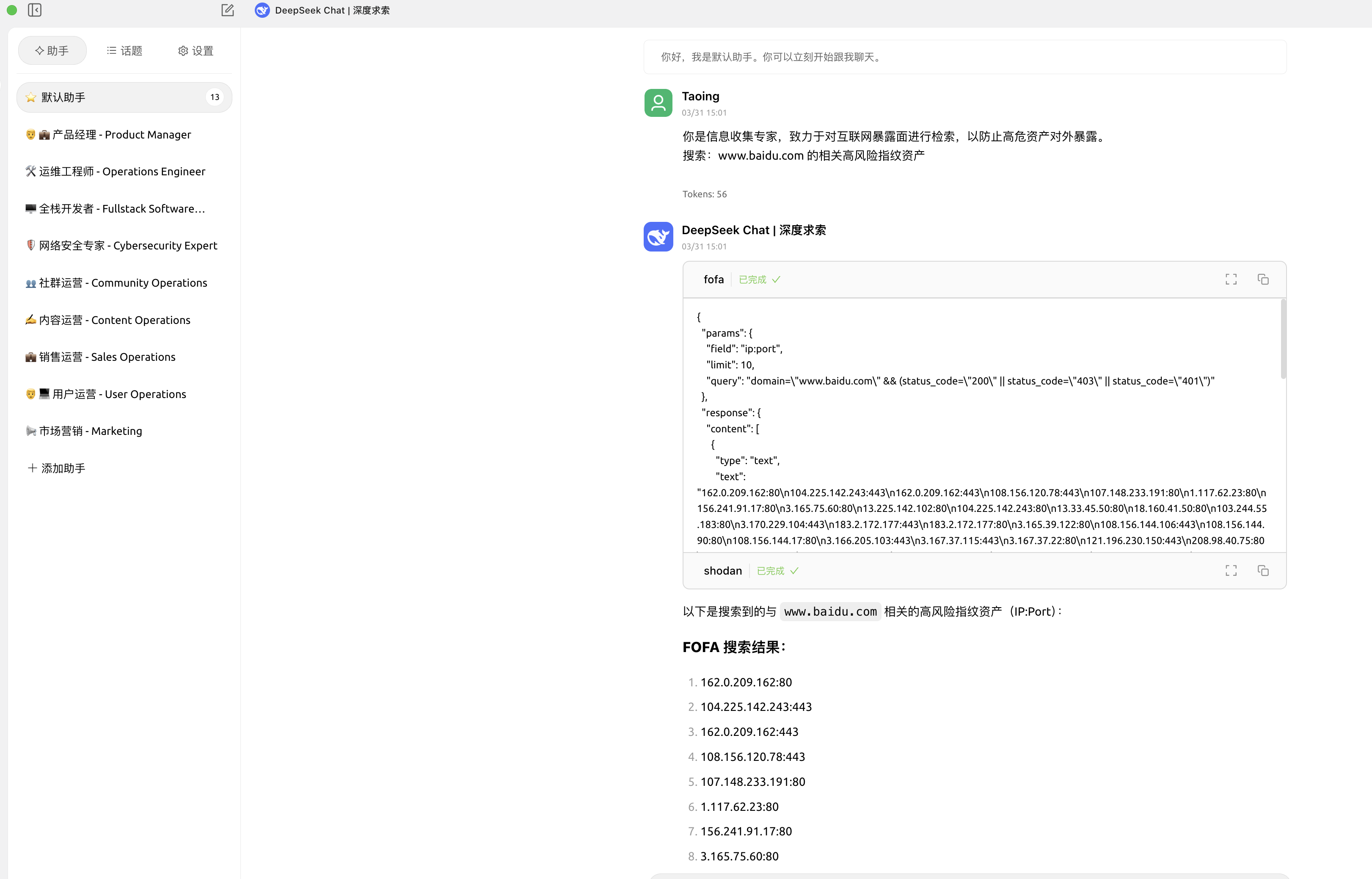
Cherry Studio中使用
Cherry StudioMCP 使用教程详见:
https://docs.cherry-ai.com/advanced-basic/mcp
{
  "mcpServers": {
    "uncover-mcp": {
      "name": "uncover-mcp",
      "isActive": true,
      "command": "You compile the uncover-mcp binary file",
      "args": [
        "uncover-mcp"
      ],
      "env": {
        "SHODAN_API_KEY": "xxxxxxxxxx",
        "FOFA_EMAIL": "xxxxxxxxxx",
        "FOFA_KEY": "xxxxxxxxxx"
      }
    }
  }
}
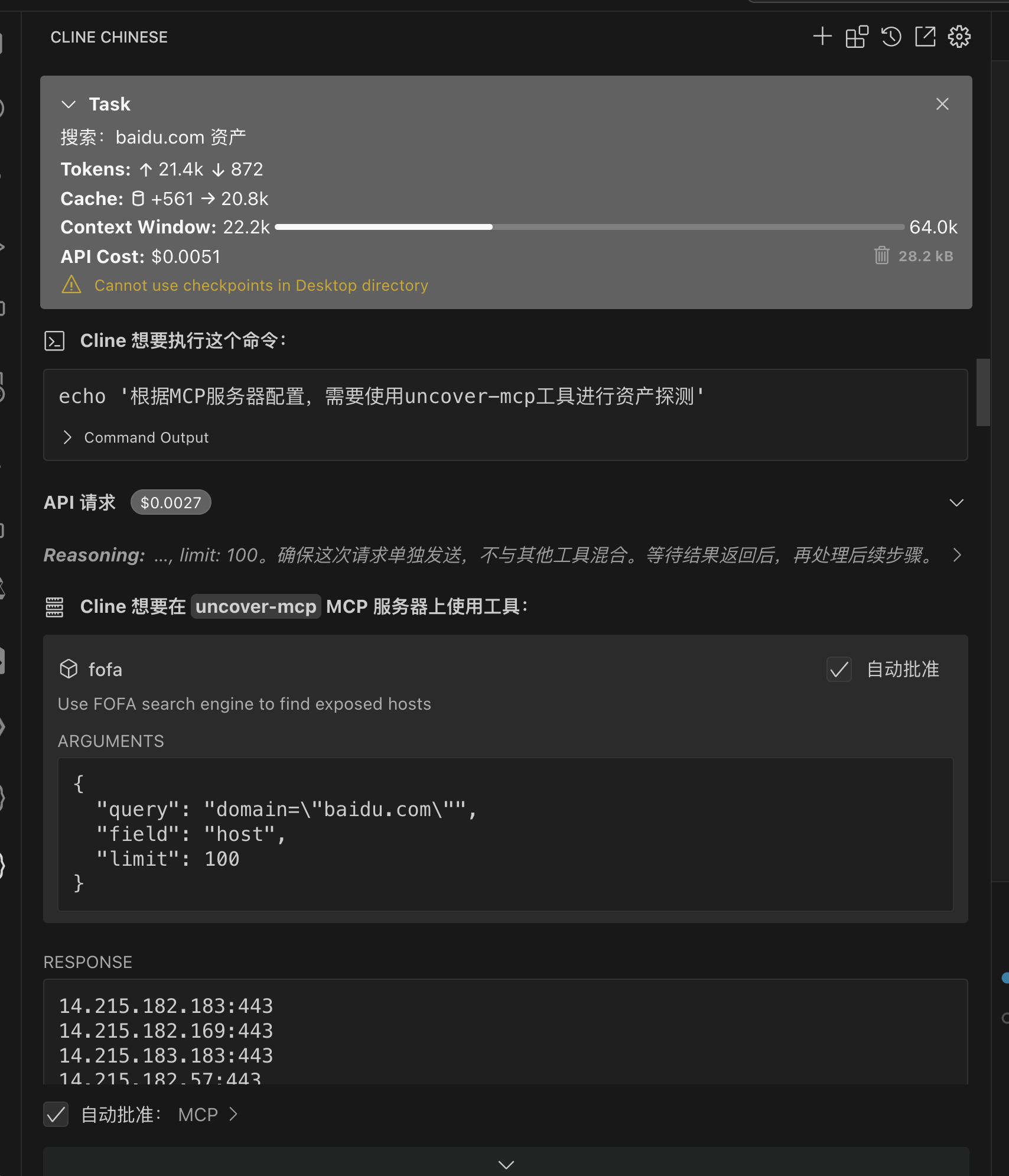
cline中使用
{
  "mcpServers": {
    "uncover-mcp": {
      "command": "You compile the uncover-mcp binary file",
      "args": [],
      "env": {
        "SHODAN_API_KEY": "xxxxxxxxxx",
        "FOFA_EMAIL": "xxxxxxxxxx",
        "FOFA_KEY": "xxxxxxxxxx"
      },
      "autoApprove": [
        "fofa"
      ]
    }
  }
}
二:ENScan_GO-MCP(使AI具有一键信息收集能力)
项目地址: https://github.com/wgpsec/ENScan_GO
2.1 使用MCP
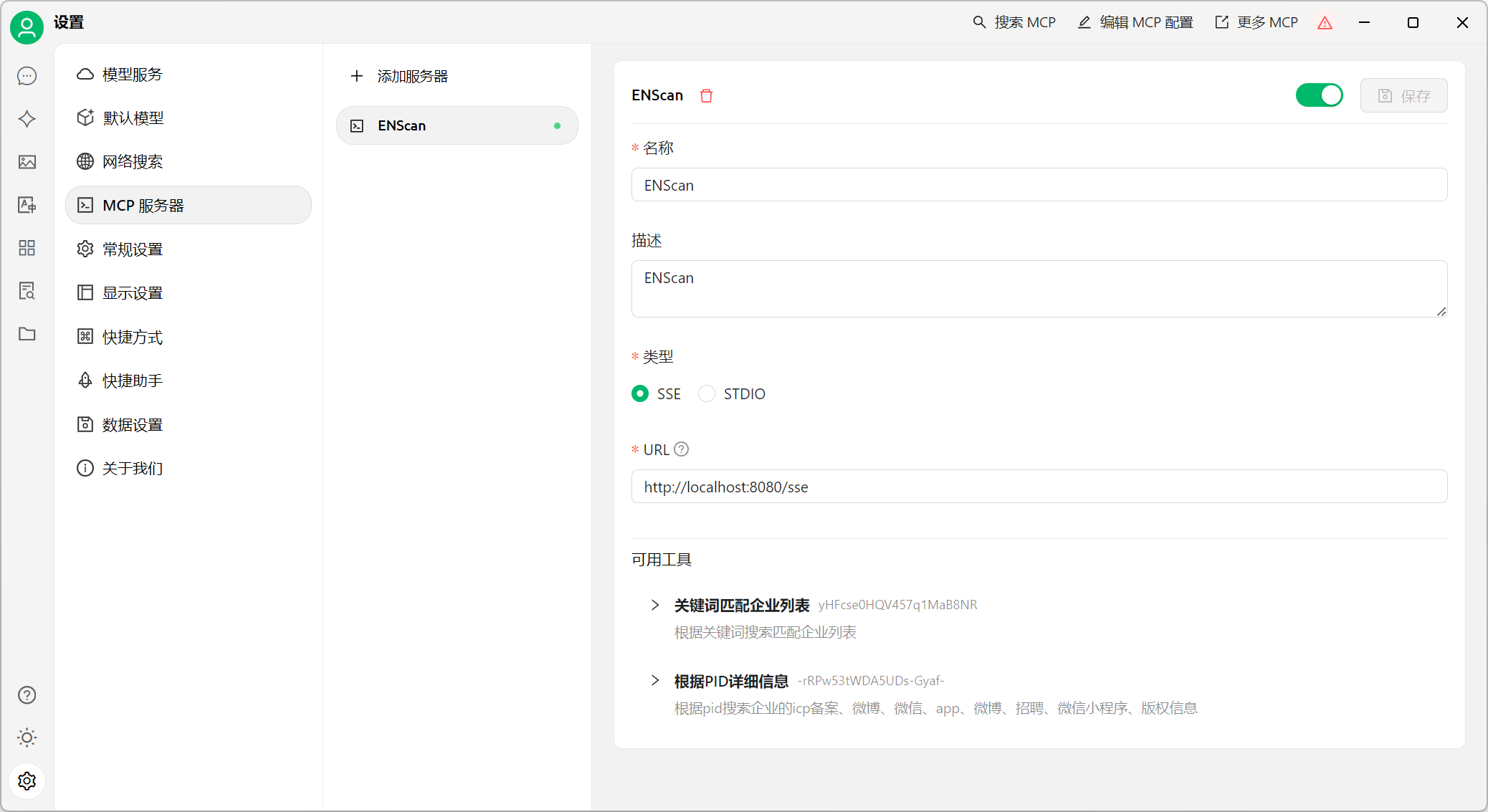
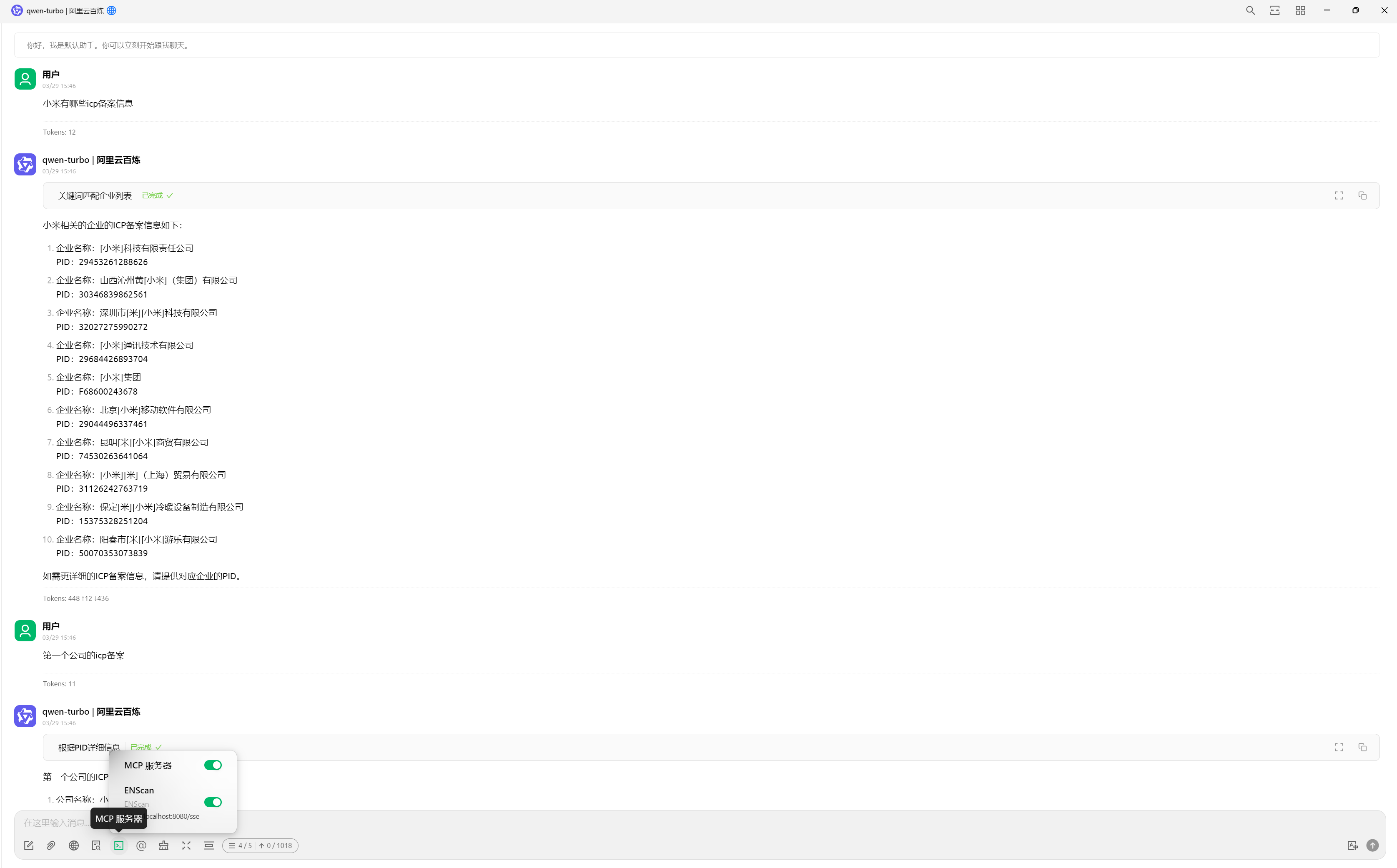
开启MCP服务器,将监听本地的 http://localhost:8080
./enscan --mcp
以 Cherry Studio 配置为例
三:VirusTotal-MCP(使AI具有VirusTotal的安全分析能力)
项目地址: https://github.com/BurtTheCoder/mcp-virustotal·
3.1 编译说明
# 要有node环境
git clone https://github.com/BurtTheCoder/mcp-virustotal.git
cd mcp-virustotal
npm install
npm run build
3.2 使用方法
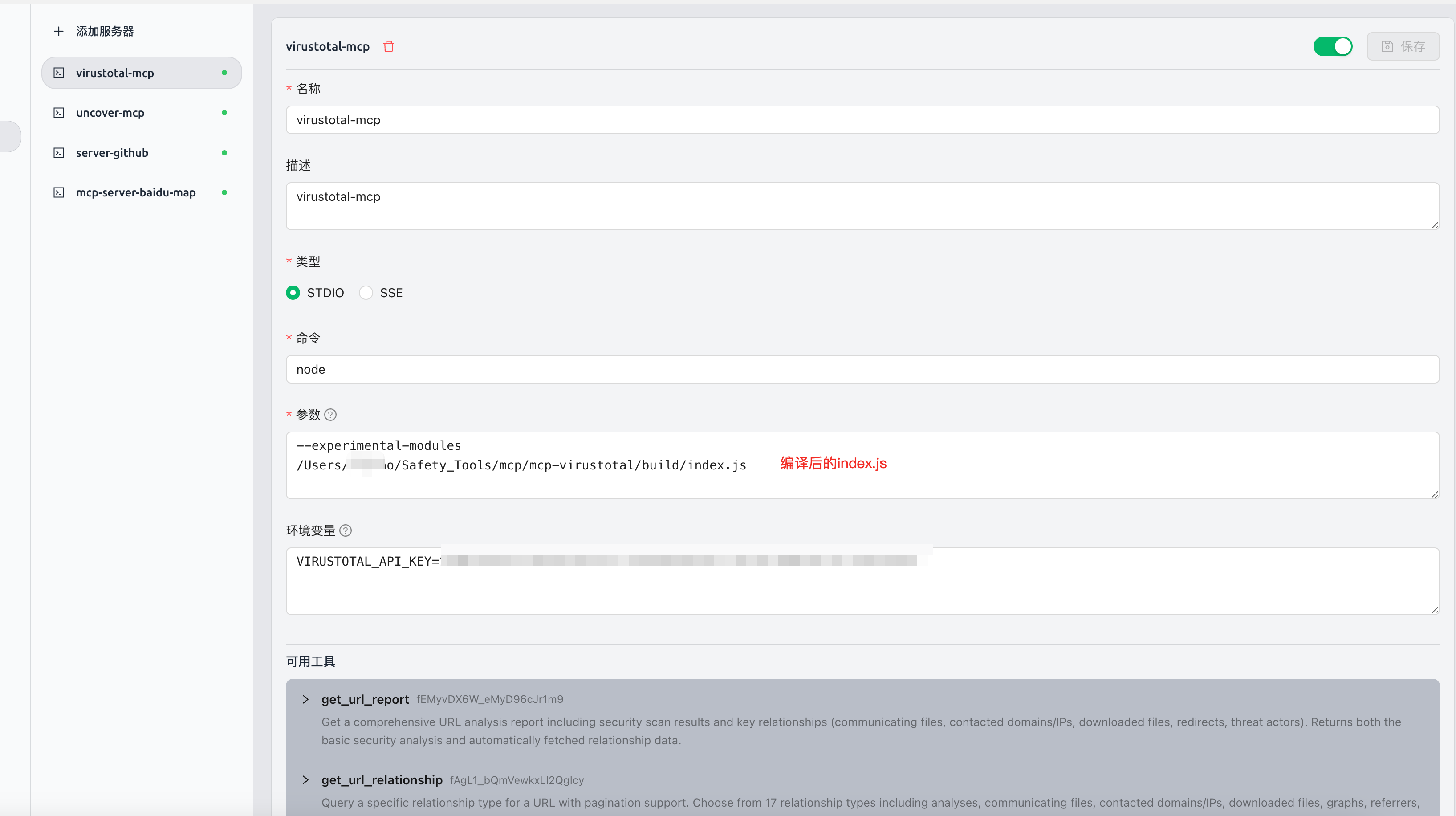
Cherry Studio中使用
Cherry StudioMCP 使用教程详见:
https://docs.cherry-ai.com/advanced-basic/mcp
{
  "mcpServers": {
    "s4Q9KPP86Ec_MWVfGURLI": {
      "isActive": true,
      "name": "virustotal-mcp",
      "description": "virustotal-mcp",
      "command": "node",
      "args": [
        "--experimental-modules",
        "You compile the uncover-mcp binary file"
      ],
      "env": {
        "VIRUSTOTAL_API_KEY": "xxxxxxxxxx"
      }
    }
  }
}
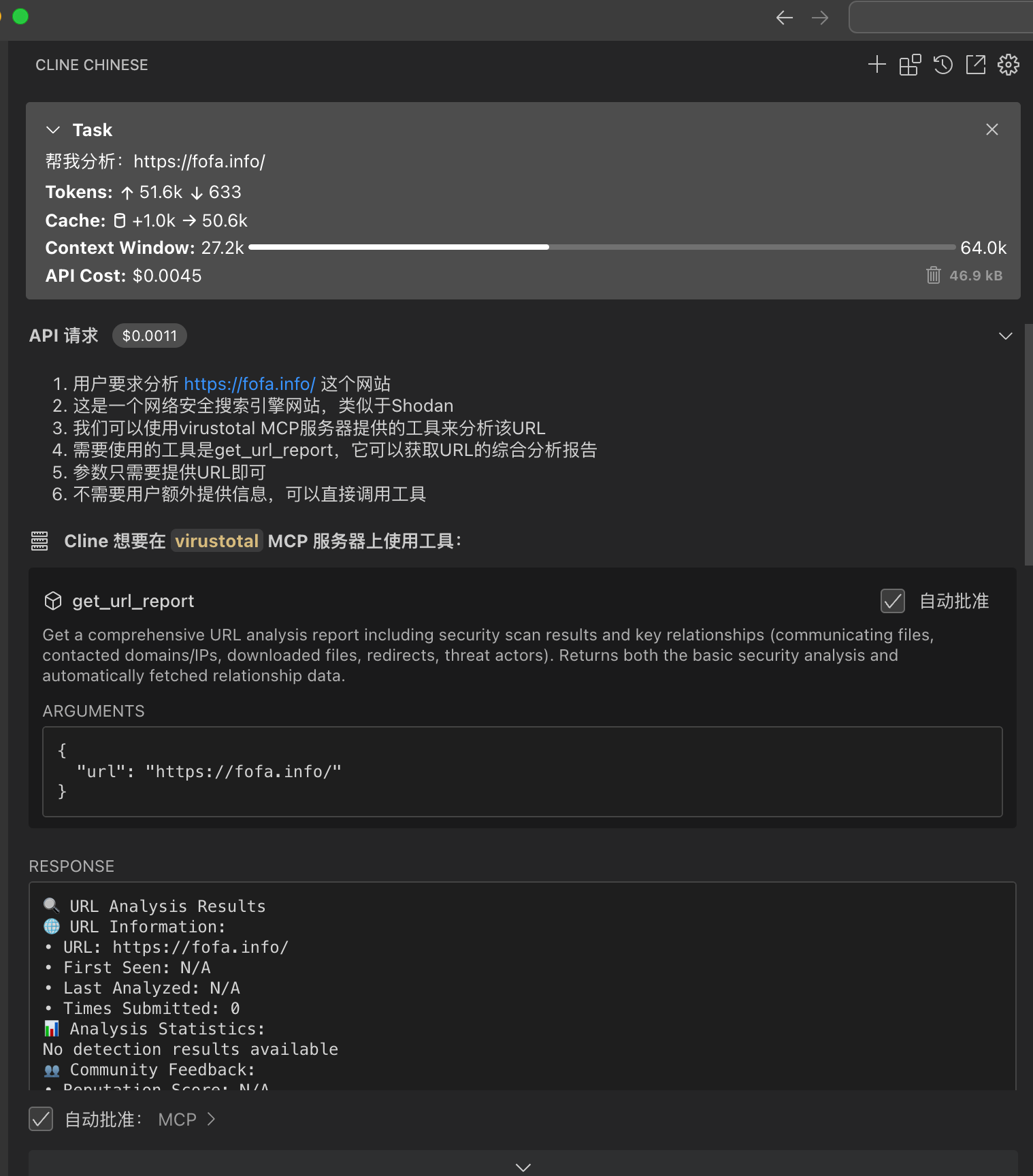
cline中使用
  {
    "mcpServers": {
      "virustotal": {
        "command": "node",
        "args": [
          "--experimental-modules",
          "You compile the uncover-mcp binary file"
        ],
        "env": {
          "VIRUSTOTAL_API_KEY": "xxxxxxxxxx"
        },
        "autoApprove": [
          "get_url_report",
          "get_file_report",
          "get_url_relationship",
          "get_ip_report",
          "get_domain_report",
          "get_url_relationship",
          "get_file_relationship"
        ]
      }
    }
  }
四:cloudsword-MCP(使AI具有云安全能力)
项目地址: https://github.com/wgpsec/cloudsword
cloudsword 从v0.0.2 版本开始支持MCP协议,支持SSE以及STDIO方式
使用命令 ./cloudsword sse http://localhost:8080 即可在本地监听8080端口
4.1 使用方法
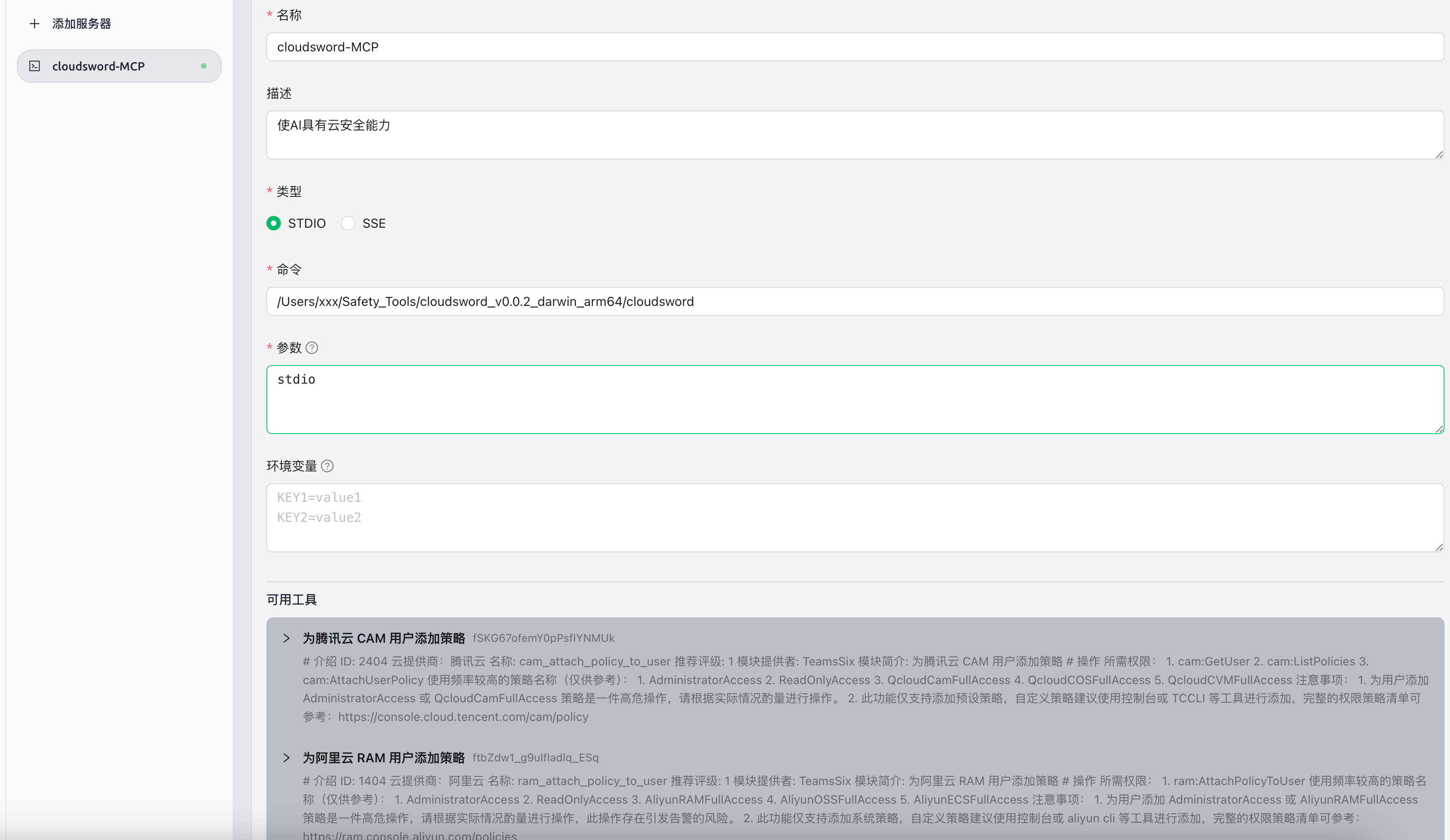
Cherry Studio中使用
cline中目前测试无法使用,改日解决
SSE模式
以Chrerry stdio为例 填入 http://localhost:8080/sse 即可获得到工具信息
{
  "mcpServers": {
    "iAcI362KsjDNFU_FqZEaO": {
      "isActive": true,
      "name": "cloudsword-MCP",
      "description": "",
      "baseUrl": "http://localhost:8080/sse"
    }
  }
}

STDIO模式
{
  "mcpServers": {
    "iAcI362KsjDNFU_FqZEaO": {
      "name": "cloudsword-MCP",
      "description": "使AI具有云安全能力",
      "isActive": true,
      "command": "You compile the uncover-mcp binary file",
      "args": [
        "stdio"
      ]
    }
  }
}

使用示例

五:ZoomEye-MCP(使AI具有查询ZoomEye来获取网络资产信息)
项目地址: https://github.com/zoomeye-ai/mcp_zoomeye
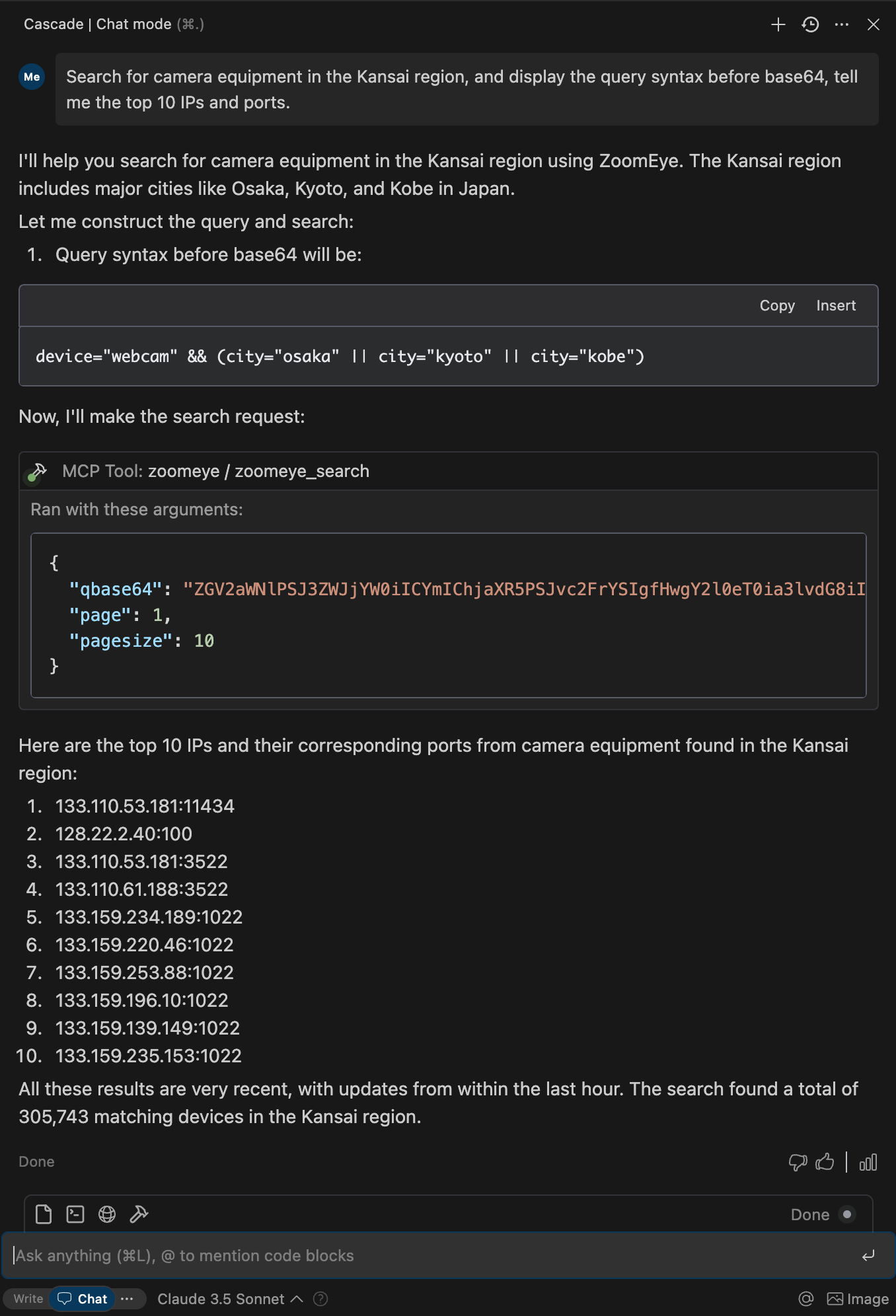
允许大型语言模型 (LLM) 通过使用 dork 和其他搜索参数查询 ZoomEye 来获取网络资产信息。
使用教程: 官方写的很详细https://github.com/zoomeye-ai/mcp_zoomeye
5.1 使用方法
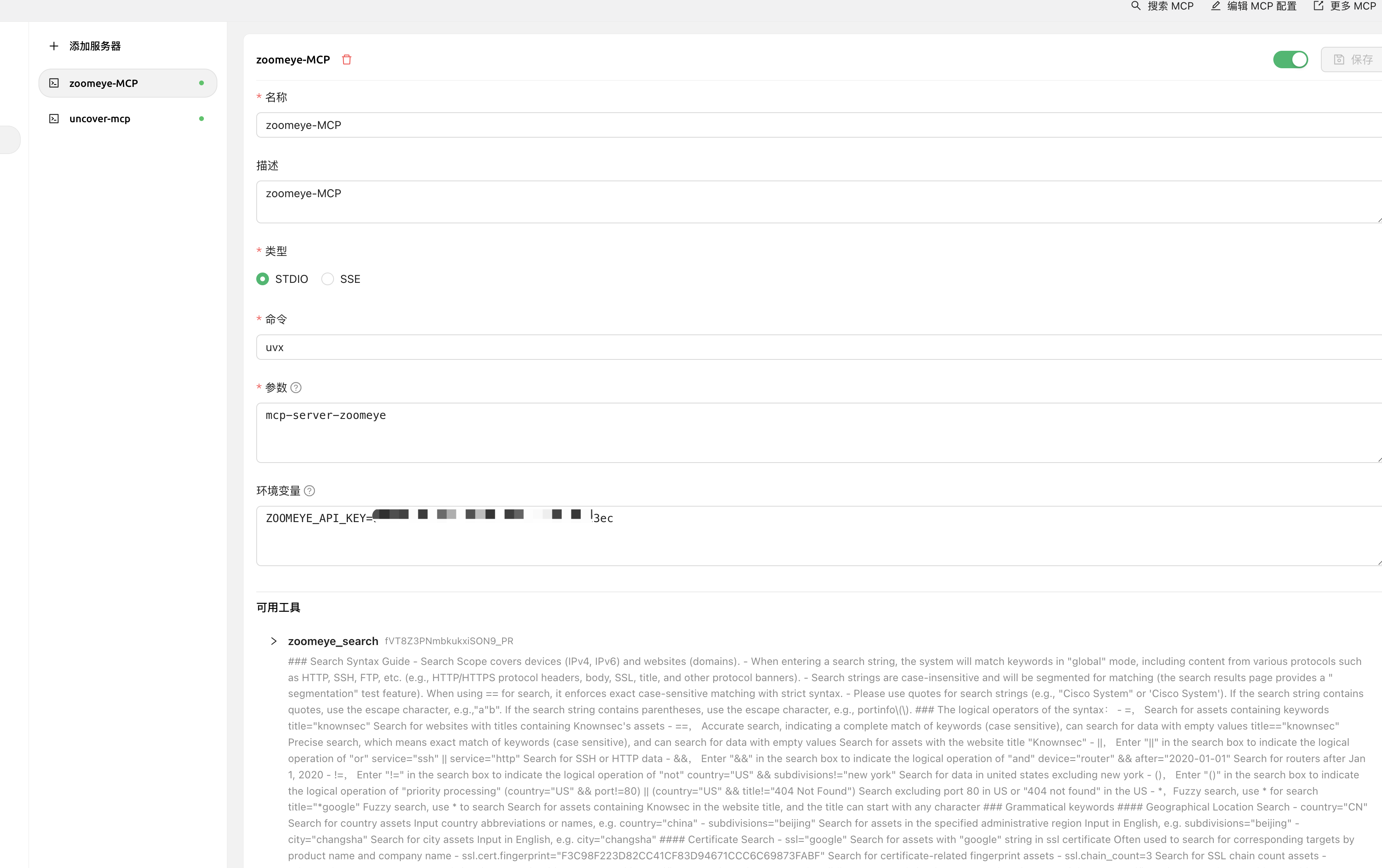
Cherry Studio中使用
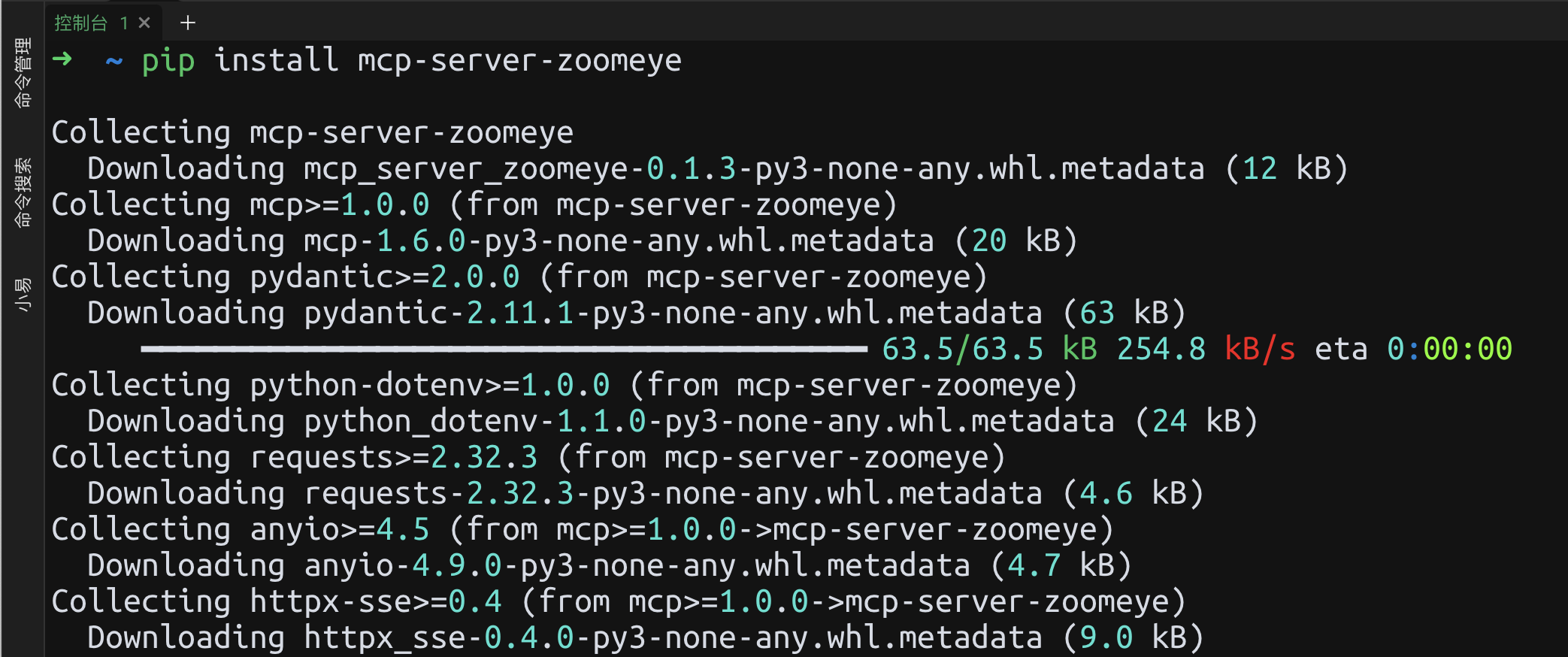
安装使用
# 通过 pip 安装
pip install mcp-server-zoomeye
{
  "mcpServers": {
    "zoomeye": {
      "isActive": true,
      "name": "zoomeye-MCP",
      "description": "zoomeye-MCP",
      "command": "uvx",
      "args": [
        "mcp-server-zoomeye"
      ],
      "env": {
        "ZOOMEYE_API_KEY": "xxxxxxxxx"
      }
    }
  }
}
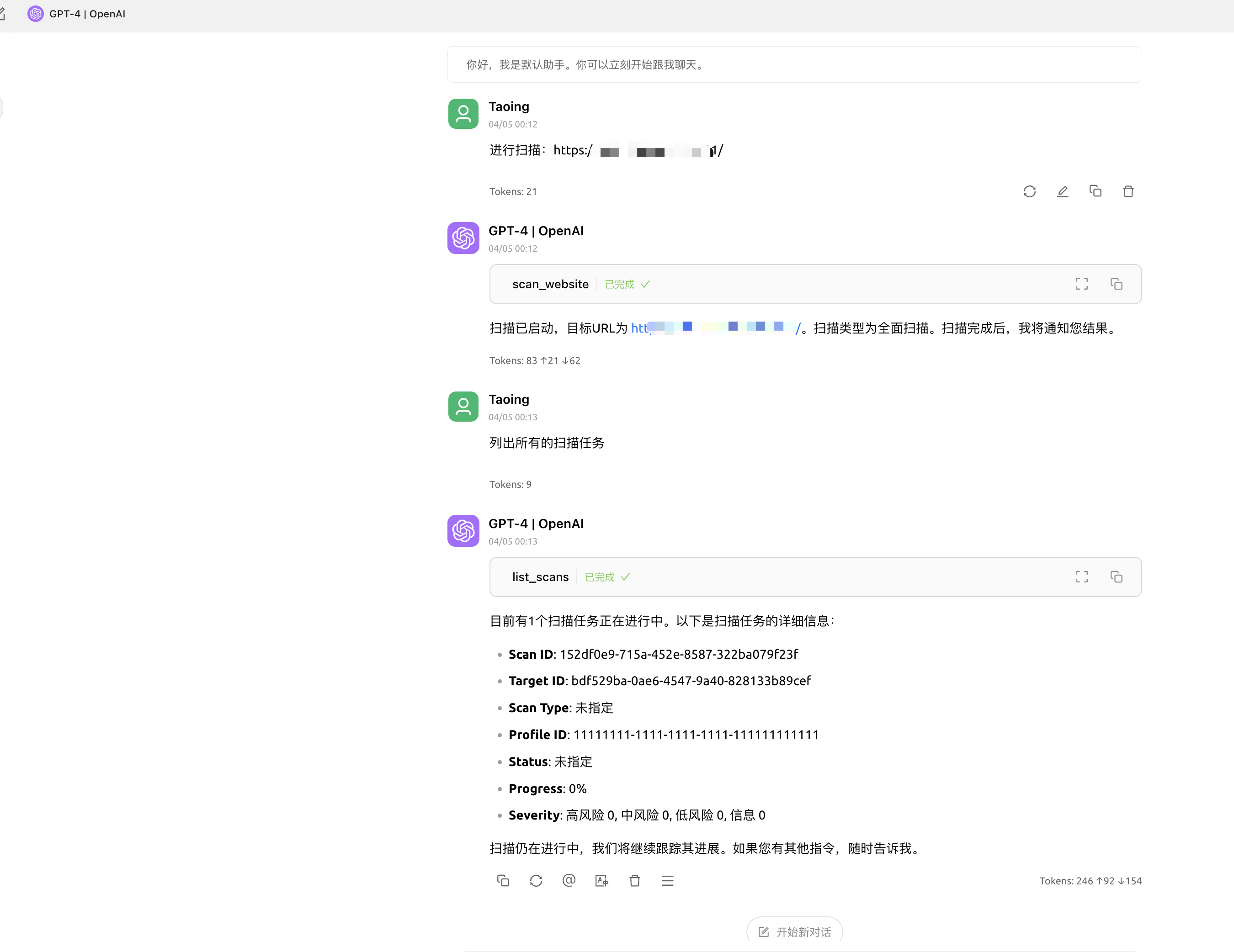
六:AWVS-MCP(使AI具有调用AWVS进行漏洞扫描能力)
项目地址: https://github.com/Ta0ing/MCP-SecurityTools/tree/main/awvs-mcp
支持SSE以及STDIO方式
使用命令 awvs-mcp sse --port 8080 即可在本地监听8080端口
6.1 使用方法
Cherry Studio中使用
SSE模式
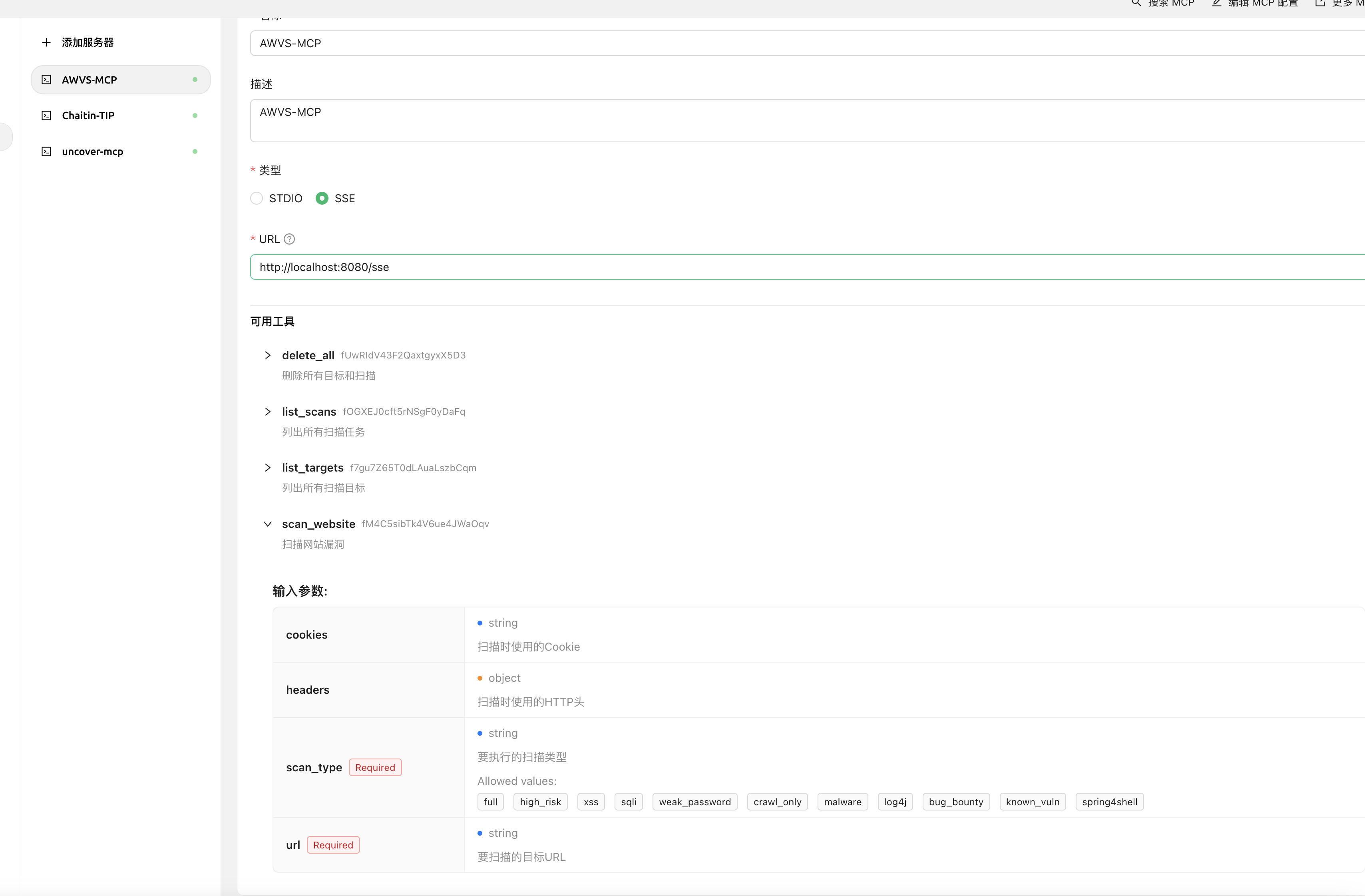
以Chrerry stdio为例 填入 http://localhost:8080/sse 即可获得到工具信息