

Lightweight, Real-time Debugging for AI Agents
Debug your Agents in Real Time. Trace, analyze, and optimize instantly. Seamless with LangChain, Google ADK, OpenAI, and all major frameworks.
Quick Start
First, install Homebrew if you haven't already, then:
brew tap vllora/vllora
brew install vllora
Start the vLLora:
vllora
The server will start on
http://localhost:9090and the UI will be available athttp://localhost:9091.
vLLora uses OpenAI-compatible chat completions API, so when your AI agents make calls through vLLora, it automatically collects traces and debugging information for every interaction.
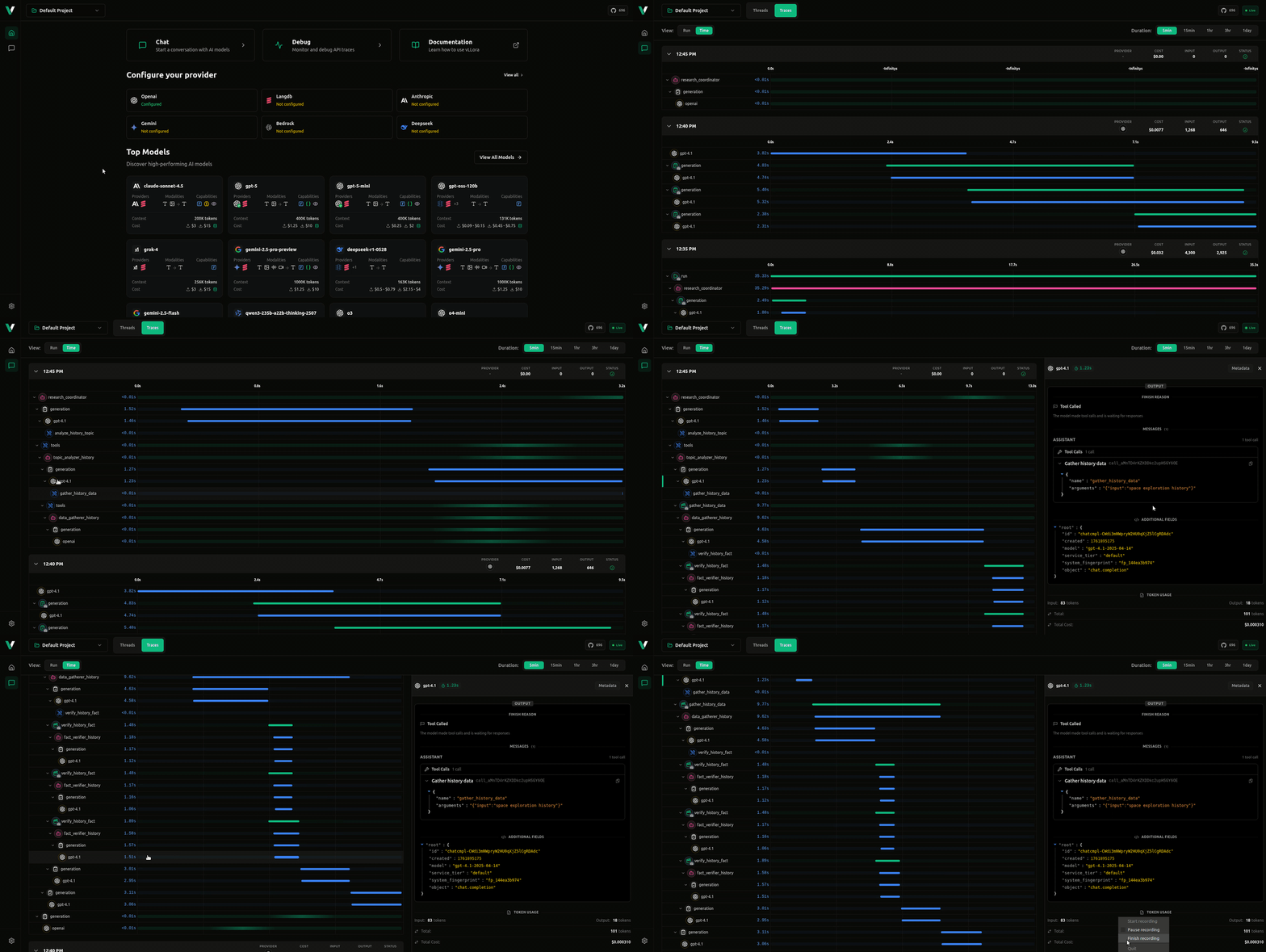
Test Send your First Request
- Configure API Keys: Visit
http://localhost:9091to configure your AI provider API keys through the UI - Make a request to see debugging in action:
curl http://localhost:9090/v1/chat/completions \
  -H "Content-Type: application/json" \
  -d '{
    "model": "gpt-4o-mini",
    "messages": [{"role": "user", "content": "What is the capital of France?"}]
  }'
Rust streaming example (OpenAI-compatible)
In llm/examples/openai_stream_basic/src/main.rs you can find a minimal Rust example that:
- Builds an OpenAI-style request using
CreateChatCompletionRequestArgswith:model("gpt-4.1-mini")- a system message:
"You are a helpful assistant." - a user message:
"Stream numbers 1 to 20 in separate lines."
- Constructs a
VlloraLLMClientand configures credentials via:
export VLLORA_OPENAI_API_KEY="your-openai-compatible-key"
Inside the example, the client is created roughly as:
let client = VlloraLLMClient::new()
    .with_credentials(Credentials::ApiKey(ApiKeyCredentials {
        api_key: std::env::var("VLLORA_OPENAI_API_KEY")
            .expect("VLLORA_OPENAI_API_KEY must be set")
    }));
Then it streams the completion using the original OpenAI-style request:
let mut stream = client
    .completions()
    .create_stream(openai_req)
    .await?;

while let Some(chunk) = stream.next().await {
    let chunk = chunk?;
    for choice in chunk.choices {
        if let Some(delta) = choice.delta.content {
            print!("{delta}");
        }
    }
}
This will print the streamed response chunks (in this example, numbers 1 to 20) to stdout as they arrive.
Features
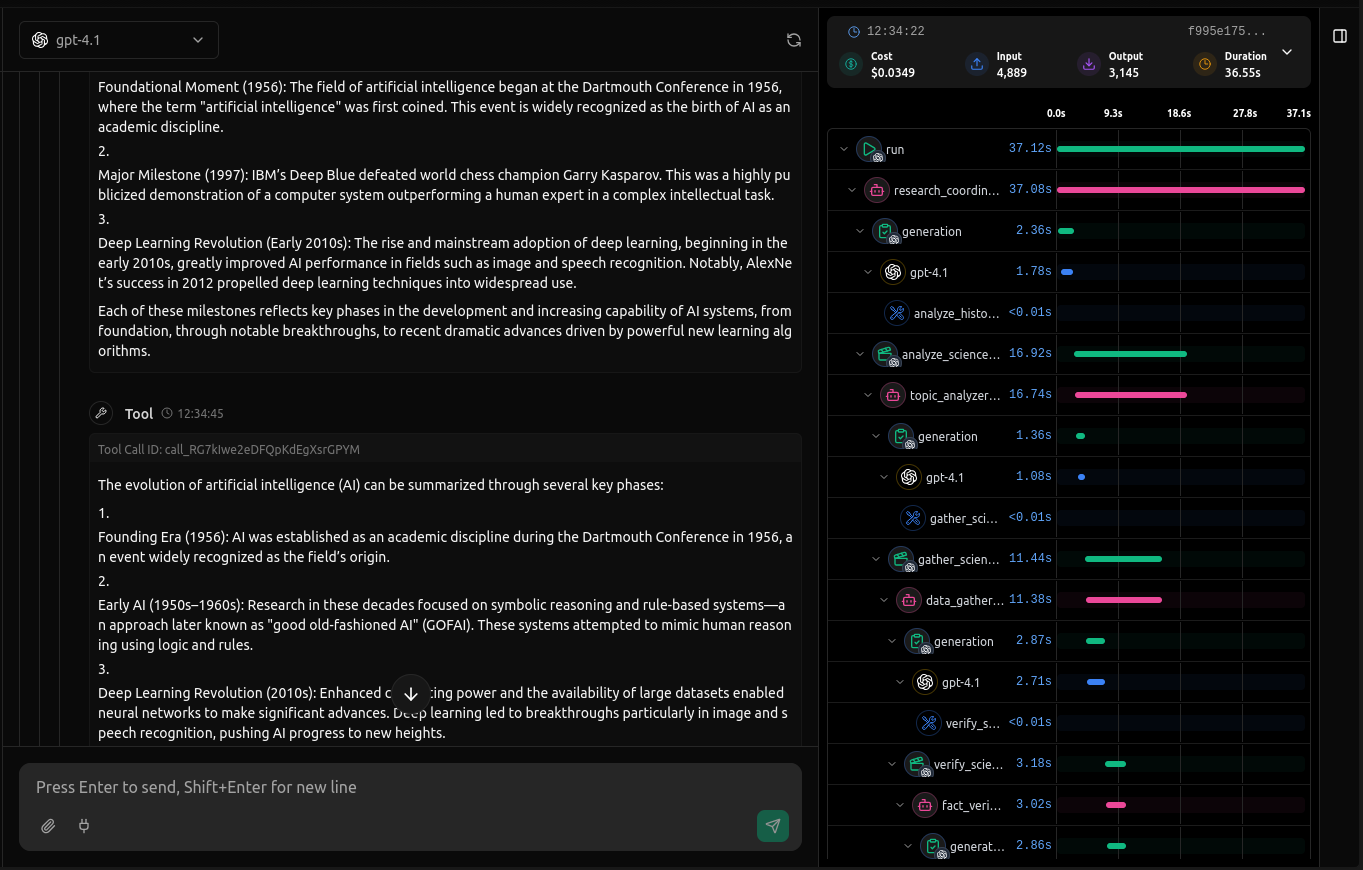
Real-time Tracing - Monitor AI agent interactions as they happen with live observability of calls, tool interactions, and agent workflow. See exactly what your agents are doing in real-time.
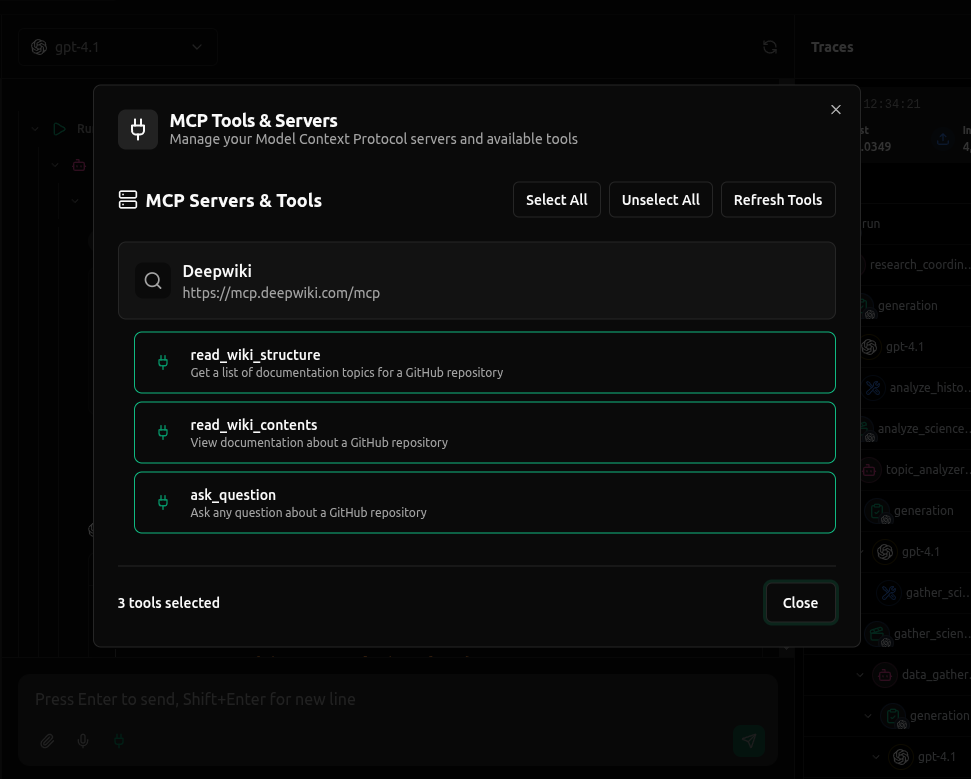
MCP Support - Full support for Model Context Protocol (MCP) servers, enabling seamless integration with external tools by connecting with MCP Servers through HTTP and SSE
Development
To get started with development:
- Clone the repository:
git clone https://github.com/vllora/vllora.git
cd vLLora
cargo build --release
The binary will be available at target/release/vlora.
- Run tests:
cargo test
Contributing
We welcome contributions! Please check out our Contributing Guide for guidelines on:
- How to submit issues
- How to submit pull requests
- Code style conventions
- Development workflow
- Testing requirements
Have a bug report or feature request? Check out our Issues to see what's being worked on or to report a new issue.
Roadmap
Check out our Roadmap to see what's coming next!
License
vLLora is fair-code distributed under the Elastic License 2.0 (ELv2).
The inner package llm is distributed under the Apache License 2.0.
vLLora includes Distri as an optional component for AI agent functionality. Distri is distributed under the Elastic License 2.0 (ELv2) and is downloaded separately at runtime. Distri is a separate project maintained by DistriHub.
- Source Available: Always visible vLLora source code
- Self-Hostable: Deploy vLLora anywhere you need
- Extensible: Add your own providers, tools, MCP servers, and custom functionality
For Enterprise License, contact us at hello@vllora.dev.
Additional information about the license model can be found in the docs.


