mpesa-daraja
Renamed from
mpesa-daraja-mcpin 0.1.5. The old package name still installs this one.
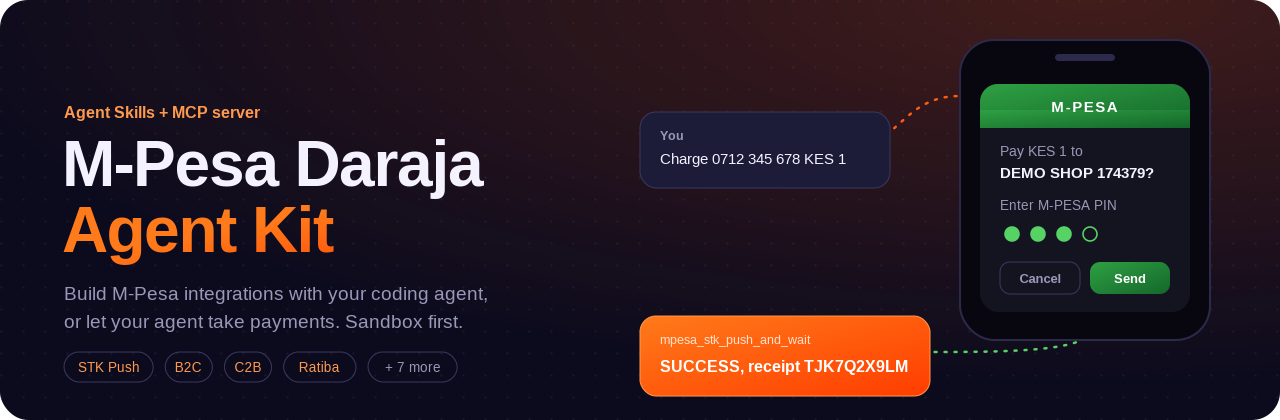
The MCP server in the M-Pesa Daraja Agent Kit. It lets an AI agent call Safaricom's Daraja API safely.
An MCP server that exposes Safaricom's Daraja APIs as tools, so an agent (Claude Code, Codex, Cursor, Gemini CLI, any MCP client) can collect payments, check whether they went through, and operate M-Pesa from a chat. It starts in the sandbox, and nothing live happens until you switch it on.
It pairs with the Agent Skills in the same kit: the skills teach an agent how to integrate M-Pesa, and this server lets it call Daraja. You can use either on its own.
Who it's for
- Developers building payment integrations: ask your agent to run a request against the sandbox and read the real response.
- Learners finding out how the Daraja API works: send real requests to a safe test environment and see what comes back.
- Businesses and teams that want an AI agent to handle payments: collecting them, checking whether they went through, and reconciling them.
Install
Let your agent do it. Paste this into Claude Code, Codex, Cursor, Gemini CLI or any coding agent:
Add the M-Pesa Daraja MCP server to yourself, named "mpesa", with the command: uvx mpesa-daraja-mcp
It needs no keys in your config. If uv is missing, tell me how to install it first.
Don't ask me for my Daraja keys. Tell me to run `uvx mpesa-daraja-mcp init` in my own terminal,
which saves them privately, then to restart you.
After I restart you, call mpesa_check_credentials and tell me if everything works.
Or do it yourself. You need uv. The wizard asks for your Daraja keys (secrets are typed hidden), checks them live with Safaricom, saves them to a file only you can read, and registers the server with Claude Code, Codex, Gemini CLI or Cursor:
uvx mpesa-daraja-mcp init
Then restart your agent and ask: "Check my M-Pesa credentials, then send a KES 1 STK push to 0712345678 and tell me when it's paid." The full Agent Kit, with the skills and more examples, is in the main README.
Tools
| Tool | Daraja API | Moves money |
|---|---|---|
mpesa_explain_code | — offline error/result code lookup | |
mpesa_normalize_phone | — offline 07… → 2547… | |
mpesa_generate_stk_password | — offline Password + EAT Timestamp | |
mpesa_parse_callback | — offline parse of any callback payload | |
mpesa_setup_status | — offline: what's configured and missing per toolset (no values) | |
mpesa_check_credentials | OAuth token (never returned) | |
mpesa_get_result | Final status by idempotency key or any Daraja ID (from captured callbacks; STK falls back to STK Query) | |
mpesa_stk_push_and_wait | M-Pesa Express: push, then wait for callback / poll query; returns SUCCESS, FAILED or UNKNOWN | ✅ |
mpesa_stk_push / mpesa_stk_query | M-Pesa Express, fire-and-forget / status | ✅ / |
mpesa_c2b_register_urls / mpesa_c2b_simulate | C2B v2 (simulate = sandbox only) | |
mpesa_pull_transactions | Pull Transactions query | |
mpesa_b2c_payment | B2C v3, B2Pochi | ✅ |
mpesa_b2b_payment | BusinessPayBill, BusinessBuyGoods, BusinessPayToBulk (B2C top-up), PayTaxToKRA | ✅ |
mpesa_b2b_express_checkout | B2B USSD push | ✅ |
mpesa_transaction_status / mpesa_account_balance | Status / Balance (async result) | |
mpesa_reverse_transaction | Reversal | ✅ |
mpesa_generate_dynamic_qr | Dynamic QR, saved as a PNG file (path returned, not the image) | |
mpesa_ratiba_create_standing_order | M-Pesa Ratiba | ✅ |
mpesa_bill_manager_optin / mpesa_bill_manager_send_invoice / mpesa_bill_manager_cancel_invoice | Bill Manager |
Tool annotations mark money-moving tools as destructiveHint, so MCP clients ask for approval.
Safety
- Defaults to the sandbox.
- In production, money-moving tools refuse to run unless
DARAJA_ALLOW_LIVE_MONEY_MOVEMENT=true. - Optional guardrails, all off until set:
DARAJA_READ_ONLY=truehides every tool that moves money or writes. Use it for support bots, reconciliation and learning.DARAJA_APPROVAL_THRESHOLD=5000: B2C, B2B, tax and reversals above KES 5,000 pause for a yes/no in the chat (MCP elicitation). Clients that can't show the prompt get a refusal, and nothing is sent. Collections (STK, B2B Express, Ratiba) never prompt, because the payer enters their own PIN.DARAJA_ALLOWED_RECIPIENTS=0712345678,600000: payouts may go only to these phones and shortcodes.- For a B2C refund, pass
refund_ofwith the original M-Pesa receipt; it appears in the approval prompt and the remarks.
- Callback URLs must be HTTPS; C2B URLs with
mpesa/safaricomin them are rejected up front. - Tokens and secrets are never returned in tool output.
- Responses with
ResponseCode "0"are tagged_note: ACCEPTED for processing only, so the agent does not report them as completed payments. - Idempotent money tools. Each request is stored under an idempotency key. Repeating the key returns the stored request (
duplicate: true) instead of paying again.- Only a definitively FAILED request is re-sent.
- ACCEPTED or UNKNOWN requests (queue timeouts, network errors) are never re-sent until their result is known.
- B2C, B2B and B2B Express require an explicit
idempotency_key, e.g.refund-order-1042. Reversal, tax and Ratiba derive one from the transaction ID, the PRN and phone + name respectively. For STK the key is optional.
Configuration
| Variable | Required | Notes |
|---|---|---|
DARAJA_ENV | sandbox (default) or production | |
DARAJA_CONSUMER_KEY, DARAJA_CONSUMER_SECRET | ✅ | From your Daraja app |
DARAJA_SHORTCODE | most tools | Paybill / store number (174379 in sandbox) |
DARAJA_PASSKEY | STK | Lipa na M-Pesa passkey |
DARAJA_INITIATOR_NAME | B2C/B2B/status/balance/reversal | API operator username |
DARAJA_SECURITY_CREDENTIAL | same | Pre-encrypted credential, or set the next two |
DARAJA_INITIATOR_PASSWORD + DARAJA_CERT_PATH | Server encrypts the password with the cert at startup | |
DARAJA_CALLBACK_BASE_URL | e.g. https://abc.ngrok-free.app; tools append /mpesa/stk/callback, /mpesa/b2c/result, … | |
DARAJA_ALLOW_LIVE_MONEY_MOVEMENT | true to allow production charges/payouts | |
DARAJA_CALLBACK_LISTEN | e.g. 127.0.0.1:8787: starts the built-in callback receiver | |
DARAJA_CALLBACK_TOKEN | with receiver | 16+ random characters. Callback URLs become <base>/cb/<token>/… |
DARAJA_STATE_DB | SQLite file for requests and results (default ~/.mpesa-mcp/state.db) | |
DARAJA_TOOLSETS | Comma list of stk,c2b,payouts,ops,qr,ratiba,billmanager (core is always on). Default: all | |
DARAJA_READ_ONLY | true hides every tool that moves money or writes | |
DARAJA_APPROVAL_THRESHOLD | Payouts above this many shillings need a yes in the chat | |
DARAJA_ALLOWED_RECIPIENTS | Comma list of phones/shortcodes that payouts may go to | |
DARAJA_OUTPUT_DIR | Where QR PNGs are saved (default ~/.mpesa-mcp/qr) | |
DARAJA_FORWARD_URL | Your app's endpoint. Each callback is POSTed on to it, signed. See forwarding | |
DARAJA_FORWARD_SECRET | with forwarding | 16+ random characters, used for the X-Mpesa-Signature HMAC |
DARAJA_MCP_TOKEN | HTTP mode | 32+ random characters; clients send Authorization: Bearer <token> |
DARAJA_MCP_HOST, DARAJA_MCP_PORT | HTTP mode bind address and port (default 127.0.0.1:8000) |
Commands and configuration files
Install once with uv tool install mpesa-daraja-mcp to get the mpesa command (or prefix any command with uvx mpesa-daraja-mcp instead of mpesa):
mpesa init                 # guided: keys (hidden input), live check, save, register with your agents
mpesa status               # what's configured (masked), the guardrails, and a live key check
mpesa dev                  # callback receiver + tunnel (cloudflared or ngrok) + a live log of callbacks
mpesa serve [--http]       # the MCP server: stdio for local agents, HTTP for remote ones
mpesa up --domain pay.example.com   # self-host with Docker and automatic HTTPS
mpesa pay stk 0712345678 10 --ref order-42     # waits for the PIN and shows the outcome
mpesa pay b2c 0712345678 500 --key refund-42 --refund-of NLJ7RT61SV
mpesa result <id>   ·   mpesa balance   ·   mpesa explain 1032
mpesa skills install       # copy the Agent Skills into Claude Code, Codex, Cursor, …
mpesa upgrade
Every data command takes --json, and mpesa --verbose … logs each HTTP request to Daraja. A failed STK Push shows the --key to retry it with. Payments use the same guardrails as the MCP tools, and approvals are asked in the terminal. uvx mpesa-daraja-mcp with no arguments is the MCP server on stdio, which is what your agent runs.
The server needs no flags or environment variables in your agent's config. Settings are read in this order, highest first:
- Environment variables, e.g. from the client's
envblock. - A project
.envin the folder the agent starts the server in, or the file named byDARAJA_DOTENV. OnlyDARAJA_*lines are read. - The user config file that
setupwrites:~/.config/mpesa-daraja-mcp/config.env(Windows:%APPDATA%\mpesa-daraja-mcp\config.env; override the folder withDARAJA_CONFIG_DIR). It is readable only by you.
The server starts even when unconfigured. Tools then explain what's missing, and mpesa_setup_status lists the gaps for each toolset without revealing any values.
To register by hand: claude mcp add --scope user mpesa -- uvx mpesa-daraja-mcp. Every other agent is covered in docs/clients.md. The mpesa-daraja and mpesa-mcp commands are aliases.
Remote access (HTTP mode)
mpesa serve --http serves MCP at /mcp and Daraja callbacks at /cb/<token>/… on one port, for n8n, cloud agents and teammates. It needs DARAJA_MCP_TOKEN, and starts read-only with every payout needing approval unless you say otherwise. Docker, HTTPS and n8n guides: https://github.com/Mr-Macharia/mpesa-daraja-skills-and-mcp/blob/main/docs/self-hosting.md
Results and callbacks
Every money or async tool returns one shape:
{"status": "ACCEPTED | SUCCESS | FAILED | UNKNOWN", "message": "...", "idempotency_key": "...",
 "duplicate": false, "ids": {"checkout_request_id": "..."}, "receipt": "...", "result_code": "...",
 "explanation": "...", "raw": {}}
To let the agent see final results, enable the built-in receiver:
export DARAJA_CALLBACK_LISTEN=127.0.0.1:8787
export DARAJA_CALLBACK_TOKEN=$(python -c "import secrets; print(secrets.token_urlsafe(24))")
ngrok http 8787                        # sandbox; use a reverse proxy with TLS in production
export DARAJA_CALLBACK_BASE_URL=https://<tunnel-host>
Callbacks are stored in DARAJA_STATE_DB:
mpesa_get_result(id)reads them.mpesa_stk_push_and_waitreturns the final outcome in one call.- Queue-timeout callbacks are recorded as UNKNOWN.
- C2B validation requests are always accepted. Use your own receiver if you need to reject payments.
Without the receiver, mpesa_stk_push_and_wait still works through STK Query. For other APIs, paste a received payload into mpesa_parse_callback.
Load only the tools you need
Every tool the server offers takes up space in your agent's context, even when it's never called. Set DARAJA_TOOLSETS to the groups you use, and the agent sees only those tools. The basic tools (core) are always on; leave the setting unset to load everything.
| Setting | You get | Good for |
|---|---|---|
| unset (default) | all 24 tools | exploring everything |
stk | the basic tools plus the 3 STK Push tools | a shop that only takes STK payments |
stk,payouts | the above, plus B2C, B2B and B2B Express | a platform that collects and pays out |
stk,c2b,ops | STK, C2B, then transaction status, balance and reversal | reconciliation and support |
The groups are stk, c2b, payouts, ops, qr, ratiba and billmanager.
Use from LangChain, the OpenAI Agents SDK, Agno, Google ADK, CrewAI or your own agent
The same tools and guardrails work without a server: from mpesa_mcp.agent import mpesa_tools, or the adapters in mpesa_mcp.integrations (pip install "mpesa-daraja-mcp[langchain]", or [openai-agents], [agno], [google-adk], [crewai]). See docs/agent-frameworks.md.
Development
pip install -e ".[dev]"
pytest
Tests use respx to mock Daraja. Nothing hits the network.
License
MIT © 2026 Mr-Macharia. An independent open-source project, not affiliated with or endorsed by Safaricom PLC. M-Pesa and Daraja are trademarks of Safaricom PLC.