
MCPA Challenge Coin Assembly Guide
A how-to-guide for the MCPA Challenge Coin simple add on (SAO).
Overview
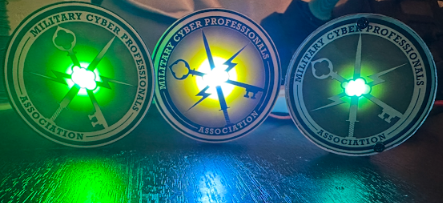
First off, to those who receive these, thank you for your contribution to the Military Cyber community. The United States depends on individuals like you to achieve great things. This coin symbolizes significant contributions to the United States, the Cyber Community, or MCPA itself. Different versions of the MCPA coin are currently in circulation and can be awarded for various achievements, such as contributions to the organization or performance-based recognition. These coins are made in the USA and are more sustainable for military units and cyber entities alike compared to traditional metal coins. And … they light up! These coins can be attached to the DEFCON Badge or the Hammercon Badge SAO port and light up if assembled correctly.
Parts and Equipment
A breakdown of equipment needed:
12 inches minimum of Lead Free Solder
Parts
Green LED - You can change if you use the voltage as 3.3v in this calculator here and get your resistor value
Extra equipment (not necssary):
Assembly
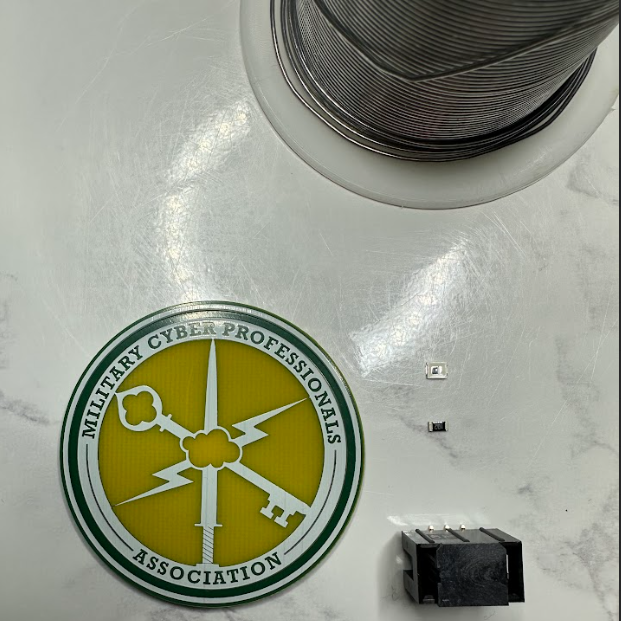
In the image above I have laid out my led, resistor, SAO connector, coin, and solder. These are the core components for the MCPA Challenge Coin.
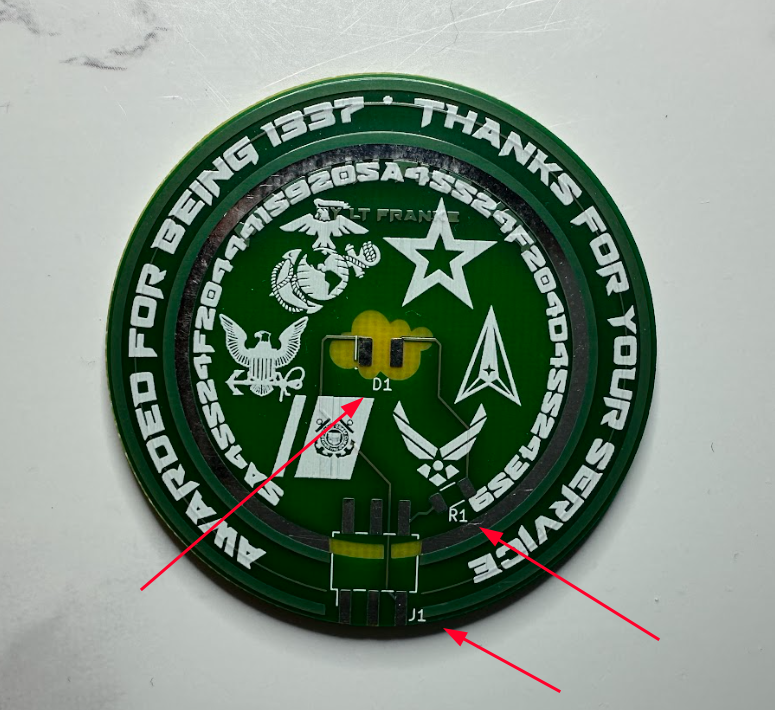
In the image, there are 3 components to populate.
R1 - The 5 Ohm Resistor
D1 - The LED (Which will be flipped)
J1 - The SAO Connetor
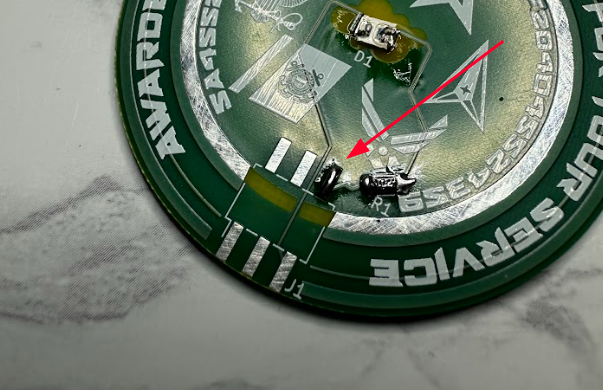
We will start by placing the LED on the PCB. place a small amount of solder on one of the pads for the LED marked D1 in the center of the coin.
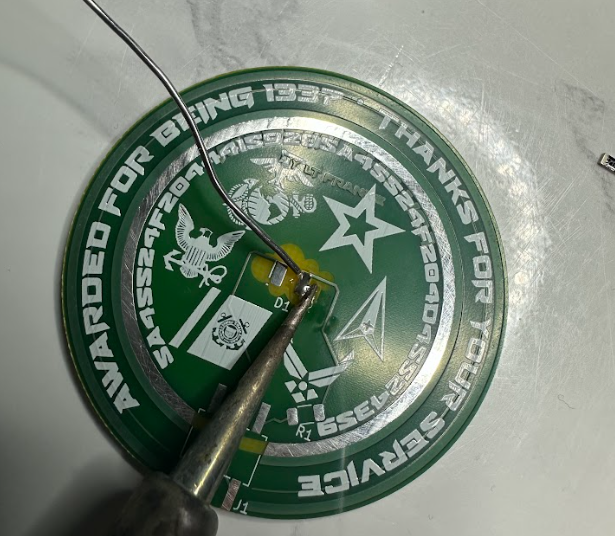
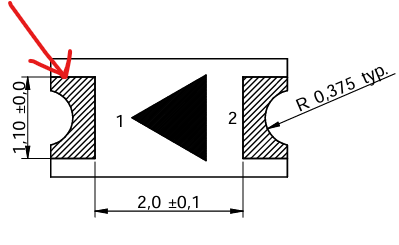
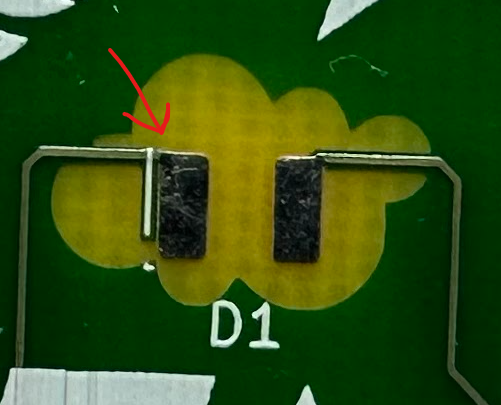
To correctly position the LED, face the arrow toward the white line shown in the picture. Ensure the green arrow on the LED is flipped up signifying that it is upside down. I recommend using your tweezers while heating the solder bolb to secure the led to the coin.
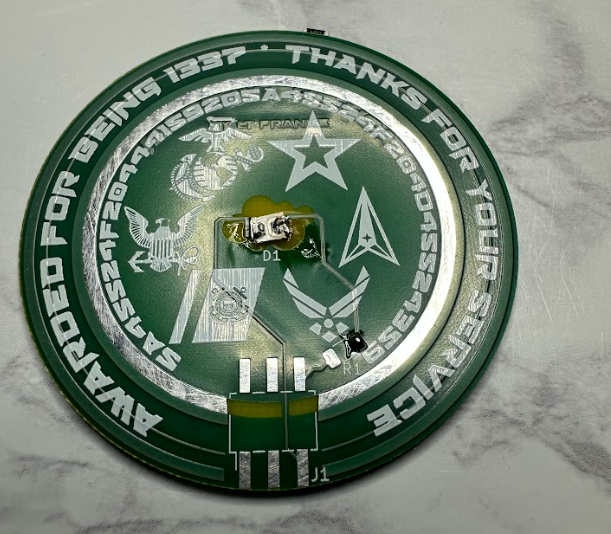
In the above picture, my led is reverse mounted and will work. Now follow the same procedure for the Resistor. If there is a marking, ensure the white lettering is face up.
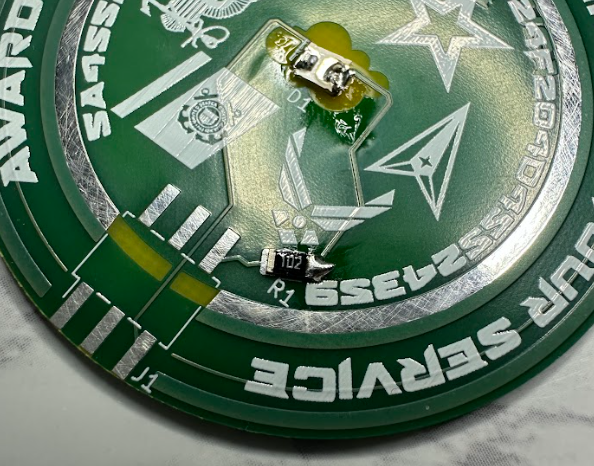
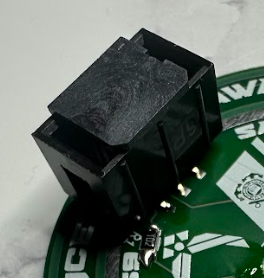
Lastly, the SAO connector. It is advised to put a little bit of solder on one of the 6 pads first then use tweezers to hold it in place while you use the solder iron to secure the one leg. After that, heat up the rest and fix them to the board. The "key" or one side with an opening should be facing up. It should look like this (except mine is upside down and was later flipped).
And that is it! You have successfully soldered your MCPA coin together. Place it on your badge and see if it lights up! Thank you for reading.