
MCP9808 Sensor Project
Code for combining a Raspberry Pi Zero 2 WH computer with an Adafruit MCP9808 temperature sensor to measure ambient air temperatures. The files in this repo are related to the following Hackaday.io project.
Application Overview
The Python script communicates with the MCP9808 using the I2C interface and logs temperature readings once per second. Each reading is timestamped and appended to a CSV file, creating a dataset of environmental temperature measurements. The program runs indefinitely until manually stopped, allowing the device to act as a lightweight temperature monitoring system.
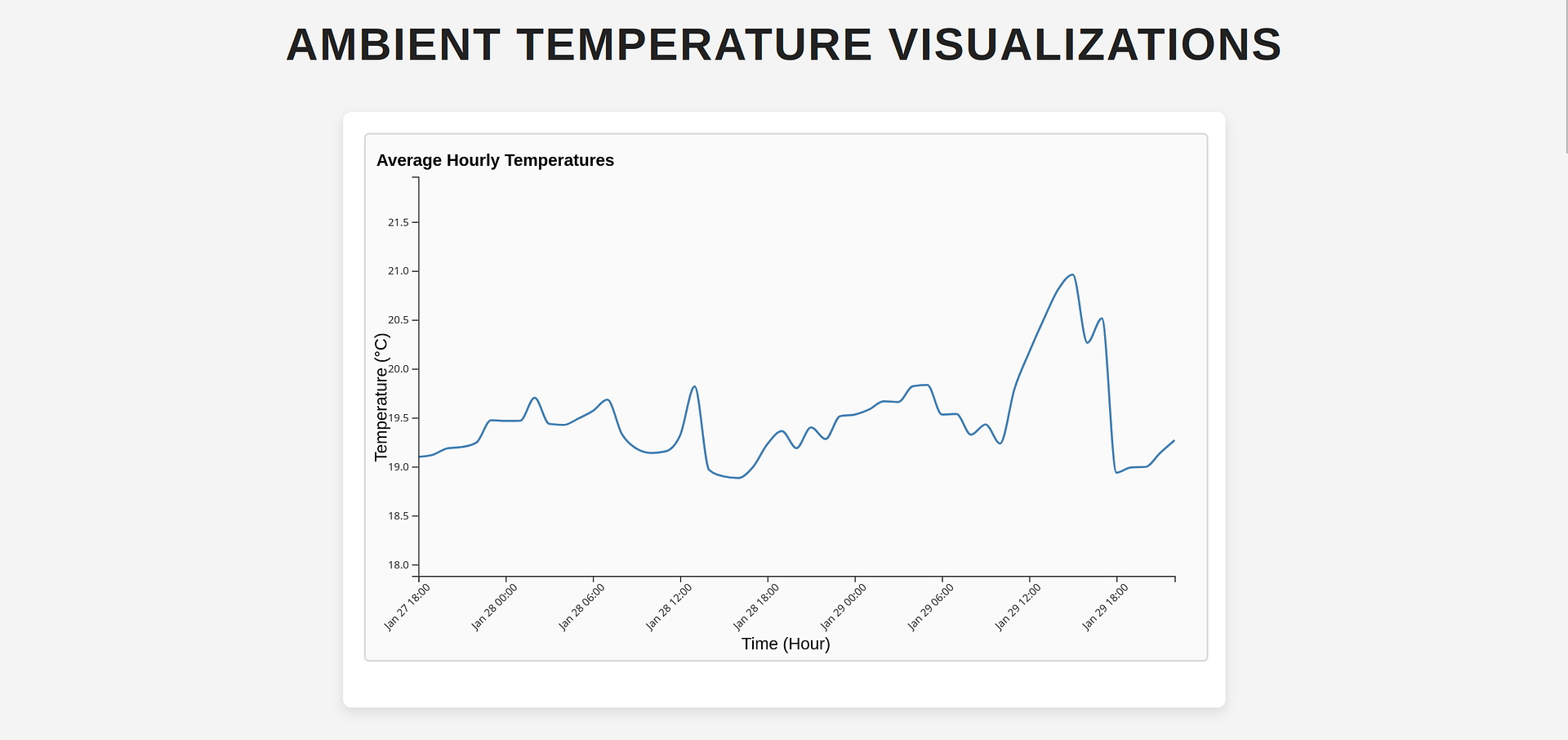
After sufficient data has been collected, the CSV file can be transferred from the Raspberry Pi to another computer for analysis and visualization. The project includes frontend files which load the temperature dataset and generate several charts to help explore patterns in the data. Because the script records a reading every second, the dataset can grow quickly which may require additional processing time and memory when generating the visualizations.
Basic Setup Instructions
Below are the required software programs and instructions for using this application on a Raspberry Pi computer.
Programs Needed
Setup Steps
-
Install the above programs
-
Open a terminal
-
Clone this repository:
git clone git@github.com:devbret/mcp9808-sensor-project.git -
Navigate to the repo's directory:
cd mcp9808-sensor-project -
Create a virtual environment:
python3 -m venv venv -
Activate your virtual environment:
source venv/bin/activate -
Install the needed dependencies:
pip install -r requirements.txt -
Run the primary script:
python3 app.py -
Start a
screensession:screen -S temp-logger -
Detatch:
Ctrl+A, then D -
To later reattach:
screen -r temp-logger
Other Considerations
Below you will find a summary of the technical abilities this repo is meant to demonstrate, the licensing terms under which the code is released along with how to get in touch and a description of the three chart types included for exploring your temperature readings, as well as how much data the logger tends to produce.
Abilities Demonstrated
This project repo is intended to demonstrate an ability to do the following:
-
Read ambient air temperature with an Adafruit MCP9808 sensor wired to a Raspberry Pi Zero 2 WH over the I2C bus
-
Record one timestamped Celsius reading every second and append it to a
temperature_log.csvfile -
Run continuously in the background until stopped with
Ctrl + C, printing each reading to the terminal -
Ship a browser frontend to load the collected CSV with D3.js and render three views of the data
Types Of Charts
There are three types of graphs available for exploring your temperature measurements. The first visualization displays average hourly temperatures as a line graph. The second (type of) chart displays an average twenty four hour period based on all of your readings. And the third variety of charts displays each day's readings from when measurements began until their ending.
In my experience, the Python file will generate between two and three megabytes of data every twenty four hours. Although your results may vary.
License Information
This repository is distributed under the MIT License, which is available here. The MIT License is a permissive open source license, meaning you are free to use, modify, publish and sell copies of this software, including for commercial purposes. The only condition is the original copyright notice and permission notice be included in all copies or substantial portions of the software. Please also note the software is provided "as is", without warranty of any kind, and the author accepts no liability for any claim or damages arising from its use.
If you have any questions or would like to collaborate, please reach out either on GitHub or via my website.