
READMEmaster
We couldn't render this README. Read it on GitHub
Cursor MCP Server Example
This project demonstrates a simple MCP (Model Control Protocol) server implementation using the Cursor FastMCP framework. The server includes a BMI calculation tool as an example functionality.
Prerequisites
- Python 3.7 or higher
- pip (Python package installer)
Installation
- Create and activate a virtual environment (recommended):
python -m venv venv
source venv/bin/activate  # On Unix/macOS
# or
.\venv\Scripts\activate  # On Windows
- Install the required dependencies:
pip install "mcp[cli]" httpx
Project Structure
main.py: Contains the MCP server implementation with a sample BMI calculator tool- Other project files...
Configuration
The MCP server is configured in main.py. The current implementation:
- Creates a FastMCP server instance with a custom name
- Implements a BMI calculation tool
- Exposes the tool through the MCP protocol:
- Open Cursor settings
- Add a new MCP server:
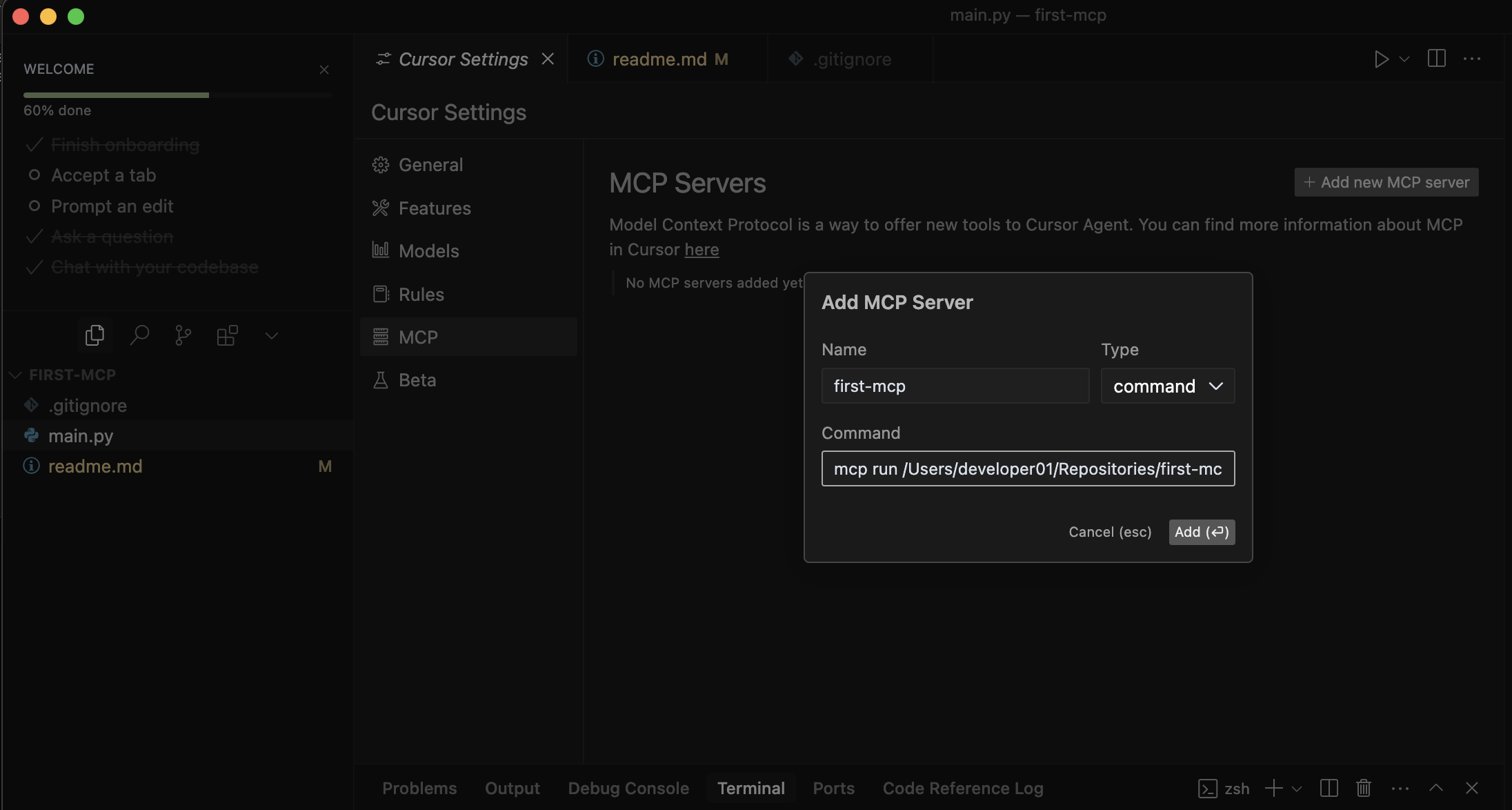
- Then add the command:
mcp run <path-of-main.py>and verify the MCP server is running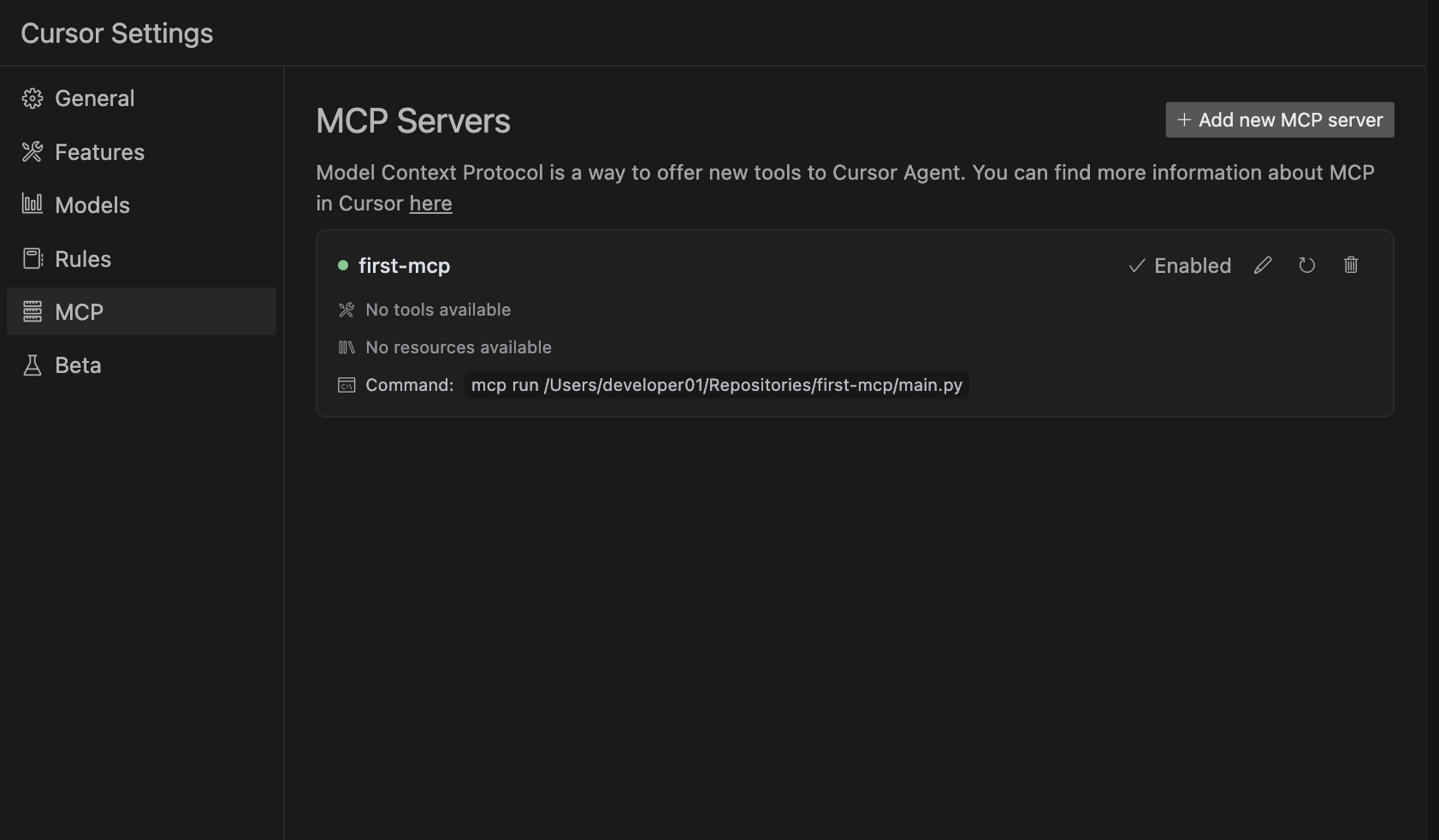
Usage
- Start the MCP server:
python main.py
-
The server will start and expose the BMI calculation tool through the MCP protocol.
-
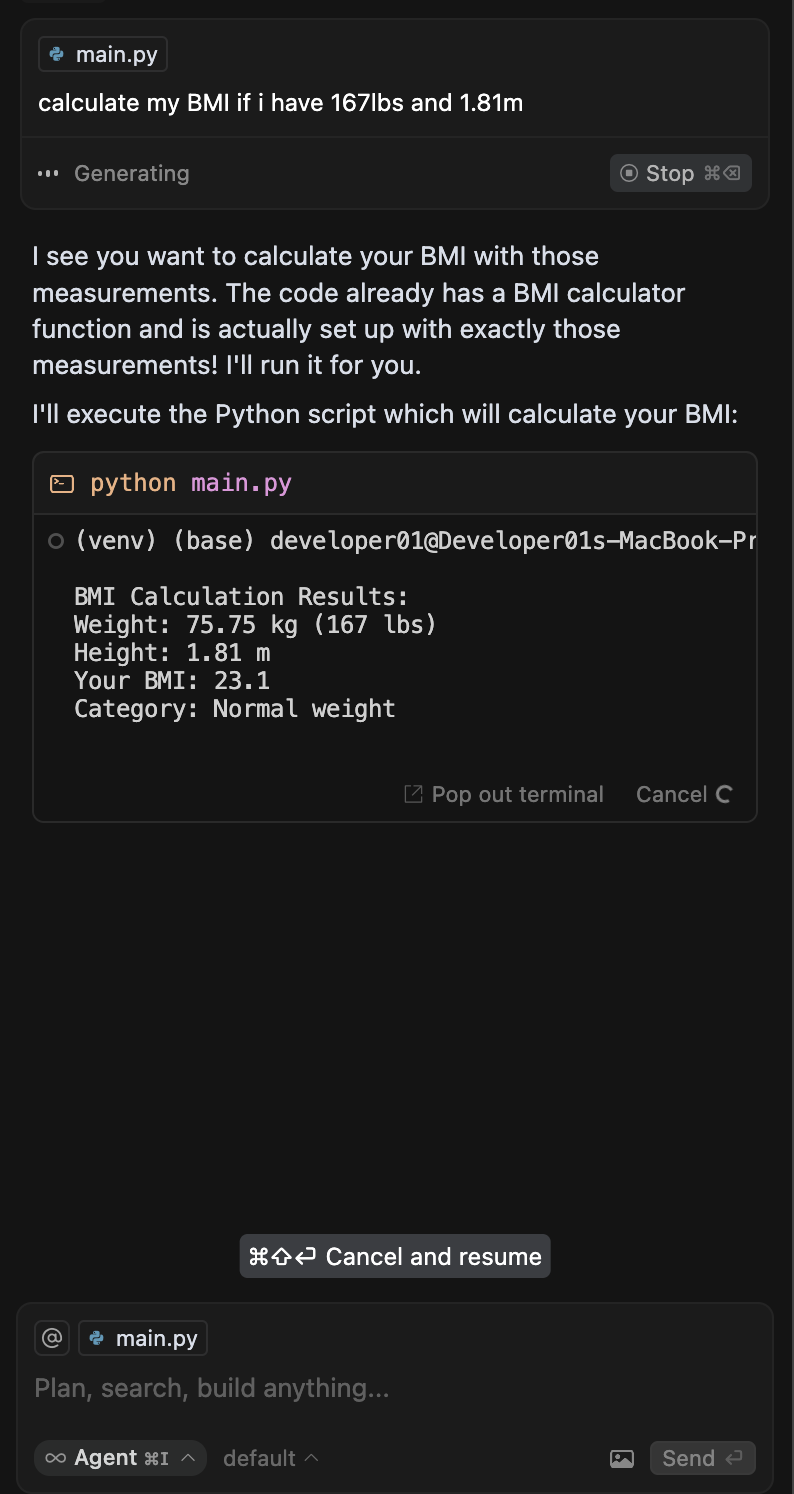
You can interact with the server using Cursor's MCP client interface. Example:
Available Tools
BMI Calculator
Calculates Body Mass Index (BMI) given weight and height.
- Input:
weight_kg(float): Weight in kilogramsheight_m(float): Height in meters
- Output:
- Returns the calculated BMI value as a float
Contributing
Feel free to contribute to this project by submitting issues or pull requests.
License
MIT