
Voltage Payments MCP Server
This repository contains a Model Context Protocol (MCP) server that provides a programmatic interface to the Voltage Payments API. The server dynamically exposes API endpoints as callable tools, allowing for seamless integration with AI assistants and other systems.
Warning
This work was completed during FOSS Friday at Voltage and released as open source for educational purposes. It should go without saying, (but hey, this is the internet, so who knows) but this can have unexpected side effects. If you run this MCP server with an API key with real money, it can be used to make real payments. Putting that kind of power into the hands of an LLM is #reckless. I think it's kind of awesome, but know there could be surprises.
Use at your own risk, etc.
Setup and Configuration
Environment Variables
The server requires the following environment variables to be set:
API_KEY: Your Voltage API keyORGANIZATION_ID: Your Voltage organization ID (UUID format)ENVIRONMENT_ID: Your Voltage environment ID (UUID format)BASE_URL: The base URL for the Voltage API (e.g.,https://api.voltage.cloud)
Configuring claude_desktop_config.json
To use this MCP server with Claude Desktop, you'll need to properly configure the claude_desktop_config.json file. This file tells Claude Desktop how to connect to your MCP server and what tools are available.
Location of the Config File
The claude_desktop_config.json file is typically located in:
- macOS:
~/Library/Application Support/Claude Desktop/claude_desktop_config.json - Windows:
%APPDATA%\Claude Desktop\claude_desktop_config.json - Linux:
~/.config/Claude Desktop/claude_desktop_config.json
Configuration Structure
Here's how to structure your claude_desktop_config.json file:
{
  "mcpServers": {
    "voltage-payments-python": {
      "command": "/path/to/uv",
      "args": [
        "run",
        "--with",
        "mcp[cli]",
        "mcp",
        "run",
        "/path/to/payment-mcp/server.py"
      ],
      "env": {
        "API_KEY": "your-api-key",
        "ORGANIZATION_ID": "organization-uuid",
        "ENVIRONMENT_ID": "environment-uuid",
        "BASE_URL": "https://backend.voltage.cloud"
      }
    }
  }
}
Available Tools
The MCP server exposes the following tools for interacting with the Voltage Payments API:
Wallet Operations
- get_all_wallets: Get all wallets for the organization
- create_wallet: Create a new wallet in the organization
- get_wallet: Get a specific wallet by its ID
- delete_wallet: Delete a specific wallet by its ID
- get_wallet_ledger_as_user: Get the ledger for a specific wallet
Payment Operations
- get_payments: Get a list of payments with optional filtering
- check_payment_status: Check the status of a payment by its ID
- generate_bolt11_invoice: Generate a BOLT11 invoice for receiving a payment
- pay_bolt11_invoice: Pay a BOLT11 invoice
Example Usage
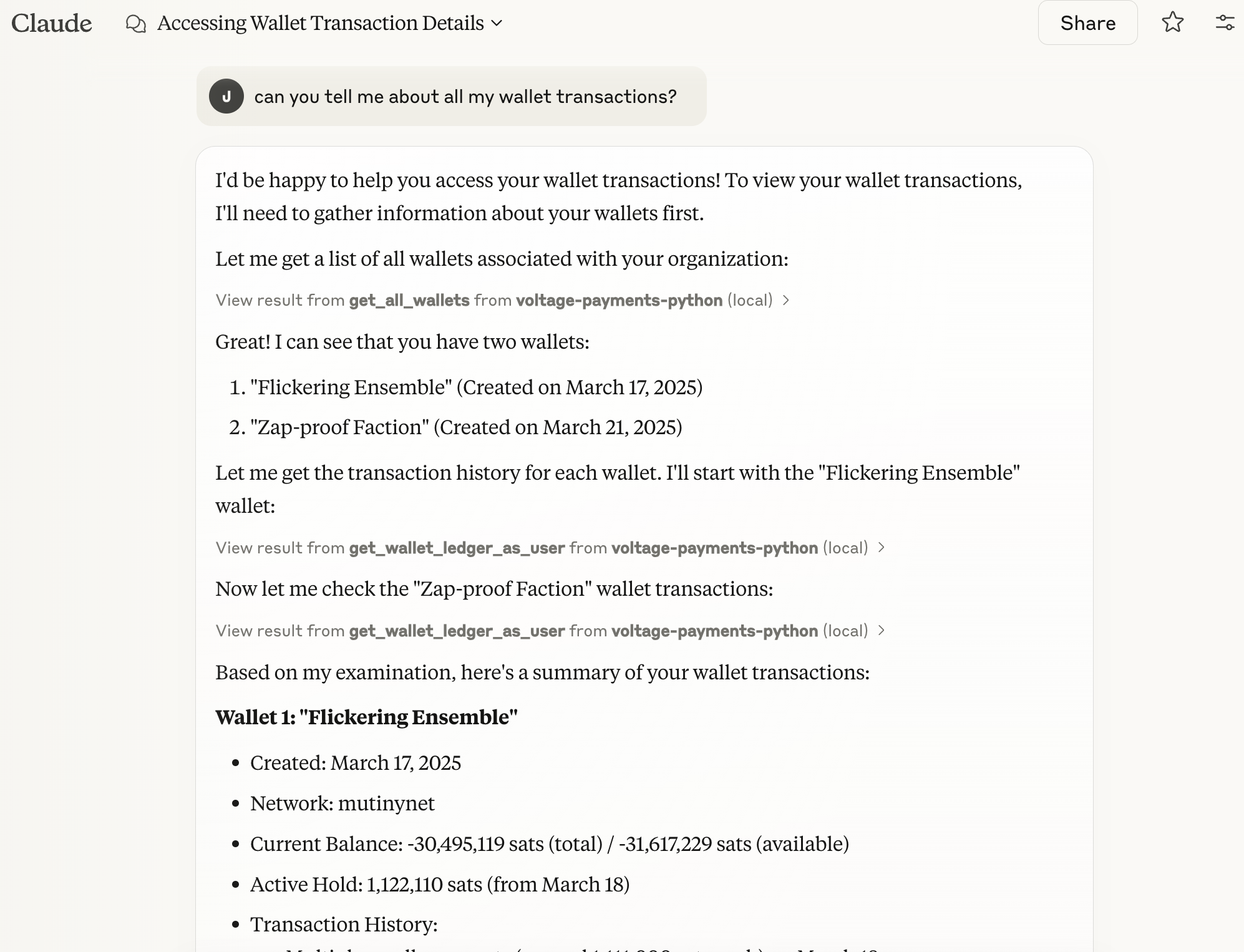
Below is a screenshot showing the Voltage Payments MCP server in action with Claude:
Running the Server Manually
If you prefer to run the server manually rather than through Claude Desktop's auto-start feature:
# Set environment variables
export API_KEY=your_api_key
export ORGANIZATION_ID=your_org_id
export ENVIRONMENT_ID=your_env_id
export BASE_URL=https://api.voltage.cloud

# Run the server
python server.py
Security Considerations
- Store your API keys and other sensitive information securely.
- Do not commit your
claude_desktop_config.jsonfile with actual API keys to version control. - Consider using environment variables or a secure secrets manager instead of hardcoding credentials.