
READMEmain
We couldn't render this README. Read it on GitHub
1. Background
This Chat app can answer kusto queries in conversational manner. In the backend, it uses the MCP Client/Server framework and AzureOpenAI's LLM.
2. Prerequisites
- Python
- pip
- Azure OpenAI's parameters
3. Setup environment
az login
Current code uses Az CLI authentication for connection to kusto, so perform the above step before running the app.
Clone the repo, activate virtual environment and install dependencies for client and server:
git clone <this repo>
virtualenv .venv
.venv/scripts/activate
pip install -r kusto-mcp-client/requirements.txt
pip install -r kusto-mcp-server/requirements.txt
cd kusto-mcp-client
- Create a .env file inside kusto-mcp-client directory and add the following variables:
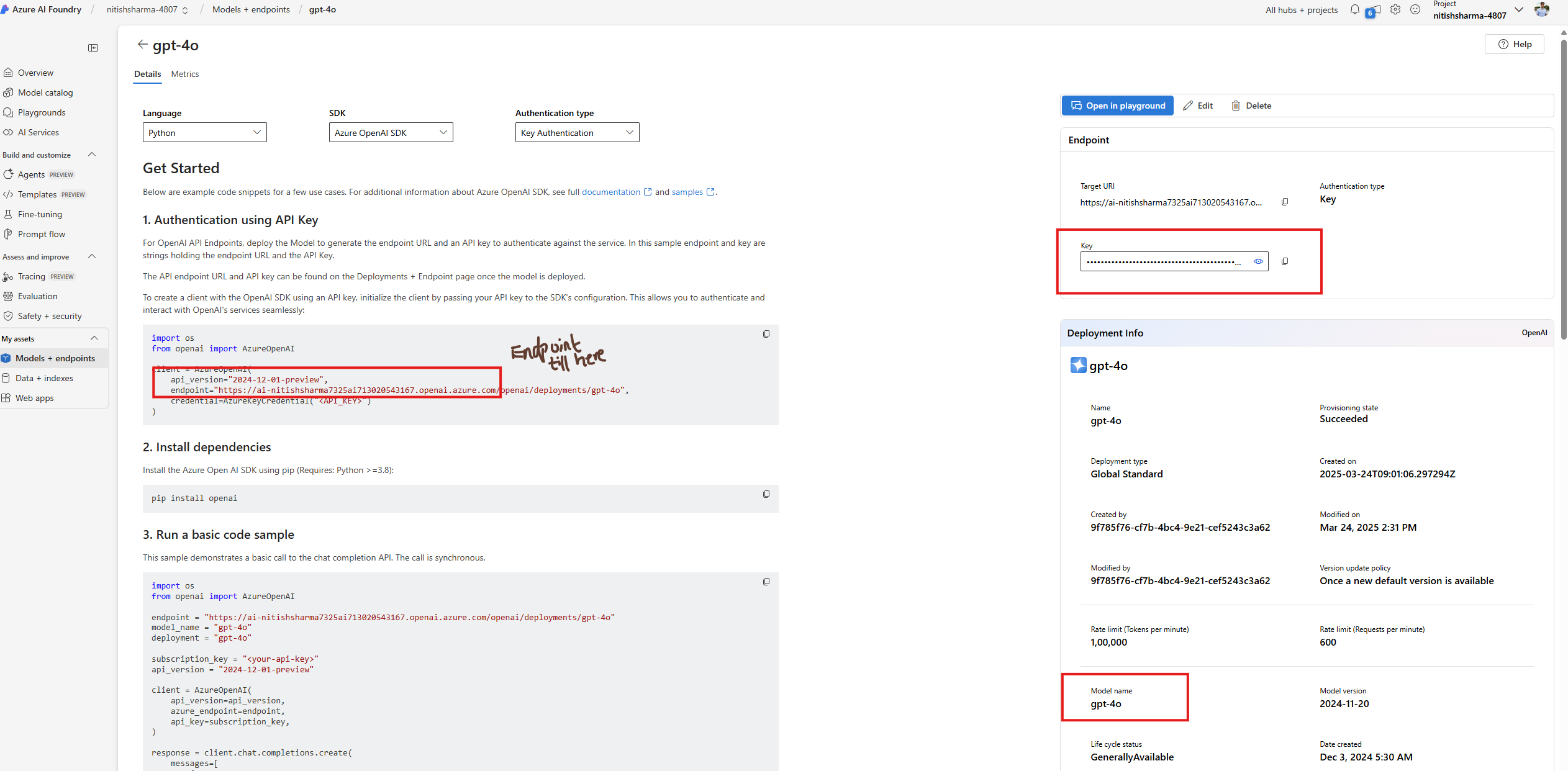
- Go to the Azure OpenAI Service page in Azure AI Foundry portal.
- Find them as mentioned in the picture below:
AZUREOPENAI_API_KEY       = ""
AZUREOPENAI_ENDPOINT      = ""
AZUREOPENAI_API_VERSION   = ""
AZUREOPENAI_MODEL         = ""
4. How to run sample project
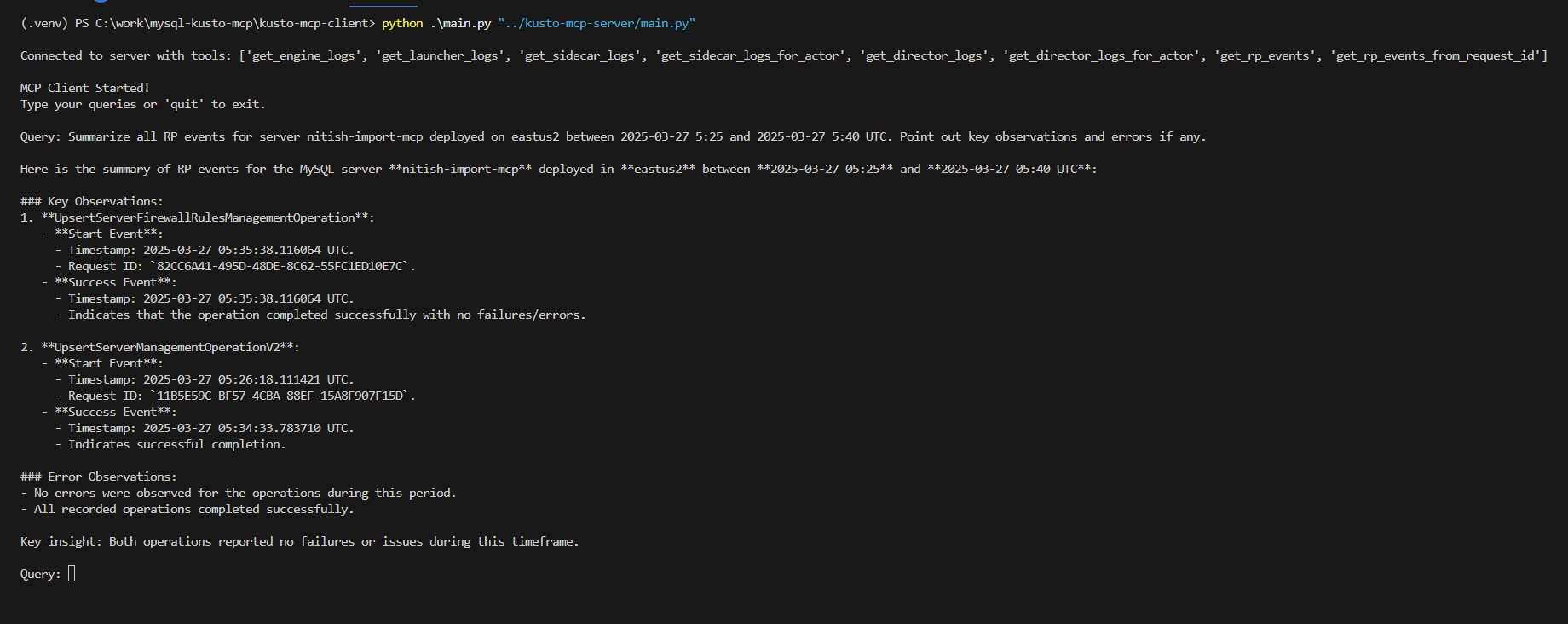
From Inside kusto-mcp-client dir, run the below command:
python main.py "../kusto-mcp-server/main.py"
- Enter your queries in the terminal as show in this picture and start chatting
- To start a new session, enter quit and start the client again