READMEmain
We couldn't render this README. Read it on GitHub
MCP with PlayWright test
Project Summary
This project demonstrates the integration of Playwright with MCP (Micro Code Protocol) to automate web interactions and validations. It provides a step-by-step guide to set up Playwright, configure MCP for automation tasks, and test the setup with a sample use case. The example showcases how to navigate to a webpage, extract the title, and validate its content programmatically using Playwright commands.
1. Install Playwright
Reference https://playwright.dev/docs/intro
npm init playwright@latest
2. Install Playwright MCP
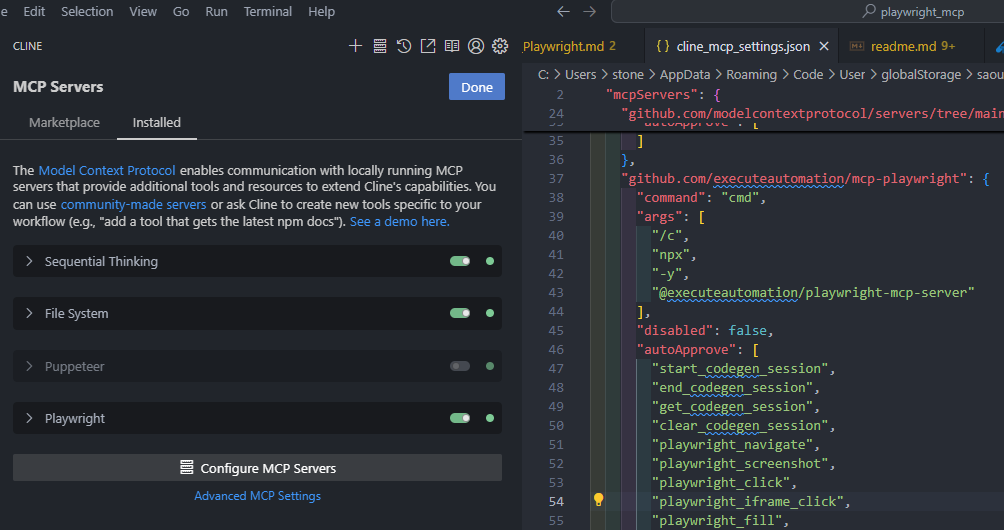
Use Cline or RooCode to install Playwright MCP.
Below is the my MCP config file for Windows 11.
"github.com/executeautomation/mcp-playwright": {
      "command": "cmd",
      "args": [
        "/c",
        "npx",
        "-y",
        "@executeautomation/playwright-mcp-server"
      ],
      "disabled": false,
      "autoApprove": [
        "start_codegen_session",
        "end_codegen_session",
        "get_codegen_session",
        "clear_codegen_session",
        "playwright_navigate",
        "playwright_screenshot",
        "playwright_click",
        "playwright_iframe_click",
        "playwright_fill",
        "playwright_select",
        "playwright_hover",
        "playwright_evaluate",
        "playwright_console_logs",
        "playwright_close",
        "playwright_get",
        "playwright_post",
        "playwright_put",
        "playwright_patch",
        "playwright_expect_response",
        "playwright_assert_response",
        "playwright_custom_user_agent",
        "playwright_get_visible_text",
        "playwright_get_visible_html",
        "playwright_go_back",
        "playwright_go_forward",
        "playwright_drag",
        "playwright_press_key",
        "playwright_save_as_pdf"
      ]
    }
- Cline MCP server config
3 Test mcp-playwright
User input:
use playwright,
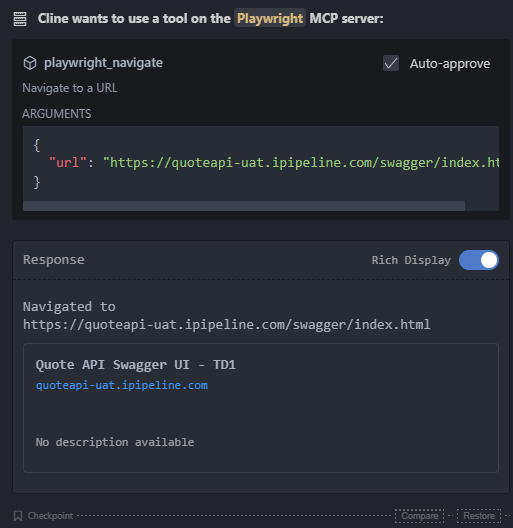
visit `https://quoteapi-uat.ipipeline.com/swagger/index.html `, get value of the <title>,
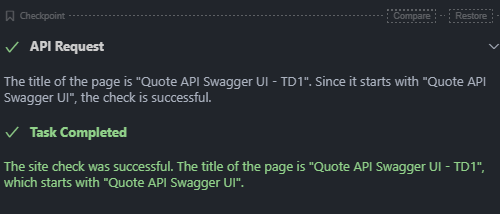
if the title value start with `Quote API Swagger UI `,
its success, otherwise, its failed.
please show me the status if the site is success or failed.
AI Response:
-
API Request
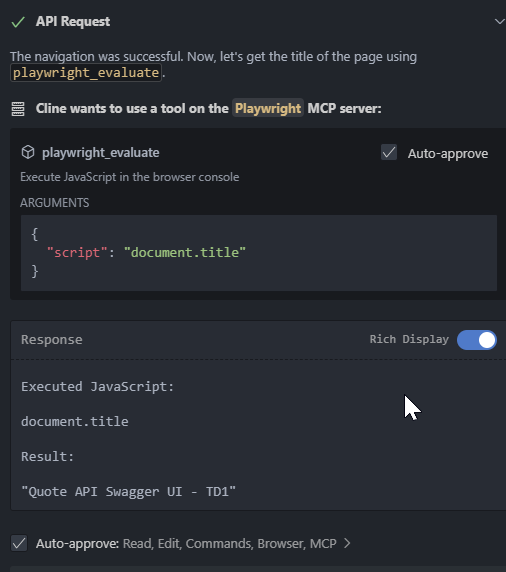
The task is to use Playwright to visit a URL, get the value of the <title> tag, and determine if the title starts with "Quote API Swagger UI". Based on this, report whether the site check was a success or failure. Here's the plan: Use the playwright_navigate tool to visit the specified URL. Use the playwright_evaluate tool to get the title of the page. Evaluate the title to determine if it starts with "Quote API Swagger UI". Use the attempt_completion tool to report the status (success or failed). Now, let's start by navigating to the URL. -
playwright_navigate
-
playwright_evaluate
-
attempt_completion