
READMEmain
We couldn't render this README. Read it on GitHub
🎬 YouTube Shorts Generator — AI-Powered Highlights to Viral Clips
Track:
agent-demo-track
✨ Turn long-form videos into scroll-stopping YouTube Shorts using AI — fast, accurate, and automated.
🧠 Overview
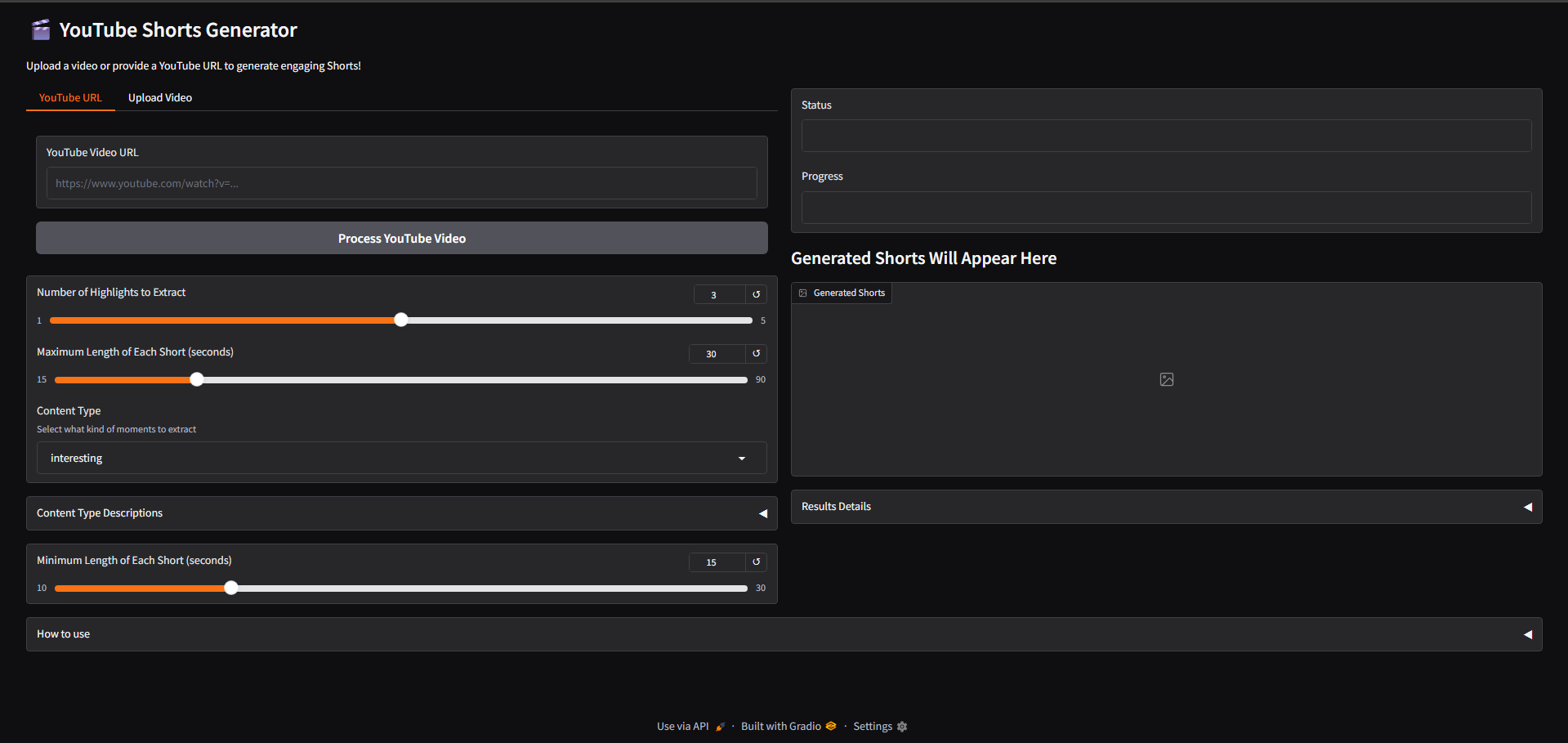
YouTube Shorts Generator transforms long videos into engaging, high-quality Shorts using AI. It automates the entire process — from transcription and highlight detection to clipping and captioning — saving creators hours of editing time and thousands in production cost.
Whether you're an educator, podcaster, or content creator, this tool helps you repurpose long content into viral-ready clips for platforms like YouTube Shorts, Instagram Reels, and TikTok.
🎥 Demo Video
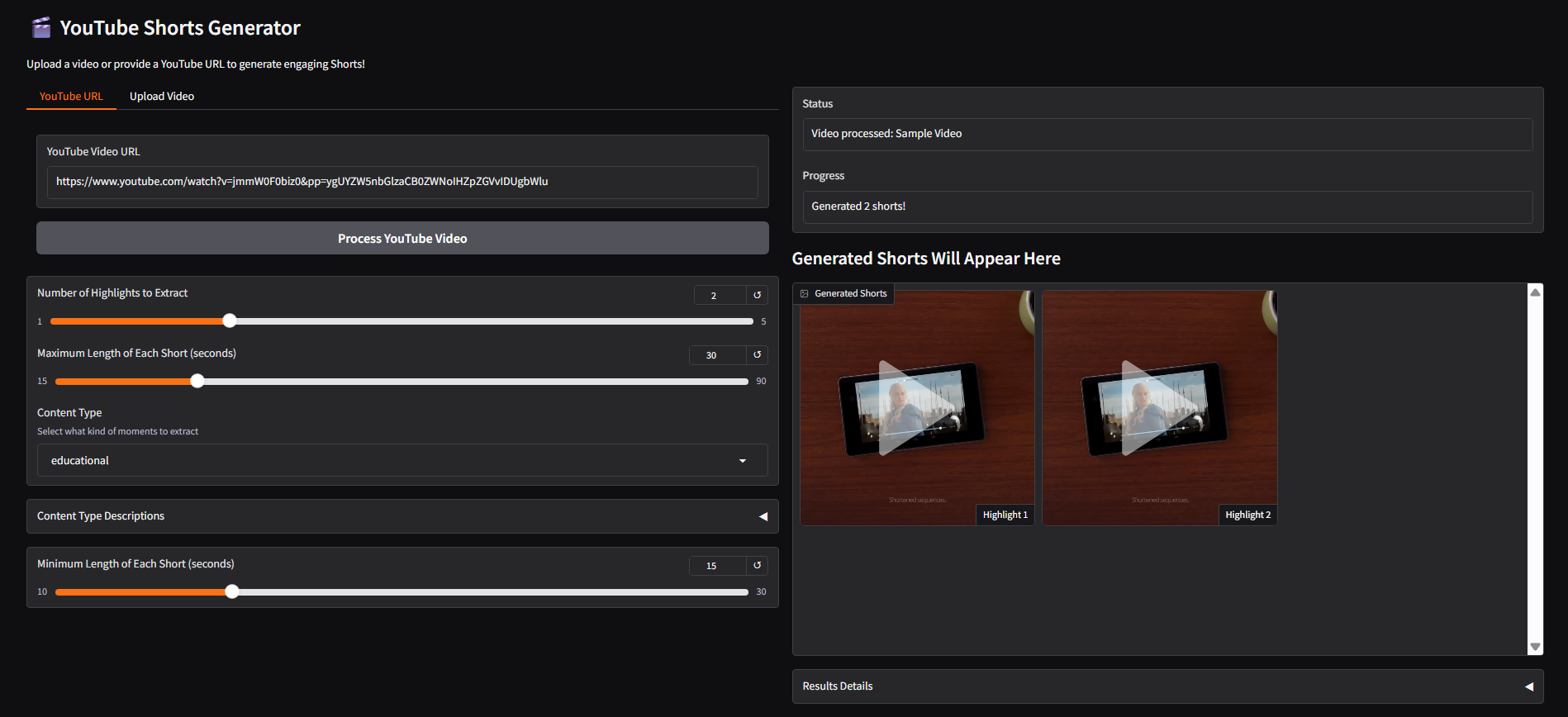
🚀 Features
- ✅ Smart Highlight Detection: Automatically selects attention-grabbing moments based on content type.
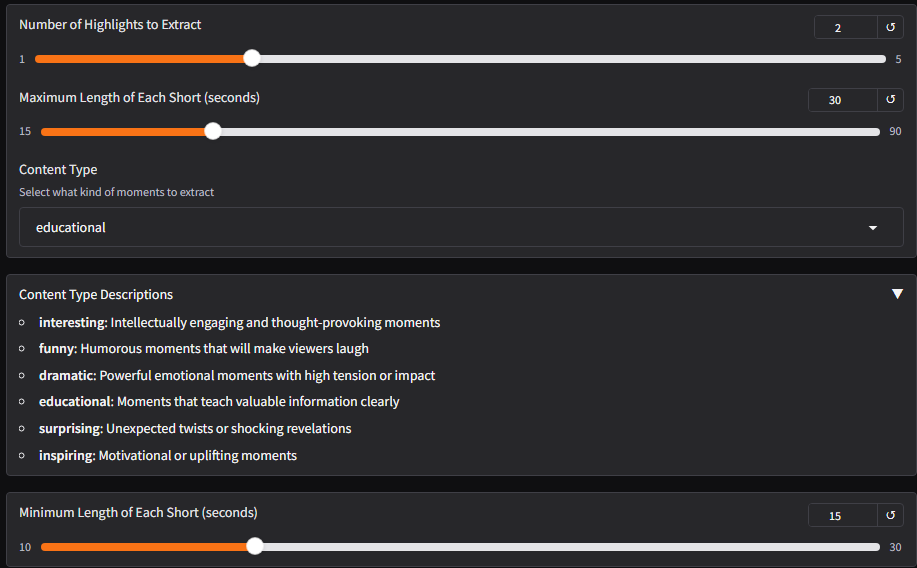
- ✅ Flexible Clip Duration: Generate 15–90 second videos tailored to platform requirements.
- ✅ Multiple Content Modes: Choose from
Educational,Funny,Dramatic,Surprising,Inspiring, etc. - ✅ Accurate Transcription: Powered by OpenAI Whisper for top-tier audio-to-text performance.
- ✅ AI-Generated Captions & Titles: Enhance engagement with catchy, context-aware overlays.
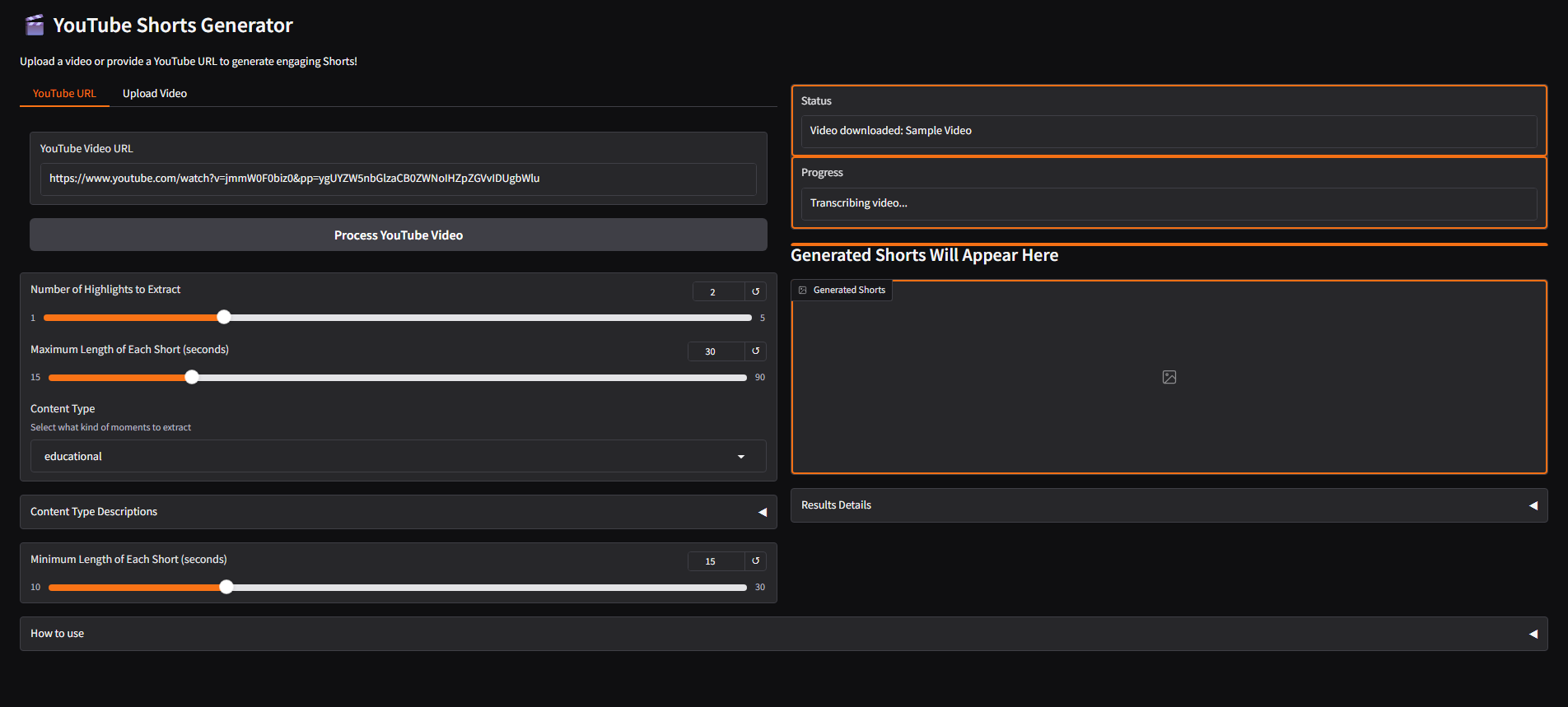
- ✅ Seamless YouTube Integration: Process videos from a simple YouTube URL.
- ✅ Download or Auto-Schedule: Direct download or schedule uploads to your Shorts channel.
🧰 Tech Stack
- Python 3.9+
- Gradio (for web UI)
- FFmpeg (video slicing)
- OpenAI Whisper (transcription)
- OpenAI GPT / Gemini LLM (caption generation, timestamp detection)
- Modal (cloud deployment & serverless compute)
🏗️ Architecture
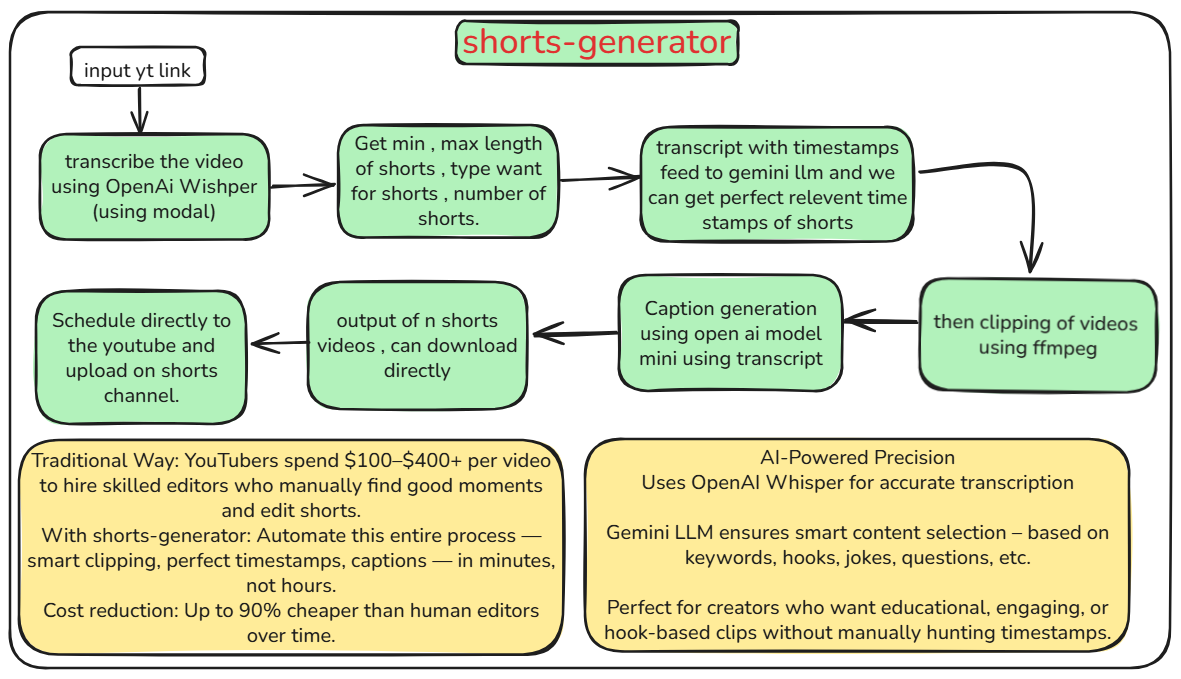
📦 Pipeline:
- Input: YouTube link or local file
- Transcription: Whisper model extracts accurate timestamped transcript
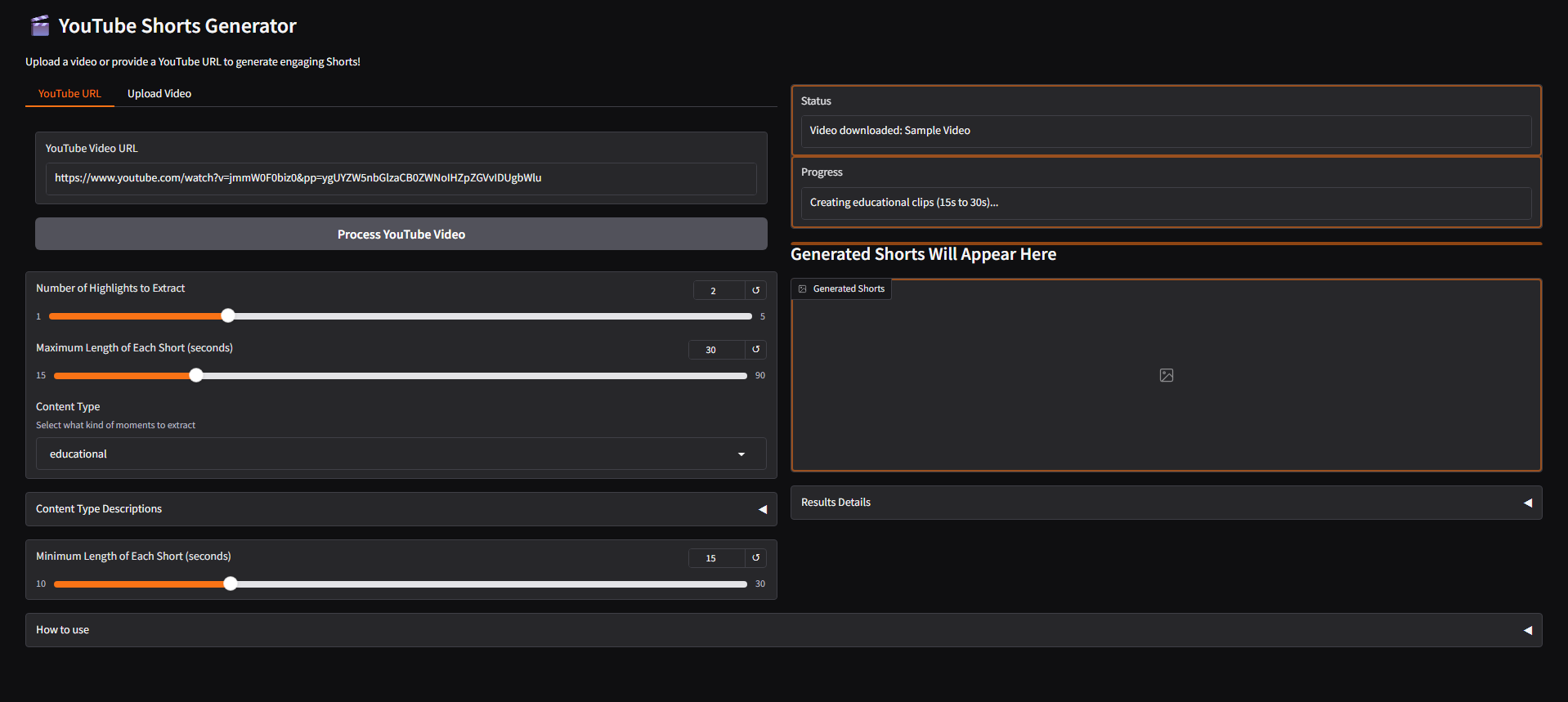
- Analysis: Gemini/GPT filters highlights based on selected content style
- Clipping: FFmpeg trims segments using timestamps
- Captioning: Catchy captions & hashtags generated
- Output: Final clips ready to download or publish
🧪 How to Use
⚙️ Prerequisites
- Python 3.9+
- FFmpeg installed & added to
PATH - OpenAI API Key
💻 Installation
git clone https://github.com/VanshGoyal000/shorts-generator
cd shorts-generator
pip install -r requirements.txt
3. Create a `.env` file with your API keys:
OPENAI_API_KEY=your_key_here
### Running the Application

There are two ways to run the application:

1. **Local Processing (Recommended for beginners)**:
```bash
python run.py
This launches a Gradio web interface that processes videos locally.
- Modal Processing (More powerful, requires Modal account):
python modal_deploy.py  # First deploy the Modal app
python run_modal.py     # Then run the Gradio interface using Modal
📊 Stats / Results
- Average processing time: ~3-5 minutes per video
- Supports videos up to 3 hours long
- 6 different content types for targeted short creation
- Clip duration range: 15-90 seconds (customizable)
👤 Team
- Vansh Goyal (Lead Developer)
- github.com/VanshGoyal000
- linkedin.com/in/vanshcodeworks
Usage Tips
- For the best results, select the appropriate content type that matches your video (funny, educational, etc.)
- Variable-length clips are more engaging than fixed-length clips
- Adjust the min/max duration based on your platform requirements
- Try different numbers of highlights to get the best moments from your video
Troubleshooting
- If you see "ConnectionResetError" messages on Windows, these are harmless and can be ignored
- If video processing fails, try clearing the cache in
%TEMP%/shorts_generator_cache - Check that FFmpeg is properly installed and accessible from your PATH
🏆 Submission Tags
agent-demo-track🤖 Gradio Agents & MCP Hackathon 2025 🚀