
READMEmain
We couldn't render this README. Read it on GitHub
Google ADK + Bright Data MCP Integration
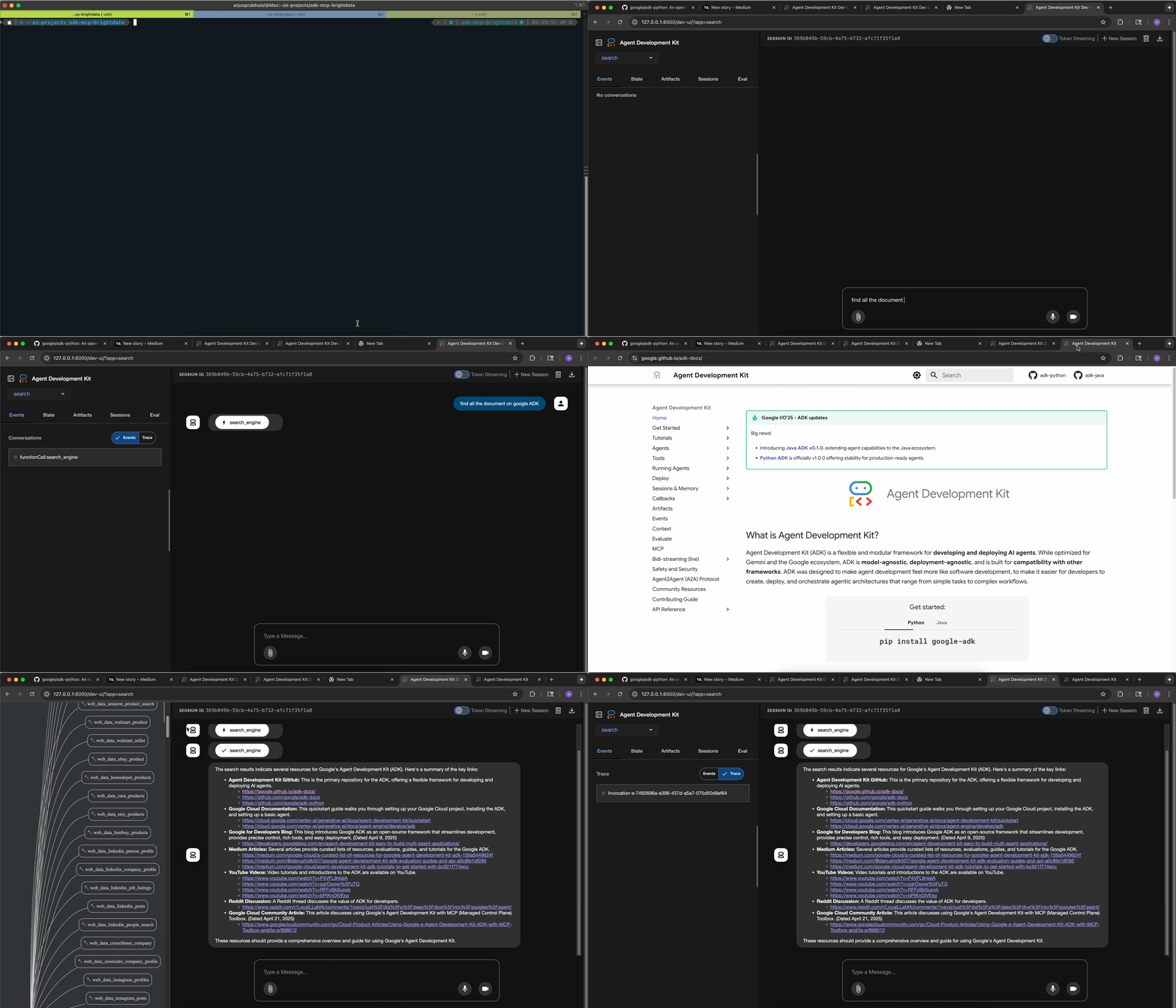
📖 Featured Article: Building ADK(v1.2.0+) agents using MCP tools by Arjun Prabhulal
A comprehensive implementation of Google's Agent Development Kit (ADK) v1.2.0+ integrated with Bright Data's Model Context Protocol (MCP) server for intelligent web search and data extraction capabilities.
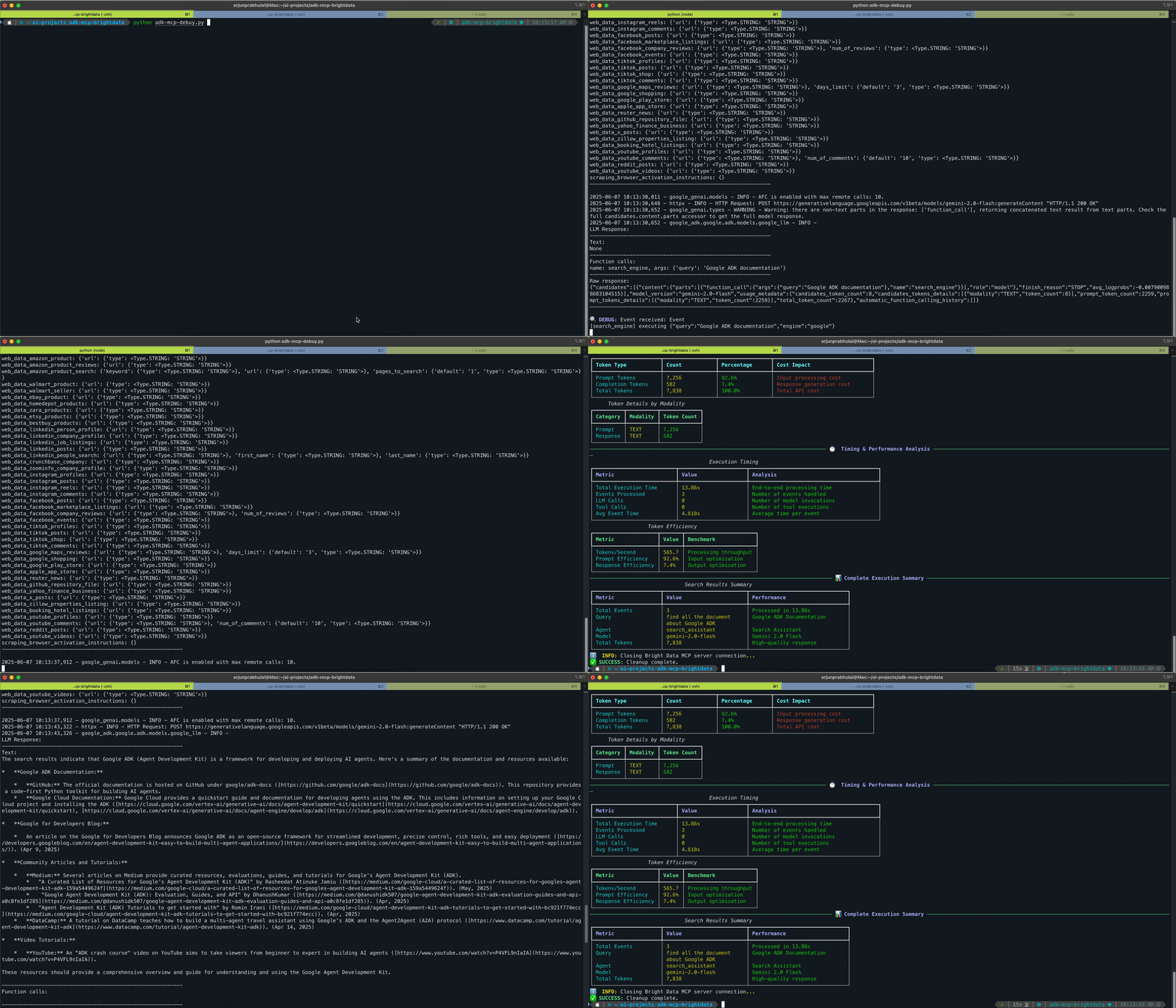
🚀 Key Features
- Modern ADK Integration: Utilizes ADK v1.2.0+ with simplified MCP tool registration
- Real-time Web Search: Powered by Bright Data MCP for current, accurate information
- Multiple Interfaces: Web UI, CLI, and programmatic access
🏗️ Architecture
This project demonstrates the change from ADK v0.5.0 to v1.2.0+:
ADK v0.5.0 (Legacy)
# Complex async executor pattern (deprecated)
def create_mcp_tool_executor():
    async def mcp_tool_executor(**kwargs):
        tools, exit_stack = await MCPToolset.from_server(...)
        try:
            return await try_tools_sequentially(tools, kwargs, exit_stack)
        finally:
            await exit_stack.aclose()
    return mcp_tool_executor
ADK v1.2.0+ (Modern)
# Simplified direct tool registration
tools = MCPToolset(
    connection_params=StdioServerParameters(
        command='npx',
        args=["-y", "@brightdata/mcp"],
        env={"API_TOKEN": os.getenv("API_TOKEN")}
    )
)

root_agent = Agent(
    model="gemini-2.0-flash",
    tools=[tools]  # Direct tool registration
)
📋 Prerequisites
- Python 3.10+
- Node.js 16+ (for npx command)
- Google API Key - Get from Google AI Studio
- Bright Data Account - Sign up at Bright Data
🛠️ Installation
1. Clone the Repository
git clone https://github.com/arjunprabhulal/adk-mcp-brightdata.git
cd adk-mcp-brightdata
2. Set Up Virtual Environment
# Mac/Linux
python -m venv venv
source venv/bin/activate

# Windows
python -m venv venv
venv\Scripts\activate
3. Install Dependencies
# Install Python packages
pip install google-adk google-generativeai mcp python-dotenv rich

# Install Bright Data MCP Server
npm install -g @brightdata/mcp
4. Environment Configuration
Create a .env file in the project root:
# Google API Key from https://aistudio.google.com/app/apikey
GOOGLE_API_KEY="your_google_api_key_here"

# Bright Data credentials from https://brightdata.com/cp/zones
API_TOKEN="your_brightdata_api_token"
WEB_UNLOCKER_ZONE="your_web_unlocker_zone"  # Optional

# Optional: Customize agent configuration
GEMINI_MODEL="gemini-2.0-flash"              # Default model
AGENT_NAME="search_assistant"                # Agent identifier
AGENT_DESCRIPTION="Your custom description"  # Agent description

# Optional: Customize MCP server configuration
MCP_COMMAND="npx"                            # Command to run MCP server
MCP_PACKAGE="@brightdata/mcp"                # MCP package name
🎯 Usage
Option 1: Web Interface
adk web
Access the web UI at http://localhost:8000
Option 2: Command Line
adk run search
This provides direct access to the ADK agent implementation.
📁 Project Structure
adk-mcp-brightdata/
├── search/
│   ├── __init__.py
│   ├── agent.py           # Core ADK agent implementation
│   └── prompt.py          # Agent instructions and prompts
├── .env                   # Environment variables
├── requirements.txt       # Python dependencies
└── README.md
🔧 Core Implementation
Agent Configuration
from google.adk.agents import Agent
from google.adk.tools.mcp_tool.mcp_toolset import MCPToolset, StdioServerParameters

tools = MCPToolset(
    connection_params=StdioServerParameters(
        command='npx',
        args=["-y", "@brightdata/mcp"],
        env={
            "API_TOKEN": os.getenv("API_TOKEN"),
            "WEB_UNLOCKER_ZONE": os.getenv("WEB_UNLOCKER_ZONE")
        }
    )
)

root_agent = Agent(
    model="gemini-2.0-flash",
    name="search_assistant",
    description="Google ADK Agent integrated with MCP for intelligent web search assistance.",
    instruction=PROMPT,
    tools=[tools],
)
🔧 Technical Features
ADK Integration Benefits
- Simplified Tool Registration: Direct MCPToolset integration
- Automatic Resource Management: No manual cleanup required
- Error Handling: Built-in timeout and connection management
- Async Support: Proper asynchronous execution patterns
⚠️ Known Issues
MCP Session Timeout (ADK v1.2.0+)
Issue: Default 5-second timeout in mcp_session_manager.py
Temporary Workaround: Update timeout in your virtual environment:
# File: .venv/lib/python3.12/site-packages/google/adk/tools/mcp_tool/mcp_session_manager.py
session = await self._exit_stack.enter_async_context(
    ClientSession(
        *transports[:2],
        read_timeout_seconds=timedelta(seconds=60),  # Changed from 5 to 60
    )
)
🚀 Key Improvements in ADK v1.2.0+
- Simplified Tool Registration: Direct MCPToolset integration
- Cleaner Code: No more complex async executors
- Better Error Handling: Improved timeout and connection management
- Enhanced Performance: Streamlined tool execution
- Developer Experience: More intuitive agent building
🤝 Contributing
- Fork the repository
- Create a feature branch (
git checkout -b feature/amazing-feature) - Commit your changes (
git commit -m 'Add amazing feature') - Push to the branch (
git push origin feature/amazing-feature) - Open a Pull Request
📚 Additional Resources
- Article: Building ADK(v1.2.0+) agents using MCP tools
- Google ADK Documentation: Agent Development Kit
- Bright Data MCP: MCP Server Documentation
- Model Context Protocol: MCP Specification
📄 License
This project is licensed under the MIT License - see the LICENSE file for details.
👤 Author
Arjun Prabhulal
- Medium: @arjun-prabhulal
- GitHub: @arjunprabhulal