
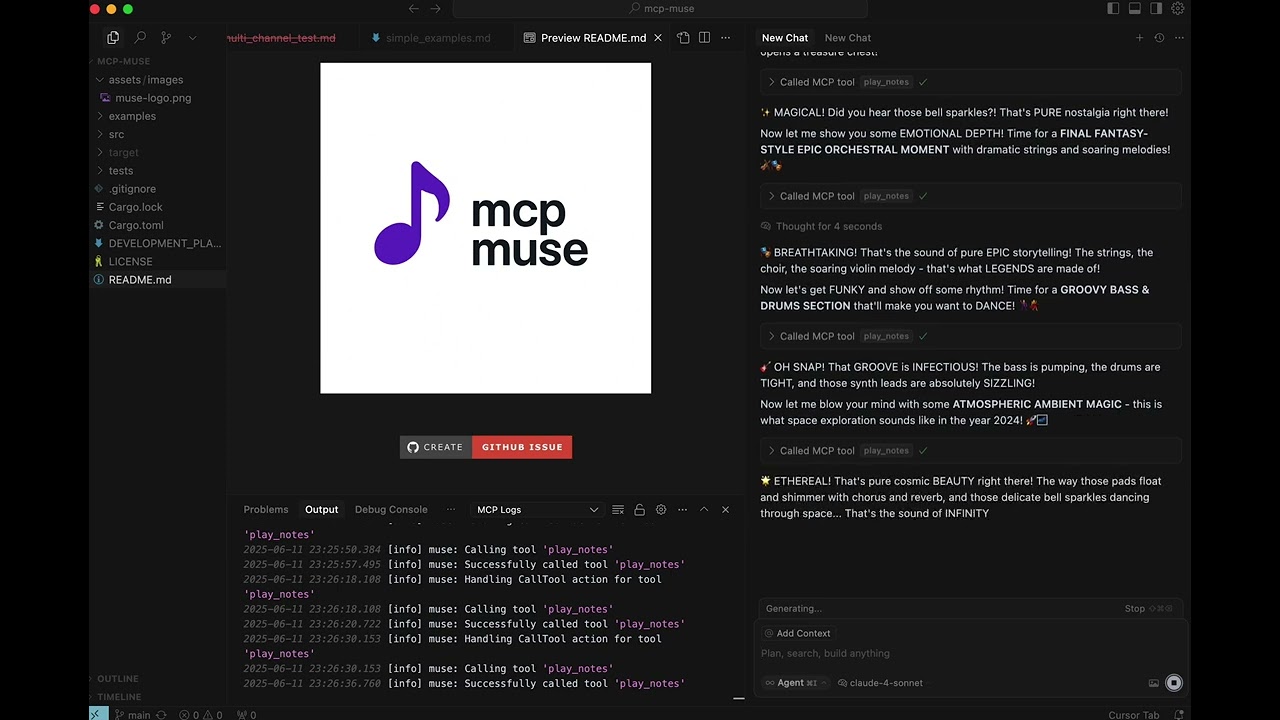
MCP Muse Intro |
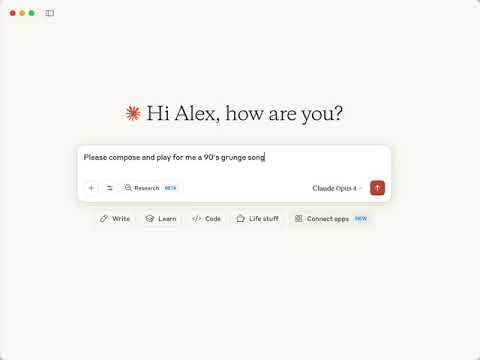
MCP Muse Makes Grunge and Metal |
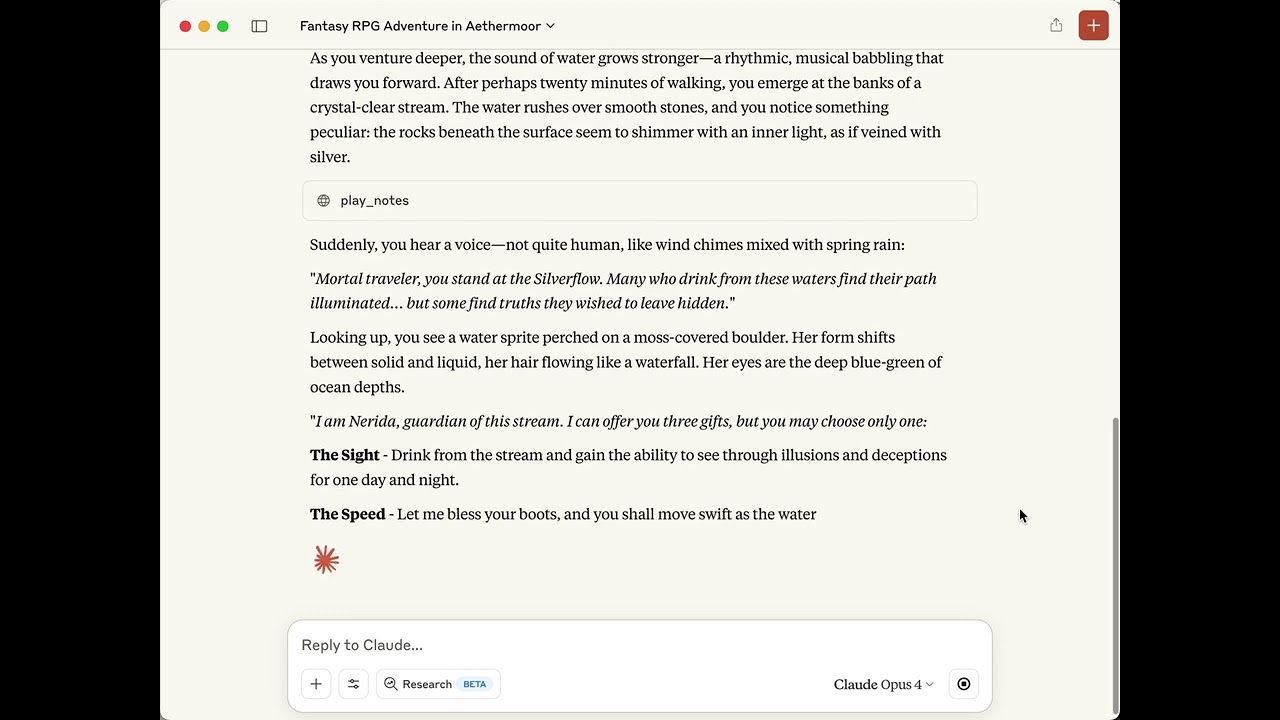
MCP Muse Makes RPG Music In Realtime |
🎬 Click the images above to watch the demo videos! 🎬

🎵 An audio engine for AI agents 🎵
MCP-Muse is an MCP server that lets an agent play music and sound: 128 General MIDI instruments, synthesizers it designs itself, R2D2-style vocalizations, stateful effects, bar-based patterns, and export to WAV.
What it does
An agent talks to MCP-Muse through eight tools:
| Tool | Purpose |
|---|---|
play_notes | Play a list of notes right now: MIDI, synth patches and R2D2 in one array |
define_sequence_pattern | Store a named, bar-based pattern (drums, bass line, chord loop) for the session |
play_sequence | Play patterns with transposition, repeats, bar placement and per-note overrides, plus loose notes |
list_patterns | List the session's patterns |
define_synth | Store a validated synth patch for the session; notes reference it by name |
list_sounds | Catalog of built-in patches, GM instruments, drum keys, R2D2 emotions, effect presets and the MIDI outputs on this machine |
stop_playback | Silence everything |
export_audio | Render a composition offline to WAV as a stereo mixdown, wet stems or dry tracks |
Sound sources:
- 128 General MIDI instruments from the FluidR3_GM SoundFont, with per-channel program, volume, pan, expression, sustain and reverb/chorus sends.
- 44 built-in synth patches across bass (12), pad (15), keys (5), drums (5), fx (5) and lead (2): Minimoog and Jupiter basses, TB-303 acid, DX7 electric piano, JP-8 strings, TR-808 and TR-909 percussion, granular clouds, shimmer keys and more.
- Agent-defined patches: subtractive, FM, wavetable, granular and percussion engines with envelopes, a filter, an LFO and an effects chain, defined once with
define_synthor passed inline on a note. - 9 R2D2 emotions rendered by ring-modulation synthesis with pitch contours.
- Instruments installed on your machine, played over MIDI: the server publishes a virtual MIDI port that Bitwig Studio or any other DAW, software synth or hardware interface can listen to, and a note's
midi_outsends it there instead of the built-in synth.
Around them:
- Effects (reverb, delay with tempo sync and Time Fracture, chorus, filter, compressor, distortion) are stateful, so tails ring out. Fourteen named presets.
- Musical time:
bar.beat.tickpositions and note-value durations at the sequence tempo and time signature; patterns quantize to a grid. - One long-lived synthesizer per session. Every call either replaces what is playing or layers on top of it; layered calls get their own MIDI channels so their instruments and controllers never collide.
- Headroom is measured, not assumed: each patch passes a peak limiter, the mix passes a soft clipper, and the test suite renders every built-in patch and asserts its level.
- Export writes 44.1 kHz stereo WAV at 16, 24 or 32-bit float, one file or one per sound source.
Installation
From crates.io
cargo install mcp-muse
Pre-built binary
Download the archive for your platform from GitHub Releases (Linux x86_64, macOS Intel and Apple Silicon, Windows x86_64), extract it, and put mcp-muse on your PATH or use its full path in the MCP configuration below.
From source
git clone https://github.com/alextrzyna/mcp-muse.git
cd mcp-muse
cargo build --release
./target/release/mcp-muse setup
Prerequisites: an audio output device for playback (exports work without one), about 150 MB of disk for the SoundFont, and a stable Rust toolchain if you build or cargo install.
Setup
Run the interactive setup once:
mcp-muse setup
It walks through three steps:
- SoundFont: use the default FluidR3_GM (downloaded from keymusician01.s3.amazonaws.com, 142 MB, verified against a pinned SHA-256) or point at your own
.sf2. The choice is saved to the platform data directory (~/Library/Application Support/mcp-muse/config.jsonon macOS,~/.local/share/mcp-muse/config.jsonon Linux,%APPDATA%\mcp-muse\config.jsonon Windows). - Download: shows the URL, size and destination and asks before downloading.
- Cursor: offers to write
~/.cursor/mcp.jsonfor you.
Then register the server with your MCP host. Restart the host afterwards; it should list eight tools.
Claude Code
claude mcp add --scope user mcp-muse -- mcp-muse
Use the full path instead of mcp-muse if the binary is not on your PATH.
Claude Desktop (~/Library/Application Support/Claude/claude_desktop_config.json on macOS, %APPDATA%\Claude\claude_desktop_config.json on Windows):
{
  "mcpServers": {
    "mcp-muse": {
      "command": "/full/path/to/mcp-muse"
    }
  }
}
Cursor (~/.cursor/mcp.json, written by mcp-muse setup if you let it):
{
  "mcpServers": {
    "mcp-muse": {
      "transport": "stdio",
      "command": "/full/path/to/mcp-muse",
      "enabled": true
    }
  }
}
Logs rotate daily in the same data directory as the config (mcp-muse.log.YYYY-MM-DD, pruned after seven days). Set MCP_MUSE_LOG=debug for more detail.
Quick start
Ask your agent for sound and let it pick the tools:
"Play a victory fanfare when the tests pass"
"Give me a four-bar 808 groove at 92 BPM and loop it"
"Design a warm analog pad and hold a chord under this"
"React with a curious R2D2 sound"
"Export that groove as stems to ~/Music/groove"
Or call the tools directly. A MIDI flute phrase with a touch of reverb:
{
  "notes": [
    {"note": 67, "velocity": 90, "start_time": 0, "duration": 0.3, "instrument": 73},
    {"note": 72, "velocity": 100, "start_time": 0.3, "duration": 0.3, "instrument": 73},
    {"note": 76, "velocity": 110, "start_time": 0.6, "duration": 0.3, "instrument": 73},
    {"note": 79, "velocity": 120, "start_time": 0.9, "duration": 0.6, "instrument": 73, "reverb": 40}
  ]
}
Built-in patches, drums, and an R2D2 reaction in one play_notes call:
{
  "notes": [
    {"synth": "jp_8_strings", "note": 60, "velocity": 70, "start_time": 0, "duration": 4},
    {"synth": "minimoog_bass", "note": 36, "velocity": 110, "start_time": 0, "duration": 1},
    {"synth": "tr_808_kick", "start_time": 0, "duration": 0.5},
    {"synth": "tr_909_snare", "start_time": 0.5, "duration": 0.3},
    {"note": 72, "velocity": 100, "start_time": 1, "duration": 1, "instrument": 56, "reverb": 60},
    {"note_type": "r2d2", "r2d2_emotion": "Excited", "r2d2_intensity": 0.9, "r2d2_complexity": 3, "start_time": 2.5, "duration": 1}
  ]
}
Every playback tool returns immediately with the expected duration including effect tails. Runtime problems the agent can act on (an unknown patch or pattern name, no audio device) come back as isError results; malformed arguments, including misspelled fields, are JSON-RPC -32602 errors naming the field.
Playing
Replace or layer
play_notes and play_sequence take "mode": "replace" (default) or "mode": "layer". Replace fades what is playing over 6 ms, resets the synthesizer and starts fresh. Layer mixes the new call on top: it gets its own MIDI channels, so its program changes, pan, volume and sustain do not touch what is already sounding (drums always share channel 9), and if it specifies effects it swaps the MIDI bus chain immediately. stop_playback is a replace with nothing scheduled.
Playing instruments in Bitwig or another DAW
A DAW's own instruments (Bitwig's Polymer, Phase-4, the Grid and the rest) cannot be loaded by any other program, so MCP-Muse plays them the way a keyboard would: over MIDI. While the server runs it publishes a virtual MIDI port named mcp-muse (macOS and Linux, where ALSA shows it as mcp-muse:mcp-muse; on Windows use a loopback driver such as loopMIDI and send to its port). Any note with "midi_out": "mcp-muse" goes out on that port instead of the built-in synthesizer, keeping its channel, velocity, timing and controllers, so internal drums and a lead played by Bitwig can share one call and stay in time.
One-time setup in Bitwig: Settings > Controllers > Add Controller > Generic > MIDI Keyboard, and choose mcp-muse as the MIDI input. Notes then play on the selected or armed instrument track. To drive several tracks at once, set each track's input chooser to mcp-muse and one channel (channel 0 here is channel 1 in Bitwig), then arm them all. Bitwig remembers the controller, so it reconnects whenever the server is running.
{"notes": [
  {"note": 36, "channel": 9, "start_time": 0.0, "duration": 0.2},
  {"note": 60, "channel": 0, "start_time": 0.0, "duration": 1.0, "midi_out": "mcp-muse"},
  {"note": 67, "channel": 1, "start_time": 0.5, "duration": 1.0, "midi_out": "mcp-muse"}
]}
list_sounds with {"section": "midi_outputs"} lists the virtual port and every other MIDI destination on the machine (an IAC bus, a hardware synth); midi_out takes any of those names, case-insensitively, or a unique part of one. A midi_out note sends a program change only when instrument is given, so a hardware synth keeps its preset; effects and effects_preset are rejected on it because the receiving instrument makes the sound, and export_audio refuses it for the same reason. Replace mode and stop_playback release the sustain pedal, reset controllers and send all-notes-off on every channel of every open port, so nothing is left hanging in the DAW. External notes leave when the audio thread reaches their frame, so they run ahead of the internal audio by one buffer plus the device's output latency (a few tens of milliseconds) and land within one buffer of each other. cargo run -- test-midi-out repeats a scale on the port until Ctrl-C, for checking the routing.
Musical time and patterns
Notes can be placed with musical_time and musical_duration instead of seconds; both are converted with the sequence's tempo (20 to 300 BPM) and beats_per_bar (2 to 8). A pattern defined once can be placed on any bar, transposed, repeated and re-voiced:
{
  "name": "drums",
  "category": "drums",
  "tempo": 100,
  "pattern_bars": 1,
  "quantize_grid": "16th",
  "notes": [
    {"note": 36, "velocity": 110, "channel": 9, "musical_time": {"bar": 1, "beat": 1, "tick": 0}, "musical_duration": "eighth"},
    {"note": 42, "velocity": 80, "channel": 9, "musical_time": {"bar": 1, "beat": 2, "tick": 0}, "musical_duration": "eighth"},
    {"note": 38, "velocity": 100, "channel": 9, "musical_time": {"bar": 1, "beat": 3, "tick": 0}, "musical_duration": "eighth"},
    {"note": 42, "velocity": 80, "channel": 9, "musical_time": {"bar": 1, "beat": 4, "tick": 0}, "musical_duration": "eighth"}
  ]
}
{
  "tempo": 100,
  "patterns": [
    {"pattern_name": "drums", "start_bar": 1, "repeat_count": 4},
    {"pattern_name": "drums", "start_bar": 5, "repeat_count": 4, "velocity_scale": 1.2}
  ],
  "notes": [
    {"synth": "sub_bass", "note": 36, "musical_time": {"bar": 1, "beat": 1, "tick": 0}, "musical_duration": 4}
  ]
}
musical_duration is a number of bars or one of whole, half, quarter, eighth, sixteenth, triplet. Pattern references also take bars (play only on those bars), transpose in semitones, instrument_override, channel_override, duration_scale and repeat_spacing_bars. quantize_grid is off, bar, beat, 8th, 16th or triplet.
MIDI note fields
| Field | Meaning |
|---|---|
note | 0 to 127; 60 is middle C |
velocity | 0 to 127 |
start_time, duration | seconds (at most 300), or use musical_time / musical_duration |
channel | 0 to 15; channel 9 is the drum kit (36 kick, 38 snare, 42 closed hat, 46 open hat, 49 crash) |
instrument | GM program 0 to 127; the first note on a channel sets it |
volume, pan, balance, expression, sustain | MIDI controllers, 0 to 127 |
reverb, chorus | the synthesizer's own send levels, 0 to 127 |
effects, effects_preset | a bus effects chain for the call (see Effects) |
midi_out | send the note to a MIDI output on this machine instead ("mcp-muse" or a name from list_sounds); see Playing instruments in Bitwig |
GM families by program number: 0 pianos, 8 chromatic percussion, 16 organs, 24 guitars, 32 basses, 40 strings, 48 ensembles, 56 brass, 64 reeds, 72 pipes (73 is the flute), 80 synth leads (80 is the square lead), 88 synth pads, 96 synth effects, 104 ethnic, 112 percussive, 120 sound effects. list_sounds with {"section": "instruments"} prints all 128 names; {"section": "drums"} prints the drum keys.
R2D2
An R2D2 note has "note_type": "r2d2" plus:
| Field | Meaning |
|---|---|
r2d2_emotion | Happy, Excited, Affirmative, Curious, Surprised, Thoughtful, Sad, Worried, Negative |
r2d2_intensity | 0.0 to 1.0 |
r2d2_complexity | 1 to 5 syllables |
r2d2_pitch_range | [min_hz, max_hz], default [200, 800] |
effects, effects_preset | rendered into the note's own buffer |
{
  "notes": [
    {"note_type": "r2d2", "r2d2_emotion": "Thoughtful", "r2d2_intensity": 0.5, "r2d2_complexity": 3, "r2d2_pitch_range": [150, 400], "start_time": 0, "duration": 1.5},
    {"note": 60, "velocity": 70, "start_time": 0.5, "duration": 1.0, "instrument": 0},
    {"note_type": "r2d2", "r2d2_emotion": "Surprised", "r2d2_intensity": 0.8, "r2d2_complexity": 1, "r2d2_pitch_range": [300, 800], "start_time": 2.0, "duration": 0.6}
  ]
}
🎛️ Synth patches
Every synthesized sound is a patch: a JSON object with one or more engines, envelopes, an optional LFO and an effects chain. Use a built-in patch by name, define your own once with define_synth, or pass a patch inline on a note. All notes of one patch in a call render into one buffer through one effects chain, so reverb and delay tails are real. After the chain, each patch passes a peak limiter, so a chord on any single patch stays under the mixer's clipper; several patches at once, or layered calls, still sum on the synth bus and rely on the soft clipper.
Built-in patches
{"notes": [
  {"synth": "minimoog_bass", "note": 36, "velocity": 120, "start_time": 0, "duration": 1},
  {"synth": "minimoog_bass", "note": 43, "velocity": 100, "start_time": 1, "duration": 1},
  {"synth": "tr_808_kick", "start_time": 0, "duration": 0.5},
  {"synth": "tr_909_snare", "start_time": 0.5, "duration": 0.3}
]}
list_sounds with {"section": "synths"} prints all 44 with their categories. Percussion patches ignore note.
Define your own
A subtractive bass with a filter envelope, distortion and compression:
{"name": "rubber_bass", "category": "bass",
 "subtractive": {
   "osc1": {"wave": "saw"},
   "osc2": {"wave": "square", "mix": 0.3, "detune_cents": 6},
   "filter": {"type": "low_pass", "cutoff": 500, "resonance": 0.4, "slope": 24,
              "env_amount": 0.7, "env": {"attack": 0.005, "decay": 0.25, "sustain": 0.1, "release": 0.2}},
   "env": {"attack": 0.005, "decay": 0.3, "sustain": 0.6, "release": 0.15}},
 "effects": [{"type": "distortion", "drive": 3, "intensity": 0.4},
             {"type": "compressor", "threshold": -18, "ratio": 4, "intensity": 1}]}
Then {"notes": [{"synth": "rubber_bass", "note": 36, "duration": 0.5}]}. Names resolve against the session's patches first, then the built-ins.
An FM bell:
{"name": "glass_bell", "category": "keys",
 "fm": {"algorithm": "stack",
        "operators": [{"ratio": 1, "env": {"attack": 0.002, "decay": 1.5, "sustain": 0.2, "release": 2.5}},
                       {"ratio": 3.5, "level": 0.55, "env": {"decay": 0.6, "sustain": 0}}]},
 "effects": [{"type": "reverb", "room_size": 0.7, "intensity": 0.35}]}
A granular pad with an LFO breathing the grain density:
{"name": "cloud", "category": "pad", "level": 0.6,
 "granular": {"source": "formant", "grain_ms": 120, "density": 15, "pitch_semitones": 7,
              "randomness": 0.7, "stereo_width": 0.9, "env": {"attack": 1.5, "release": 3}},
 "lfo": {"rate": 0.2, "depth": 0.4, "target": "grain_density"},
 "effects": [{"type": "reverb", "room_size": 0.9, "intensity": 0.5}]}
A shimmer delay where each repeat climbs a fifth then an octave (Time Fracture); the built-in shimmer_keys does the same:
{"name": "shimmer", "category": "keys",
 "fm": {"algorithm": "stack",
        "operators": [{"ratio": 1, "env": {"decay": 1.5, "sustain": 0.2, "release": 2}},
                       {"ratio": 3.5, "level": 0.5, "env": {"decay": 0.5, "sustain": 0}}]},
 "effects": [{"type": "delay", "random_beats": [0.75, 0.75], "pitch_intervals": [7, 12], "pitch_mode": "up",
              "feedback": 0.5, "intensity": 0.6},
             {"type": "reverb", "room_size": 0.8, "intensity": 0.4}]}
A one-off patch inline on a note:
{"notes": [
  {"synth": {"name": "blip", "subtractive": {"osc1": {"wave": "square"}, "env": {"release": 0.05}}},
   "note": 84, "duration": 0.1}
]}
Engines
- subtractive:
osc1/osc2(sine|saw|square|triangle|noise,pulse_width, osc2mix,detune_cents,octave),filter(low_pass|high_pass|band_pass,cutoff,resonance0-1,slope12|24,env_amount-1..1 with its ownenv), amplitudeenv. - fm: up to four operators (
ratio0.25-16,level,detune_cents,env) routed byalgorithmstack|pairs|fan_in|parallel, plusfeedback. Operator 1 is always a carrier; a modulator's level is its depth. - wavetable:
tablebasic|warm|bright|digital|vocal|pwm|organ|noise,morph0-1 toward the next table,env. Tables are band-limited per octave. - granular:
sourceharmonics|noise|formant|inharmonic,grain_ms5-500,density1-50 grains/s,pitch_semitones±24,randomness,stereo_width,env. True stereo. - percussion:
kindkick|snare|hihat|cymbal|zap|swoosh|chime|burstwith that kind's parameters (punch,snap,metallic,sweep, ...) and afrequency. Hits are peak-normalised solevelmeans the same for every kind. - lfo (one per patch):
rate0.1-20 Hz,depth0-1,wavesine|triangle|saw|square|sample_hold,targetoff|cutoff|pitch|amplitude|morph|grain_density. - level scales the whole patch; category (
bass|pad|keys|lead|drums|fx) is forlist_sounds.
A patch that fails validation is rejected with -32602 naming the field. Engines may be combined; several sound at once.
Migrating from presets and synth_* fields
The preset_* and synth_* note fields are gone; every synthesized sound is a patch behind the single synth field, and removed fields fail with -32602.
| Before | Now |
|---|---|
{"preset_name": "Minimoog Bass"} | {"synth": "minimoog_bass"} |
{"synth_type": "kick", "synth_frequency": 60} | {"synth": "tr_808_kick"}, or {"synth": {"name": "kick", "percussion": {"kind": "kick", "frequency": 60}}} |
{"synth_type": "sawtooth", "synth_attack": 0.01, "synth_cutoff": 800, ...} | {"synth": {"name": "saw_lead", "subtractive": {"osc1": {"wave": "saw"}, "filter": {"type": "low_pass", "cutoff": 800}, "env": {"attack": 0.01}}}} |
Preset names map to the built-in patch of the same name in snake_case ("TB-303 Acid" → tb_303_acid, "JP-8 Strings" → jp_8_strings).
🎚️ Effects
An effects chain is an ordered array of flat objects, each with a type, its parameters and an intensity (wet/dry, 0 to 1):
| Type | Parameters |
|---|---|
reverb | room_size, dampening, wet_level, pre_delay |
delay | delay_time (seconds, or beats with sync_tempo: true), feedback, wet_level; Time Fracture: random_beats: [min, max], random_rate, pitch_intervals (semitones), pitch_mode `random |
chorus | rate, depth, feedback |
filter | filter_type `low_pass |
compressor | threshold (dB), ratio, attack, release |
distortion | drive, tone, output_level |
Where a chain lives decides what it processes:
- Synth notes take their chain from the patch.
effectson a synth note itself is rejected, so nothing is silently dropped. - R2D2 notes render
effectsinto their own buffer. - MIDI notes share one bus chain per call: the first MIDI note that specifies
effects(oreffects_preset) defines it, and tempo-synced delays follow the sequence tempo.
{
  "tempo": 90,
  "notes": [
    {"note": 60, "velocity": 90, "duration": 2, "instrument": 4,
     "effects": [{"type": "delay", "sync_tempo": true, "delay_time": 0.75, "feedback": 0.4, "intensity": 0.5},
                 {"type": "reverb", "room_size": 0.7, "intensity": 0.4}]},
    {"note": 67, "velocity": 90, "start_time": 0.5, "duration": 1.5, "instrument": 4}
  ]
}
effects_preset names a ready-made chain: studio, concert_hall, live_stage, tight_mix, ambient, dreamy, spacious, vintage, analog_warmth, retro_echo, psychedelic, distorted, filtered, lush_chorus. A note may carry both; explicit effects come first. Effects keep their state for as long as the chain lives (per patch render, per R2D2 note, per MIDI bus), there is no effect-count cap, and no gain compensation is applied.
💾 Saving audio to disk
export_audio takes the same notes, patterns, tempo and beats_per_bar as play_sequence, renders offline (nothing plays and no audio device is needed) and writes 44.1 kHz stereo WAV:
{
  "tempo": 100,
  "patterns": [{"pattern_name": "drums", "start_bar": 1, "repeat_count": 4}],
  "notes": [{"synth": "minimoog_bass", "note": 36, "musical_time": {"bar": 1, "beat": 1, "tick": 0}, "musical_duration": "quarter"}],
  "path": "/Users/me/Music/demo",
  "name": "take1",
  "split": "stems",
  "bit_depth": 24
}
split: "mixdown"(default) writes<path>/<name>.wav, soft-clipped like playback.split: "stems"writes<path>/<name>/<source>.wav, one per MIDI channel (ch09_drums,ch00_acoustic_grand_piano), per synth patch (synth_minimoog_bass) and oner2d2, with every effect baked in so they sum back to the mix. MIDI channel stems each carry their own copy of the MIDI bus chain, so a bus with a compressor, distortion or Time Fracture delay does not sum back exactly; synth and R2D2 stems always do.split: "tracks"is the same split with the MIDI bus, patch and R2D2 effect chains bypassed, for mixing elsewhere.
Every file in an export has the same length, so they line up at zero in a DAW. path must be absolute; bit_depth is 16, 24 (default) or 32 (float, never clamps); existing files are kept unless "overwrite": true. The response lists every file written and warns when a 16 or 24-bit file had to be clamped at 0 dBFS.
🎮 Retro gaming examples
MCP-Muse started life as a 16-bit sound source for agents, and the SoundFont still does that well.
Mario-style power-up on the square lead:
{
  "notes": [
    {"note": 64, "velocity": 100, "start_time": 0, "duration": 0.1, "instrument": 80},
    {"note": 67, "velocity": 100, "start_time": 0.1, "duration": 0.1, "instrument": 80},
    {"note": 72, "velocity": 100, "start_time": 0.2, "duration": 0.1, "instrument": 80},
    {"note": 76, "velocity": 100, "start_time": 0.3, "duration": 0.1, "instrument": 80},
    {"note": 79, "velocity": 110, "start_time": 0.4, "duration": 0.3, "instrument": 80}
  ]
}
Final Fantasy style fanfare with trumpet and kick:
{
  "notes": [
    {"note": 60, "velocity": 100, "start_time": 0, "duration": 0.5, "instrument": 56},
    {"note": 64, "velocity": 100, "start_time": 0.5, "duration": 0.5, "instrument": 56},
    {"note": 67, "velocity": 110, "start_time": 1, "duration": 0.5, "instrument": 56},
    {"note": 72, "velocity": 120, "start_time": 1.5, "duration": 1, "instrument": 56},
    {"note": 36, "velocity": 90, "start_time": 0, "duration": 0.25, "channel": 9},
    {"note": 36, "velocity": 90, "start_time": 1, "duration": 0.25, "channel": 9}
  ]
}
Curious discovery: a synth pad, an inquisitive R2D2 and a flute answer:
{
  "notes": [
    {"note": 36, "velocity": 60, "start_time": 0, "duration": 3, "instrument": 89, "reverb": 80},
    {"note_type": "r2d2", "start_time": 1.0, "duration": 0.8, "r2d2_emotion": "Curious", "r2d2_intensity": 0.6, "r2d2_complexity": 2, "r2d2_pitch_range": [250, 600]},
    {"note": 67, "velocity": 90, "start_time": 2.5, "duration": 0.3, "instrument": 73}
  ]
}
How it works
One MidiEngine per process runs as a never-ending source on the audio mixer: a single OxiSynth instance with the SoundFont loaded once, a queue of MIDI events keyed to a 44.1 kHz sample clock (applied at their exact frame), the pre-rendered synth and R2D2 buffers, and the MIDI bus effects chain. A play call is translated on the tool thread: musical time becomes seconds, synth notes are grouped by patch and rendered into one stereo buffer each (voices summed, LFO applied, effects chain, peak limiter), R2D2 notes are rendered with their chains, and MIDI notes become time-ordered events. The engine mixes the buses, soft-clips, and emits stereo. Notes with midi_out sit in the same event queue with a port as their target; at their frame the audio thread hands the bytes to a small sender thread that owns the midir connections, so external and internal notes stay aligned. export_audio drives a private engine the same way without a device, one pass for a mixdown or one pass per MIDI channel for splits.
Design notes live in CLAUDE.md and the specs under docs/superpowers/specs; the detailed tool reference is examples/api_reference.md.
Development
cargo build                                              # debug build
cargo test                                               # unit + integration tests (spawn the binary)
cargo clippy --all-targets --all-features -- -D warnings # CI runs this on the latest stable
cargo fmt
cargo run -- test-synths                                 # hear every built-in patch
cargo run -- test-drums                                  # a bar of 808/909 percussion
cargo run -- test-effects                                # a chord dry, with reverb, with delay
cargo run -- test-midi-out [name]                        # a scale on a MIDI output (default: the mcp-muse virtual port) until Ctrl-C
DSP is tested by rendering to buffers and measuring (Goertzel power, RMS, zero-crossing rate, exact sums), never by ear; the library test renders every built-in patch and asserts its headroom.
Versions use CalVer (YYYY.MM.PATCH). Merging to main tags the next version and publishes the GitHub release and crates.io package automatically; see VERSIONING.md.
Troubleshooting
No sound: check the system output device and volume, then the log (~/Library/Application Support/mcp-muse/mcp-muse.log.<date> on macOS, ~/.local/share/mcp-muse/ on Linux, %APPDATA%\mcp-muse\ on Windows) for "Audio output unavailable".
MIDI notes fail with "MIDI notes need a SoundFont": run mcp-muse setup again, or check the custom SoundFont path in config.json. Synth patches and R2D2 work without a SoundFont.
Bitwig does not list mcp-muse as a MIDI input: the port exists only while the server runs, so start the host (or cargo run -- test-midi-out) first, then open Bitwig's controller settings. On Linux the ALSA sequencer must be available; on Windows install a loopback driver and name its port in midi_out.
The host does not show the tools: restart the host after registering, check the binary path in the config, and confirm the binary answers on its own:
printf '%s\n' '{"jsonrpc":"2.0","id":1,"method":"initialize","params":{"protocolVersion":"2024-11-05","capabilities":{},"clientInfo":{"name":"t","version":"0"}}}' '{"jsonrpc":"2.0","id":2,"method":"tools/list"}' | mcp-muse
Reset to the default SoundFont: delete config.json from the data directory and run mcp-muse setup.
License
MIT License, see the LICENSE file.
Contributing
Fork, branch, commit, push, open a pull request. CI runs tests and clippy on the latest stable toolchain.