
AI Assistant with Function Calling and MCP Integration
A modular, async-friendly AI chatbot that demonstrates the integration of Model Context Protocol (MCP) tools with local AI models. This project showcases how to build a sales analysis agent for Zava (a fictional outdoor gear retailer) using function calling capabilities with a locally hosted AI model.
📊 Scenario
Imagine you are a sales manager at Zava, a multinational retail company that sells outdoor equipment. You need to analyze sales data to find trends, understand customer preferences, and make informed business decisions. To help you, Zava has developed a conversational agent that can answer questions about your sales data.
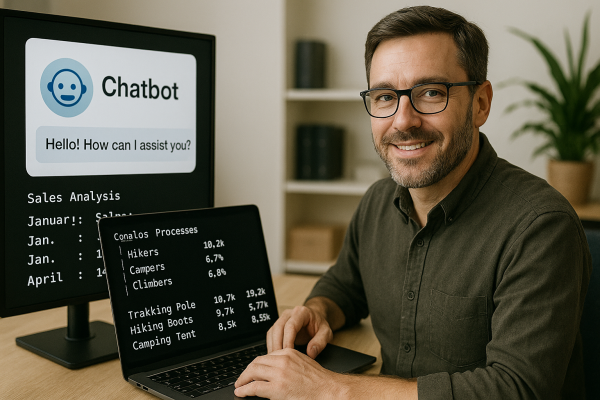
This project demonstrates how such an agent works behind the scenes, combining the power of local AI models with database tools through the Model Context Protocol.
🚀 Features
- Local AI Model: Uses the
ai/phi4:14B-Q4_0model hosted with Docker Model Runner - MCP Integration: Implements Model Context Protocol for tool communication
- Database Analysis: SQLite database queries for sales data analysis
- Function Calling: Advanced AI function calling capabilities
- Async Architecture: Fully asynchronous implementation for better performance
- Sales Analytics: Specialized tools for analyzing Zava sales data
🏗️ Architecture
┌─────────────────┐    ┌─────────────────┐    ┌─────────────────┐
│   AI Assistant  │    │   MCP Client    │    │   MCP Server    │
│   (main.py)     │◄──►│ (mcp_client.py) │◄──►│ (zava_mcp_server.py) │
│                 │    └─────────────────┘    └─────────────────┘
│ ┌─────────────┐ │                                     │
│ │ OpenAI      │ │                                     ▼
│ │ Client      │ │                            ┌─────────────────┐
│ │ Interface   │ │                            │   Sales Data    │
│ └─────────────┘ │                            │ (sales_data.py) │
└─────────────────┘                            └─────────────────┘
         │                                               │
         ▼                                               ▼
┌─────────────────┐                            ┌─────────────────┐
│ Docker Model    │                            │ SQLite Database │
│ Runner (Local)  │                            │ (zava-sales) │
└─────────────────┘                            └─────────────────┘
📋 Prerequisites
- Python 3.8+
- Docker Desktop 4.42+ with Docker Model Runner enabled
- System Requirements: The Phi4 14B model requires significant resources:
- Recommended: 16GB+ RAM
- GPU acceleration supported on Apple Silicon (macOS) and NVIDIA GPUs (Windows)
- Docker Model Runner: See setup instructions below
🛠️ Installation
-
Clone the repository:
git clone <repository-url> cd function_calling_and_mcp -
Create and activate a virtual environment:
Linux/macOS:
python3 -m venv venv source venv/bin/activateWindows:
python -m venv venv venv\Scripts\activate -
Install Python dependencies:
pip install -r requirements.txt -
Set up Docker Model Runner:
Enable Docker Model Runner (full documentation):
- Docker Desktop: Go to Settings → Beta features → Enable "Docker Model Runner"
- Docker Engine: Install the plugin with
sudo apt-get install docker-model-plugin(Ubuntu/Debian)
Pull and run the Phi4 model:
# Pull the model (first time only) docker model pull ai/phi4:14B-Q4_0The model will be available at
http://localhost:12434with OpenAI-compatible APIs.Note: The Phi4 model is a 14B parameter model optimized for reasoning and requires significant system resources.
-
Database Setup: The project includes two SQLite databases:
shared/database/zava-sales.db: Original sample sales data for zavashared/database/zava_retail.db: Enhanced comprehensive sales database (50K customers, ~200K-400K orders)
Optional: Generate New Database: To create a fresh comprehensive database with realistic sales patterns:
cd shared/database/data-generator python generate_customer_db.pyThis generates a 100MB+ database with:
- 50,000 customers across 7 regions
- 294+ products in 7 categories
- ~200,000-400,000 orders with realistic business growth patterns
- Performance-optimized indexes for fast queries
🚀 Usage
-
Start the AI Assistant:
python main.py -
Interact with the Assistant:
🤖 AI Assistant Ready! Type 'exit' to quit. Available tools: get_database_schema, fetch_sales_data_using_sqlite_query ========================================================================= You: What were the total sales by region in 2022? -
Example Queries:
- "help"
- "Show me total revenue by product category"
- "What were the top performing regions in 2023?"
📁 Project Structure
function_calling_and_mcp/
├── main.py                 # Main AI assistant application
├── mcp_client.py          # MCP client for tool communication
├── zava_mcp_server.py          # MCP server with database tools
├── sales_data.py          # Database access layer
├── utilities.py           # Utility functions
├── terminal_colors.py     # Terminal color formatting
├── system_msg.txt         # System prompt for the AI
├── requirements.txt       # Python dependencies
└── shared/
    └── database/
        ├── zava-sales.db          # Original SQLite database
        ├── zava_retail.db         # Enhanced comprehensive database
        ├── PERFORMANCE_INTEGRATION.md # Performance optimization docs
        ├── sales_data.sqbpro         # Database project file
        └── data-generator/
            ├── generate_customer_db.py   # Comprehensive database generator
            ├── generate_sql.py          # Legacy data generation script
            └── populate_sales_data.sql  # Legacy SQL data file
🧩 Key Components
AIAssistant (main.py)
The main orchestrator that:
- Manages conversation flow
- Coordinates with MCP tools
- Handles function calling
- Integrates with the local AI model
MCPClient (mcp_client.py)
Handles communication with MCP servers:
- Establishes connections to MCP servers
- Executes tool calls
- Manages tool schemas
MCPServer (zava_mcp_server.py)
Provides tools for database access:
get_database_schema: Returns database structure informationfetch_sales_data_using_sqlite_query: Executes SQL queries on sales data
SalesData (sales_data.py)
Database access layer providing:
- Async SQLite connections
- Schema introspection
- Sales data querying
- Data validation and formatting
🔧 Configuration
Model Configuration
Edit the ModelConfig in main.py:
@dataclass
class ModelConfig:
    base_url: str = "http://localhost:12434/engines/llama.cpp/v1"
    api_key: str = "docker"
    model_name: str = "ai/phi4:14B-Q4_0"
    max_tokens: int = 4096
Database Configuration
The database path is configured in sales_data.py:
DATA_BASE = "database/zava-sales.db"
📊 Database Schema
The zava sales database contains a single table with comprehensive sales transaction data:
Table: sales_data
Columns:
id: INTEGER (Primary key)main_category: TEXT (Product category)product_type: TEXT (Specific product type)revenue: REAL (Sales revenue in dollars)shipping_cost: REAL (Shipping cost in dollars)number_of_orders: INTEGER (Number of orders)year: INTEGER (Year of transaction)month: INTEGER (Month number 1-12)discount: INTEGER (Discount percentage)region: TEXT (Geographic region)month_date: TEXT (Month name)
Available Data Values
Regions (7): AFRICA, ASIA-PACIFIC, CHINA, EUROPE, LATIN AMERICA, MIDDLE EAST, NORTH AMERICA
Product Categories (8): APPAREL, CAMPING & HIKING, CLIMBING, FISHING GEAR, FOOTWEAR, TRAVEL, WATER GEAR, WINTER SPORTS
Product Types (80+): ACCESSORIES, AVALANCHE SAFETY, BACKPACKING TENTS, BINDINGS, BIVYS, BOULDERING PADS, CANOES, CARABINERS & QUICKDRAWS, CARRY-ONS, CHALK & CHALK BAGS, CLIMBING SHOES, COOKWARE, CRAMPONS, DAYPACKS, DRY BAGS, DUFFEL BAGS, EXTENDED TRIP PACKS, EYE MASKS, FAMILY CAMPING TENTS, FIRST AID KITS, FISHING BAIT, FISHING HOOKS, FISHING LINE, FOOD & NUTRITION, FOOTWEAR ACCESSORIES, FOOTWEAR CARE PRODUCTS, GLOVES & HATS, GLOVES & MITTENS, GOGGLES, HAMMOCKS, HARNESSES, HELMETS, HIKING BOOTS, HYDRATION PACKS, ICE AXES, INSULATED FOOTWEAR, JACKETS & VESTS, KAYAKS, LINERS, LUGGAGE LOCKS, MOUNTAINEERING BOOTS, NAVIGATION TOOLS, OUTERWEAR, OVERNIGHT PACKS, PACKING ORGANIZERS, PADDLES, PANTS & SHORTS, POLES, RASH GUARDS, RODS & REELS, ROPES & SLINGS, SAFETY GEAR, SANDALS, SHELTERS & TARPS, SHIRTS, SKI BINDINGS, SKI BOOTS, SKI POLES, SKIS, SLACKLINES, SLEEPING BAGS, SLEEPING PADS, SNORKELING & DIVING GEAR, SNOWBOARD BOOTS, SNOWBOARDS, SNOWSHOES, STOVES, SURF ACCESSORIES, SURFBOARDS, SWIMWEAR, TACKLE, TECH ORGANIZERS, THERMAL UNDERWEAR, TOPS, TRAIL SHOES, TRAINING EQUIPMENT, TRAVEL ACCESSORIES, TRAVEL BACKPACKS, TRAVEL PILLOWS, UNDERWEAR & BASE LAYERS, UTENSILS & ACCESSORIES, WADERS, WATER FILTRATION & PURIFICATION, WETSUITS, WINTER BOOTS
Years: 2022, 2023, 2024
Months: 1-12 (January through December)
🎯 Use Cases
- Sales Analysis: Query and analyze sales performance across different dimensions
- Business Intelligence: Generate insights from sales data
- Reporting: Create automated reports for stakeholders
- Trend Analysis: Identify sales patterns and trends
- MCP Development: Learn how to integrate MCP tools with AI assistants
🛡️ Error Handling
The application includes comprehensive error handling:
- Database connection failures
- MCP server communication errors
- Invalid SQL queries
- Model response errors
- Graceful degradation when tools are unavailable
🤝 Contributing
- Fork the repository
- Create a feature branch
- Make your changes
- Add tests if applicable
- Submit a pull request
📝 License
This project is provided as an example implementation for educational purposes.
🆘 Troubleshooting
Common Issues
-
Docker Model Runner Connection:
- Ensure Docker Model Runner is running on port 12434
- Verify the model
ai/phi4:14B-Q4_0is loaded
-
Function Calling Issues:
- Verify the AI model supports function calling
- Check tool schema formatting
Getting Help
If you encounter issues:
- Check the terminal output for error messages
- Verify all dependencies are installed
- Ensure the Docker Model Runner is properly configured
- Review the logs for debugging information
Note: This is a demonstration project showcasing MCP integration with local AI models. The Zava company and sales data are fictional and used for educational purposes.