
LLM-MCP Travel Orchestrator
Streamlit travel search app for live Airbnb discovery, structured listing output, and AI-generated property summaries.
It combines:
- live Airbnb search through an MCP server
gpt-4o-minifor query handling and listing summarizationtext-embedding-3-largefor retrieval on scraped listing content- a RAG summary layer with metadata fallback when scraping is weak or blocked
- a structured results table plus per-listing AI insight cards
The main app module is chatbot.py.
For Streamlit Community Cloud, use streamlit_app.py as the main file path.





AI Stack
Current configured models in the codebase:
- chat/search orchestration:
gpt-4o-mini - listing summary generation:
gpt-4o-mini - embeddings:
text-embedding-3-large
| Layer | Model / Component | Role |
|---|---|---|
| Search | Airbnb MCP server | Returns live Airbnb listings from user queries |
| Reasoning | gpt-4o-mini | Interprets the travel request and drives the search flow |
| Embeddings | text-embedding-3-large | Turns listing content into vectors for retrieval |
| Retrieval | FAISS | Finds the most relevant listing chunks for summary generation |
| Summary | gpt-4o-mini | Produces concise, readable listing summaries |
Why This Setup
- The app currently uses
gpt-4o-mini, notgpt-4o. gpt-4o-minikeeps the app fast enough for interactive travel search while still being strong at query interpretation and concise summarization.text-embedding-3-largeis used where semantic retrieval matters more than generation speed: identifying the most relevant listing details from scraped page content.- RAG improves summary quality by grounding the output in listing-specific text instead of relying only on name, price, and short descriptions.
- Metadata fallback keeps the app usable even when Airbnb pages are blocked, sparse, or not reliably scrapeable.
What It Does
- Accepts natural-language travel stay requests such as city, budget, dates, and guest count
- Calls the Airbnb MCP server for live listing results
- Parses tool output into structured property rows
- Renders listings in a stable tabular layout inside Streamlit
- Generates an AI summary for each property
- Uses retrieved listing content when possible and falls back to listing metadata when scraping is limited
- Surfaces runtime and configuration issues directly in the UI
Current App Flow
- User enters a request in the Streamlit app.
chatbot.pysends the request throughMCPAgentusing the Airbnb MCP server configured inairbnb_mcp.json.- Assistant output is parsed by
listing_parser.py. - Listings are shown in a structured results table.
rag.pygenerates one summary per property:- preferred path: scrape, chunk, embed, retrieve, summarize
- fallback path: summarize from listing metadata already returned by search
How The AI Pipeline Works
User Query
   -> GPT-4o mini interprets budget, city, dates, guest count
   -> Airbnb MCP server returns live listing results
   -> listing_parser.py converts response into structured rows
   -> rag.py fetches listing page content when available
   -> text-embedding-3-large creates embeddings for listing chunks
   -> FAISS retrieves the most relevant chunks
   -> GPT-4o mini writes a concise summary
   -> if retrieval fails, fallback summary is built from metadata
Project Structure
LLM-MCP-Travel-Orchestrator/
├── chatbot.py                    # Main Streamlit app
├── rag.py                        # RAG + metadata fallback summary pipeline
├── listing_parser.py             # Structured parsing helpers for assistant output
├── airbnb_use.py                 # Simple CLI example
├── airbnb_mcp.json               # MCP server configuration
├── requirements.txt              # App dependencies
├── pyproject.toml                # Project metadata and tooling config
├── pytest.ini
├── mcp_use/                      # MCP client/agent implementation
├── tests/
│   └── unit/
├── assets/images/                # Screenshots
└── docs/
Prerequisites
- Python 3.11 or higher
- Node.js and npm
- OpenAI API key
- Airbnb MCP server binary available on the machine
Installation
1. Clone the repository
git clone https://github.com/ANUVIK2401/LLM-MCP-Travel-Orchestrator.git
cd LLM-MCP-Travel-Orchestrator
2. Create and activate a virtual environment
python -m venv venv
source venv/bin/activate
On Windows:
venv\Scripts\activate
3. Install Python dependencies
pip install -r requirements.txt
4. Install the Airbnb MCP server
npm install -g @openbnb/mcp-server-airbnb
5. Configure your environment
Create a .env file in the project root:
OPENAI_API_KEY=your_api_key_here
6. Verify airbnb_mcp.json
The repo currently expects the Airbnb MCP server command in airbnb_mcp.json.
Example:
{
  "mcpServers": {
    "airbnb": {
      "command": "/opt/homebrew/bin/mcp-server-airbnb",
      "args": ["--ignore-robots-txt"]
    }
  }
}
If your install path is different, update the command field accordingly.
Run Locally
Start the Streamlit app:
streamlit run chatbot.py
Then open the local URL shown by Streamlit.
You can also run the Streamlit Cloud wrapper locally:
streamlit run streamlit_app.py
UI Overview
The current UI includes:
- runtime diagnostics in the sidebar
- quick-search presets
- structured property results table
- AI summary cards for each listing
- error surfacing when MCP, OpenAI, or network configuration is incomplete
Screenshots
Main Interface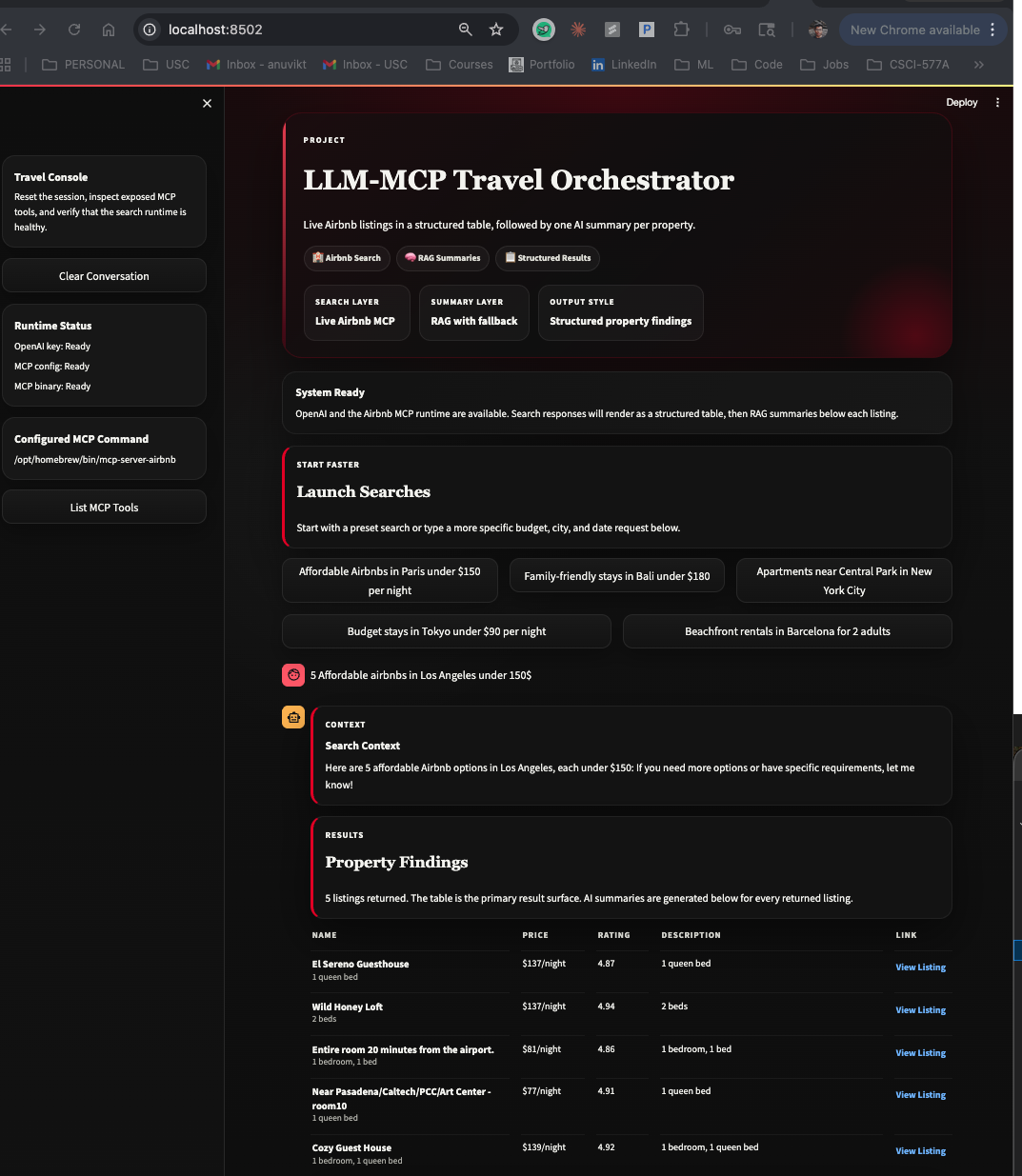
|
Structured Results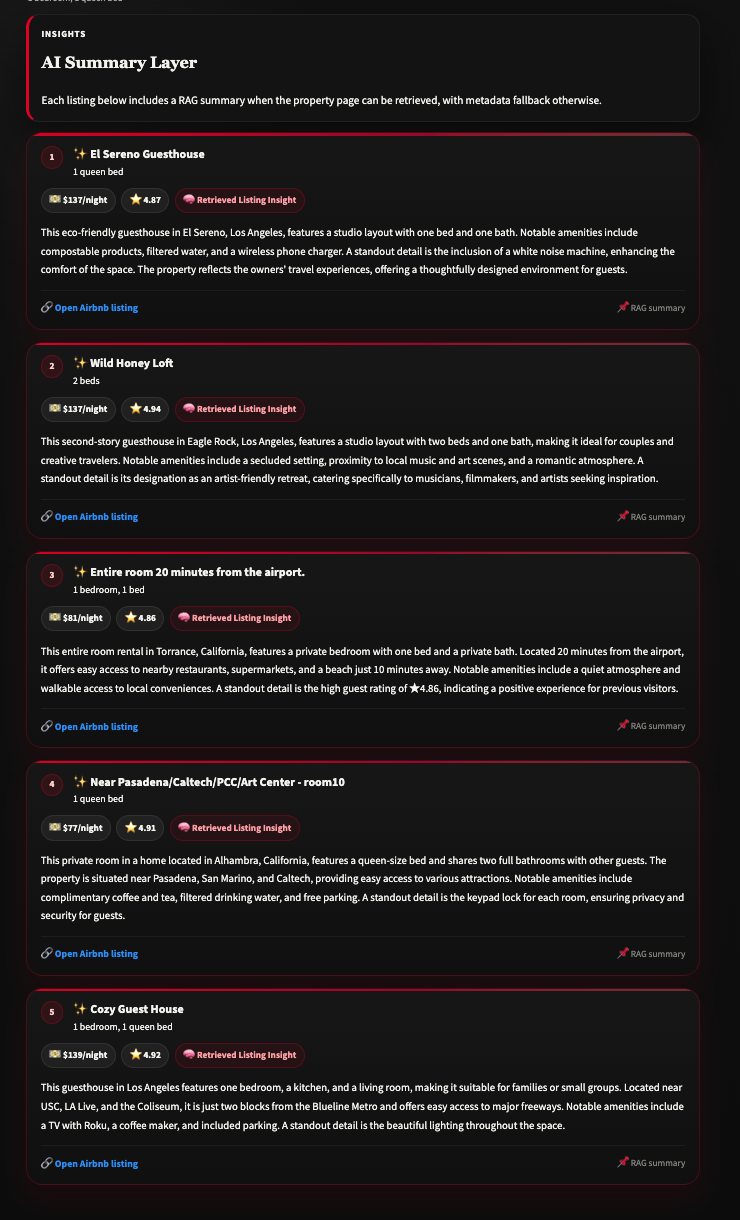
|
AI Summary Cards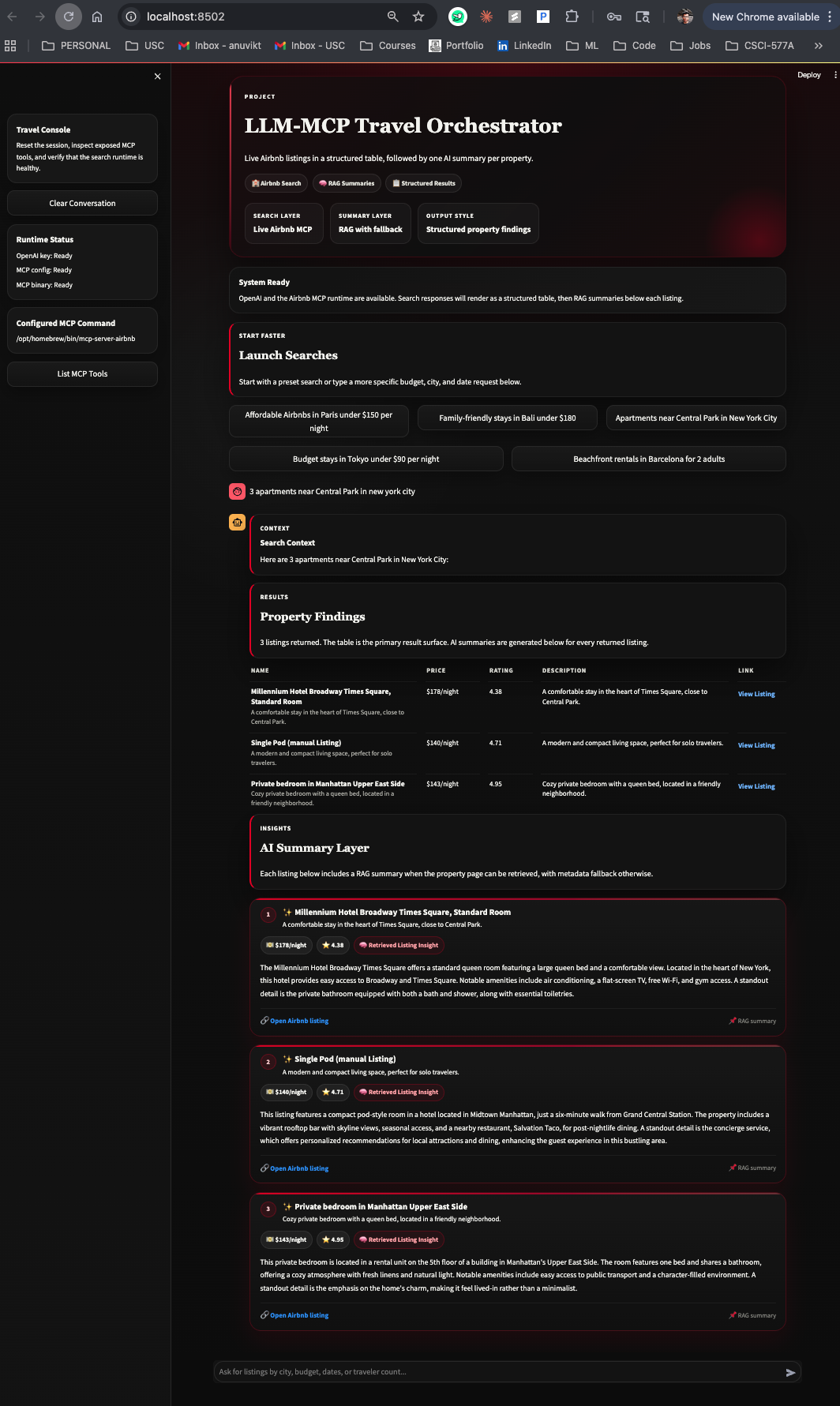
|
Additional View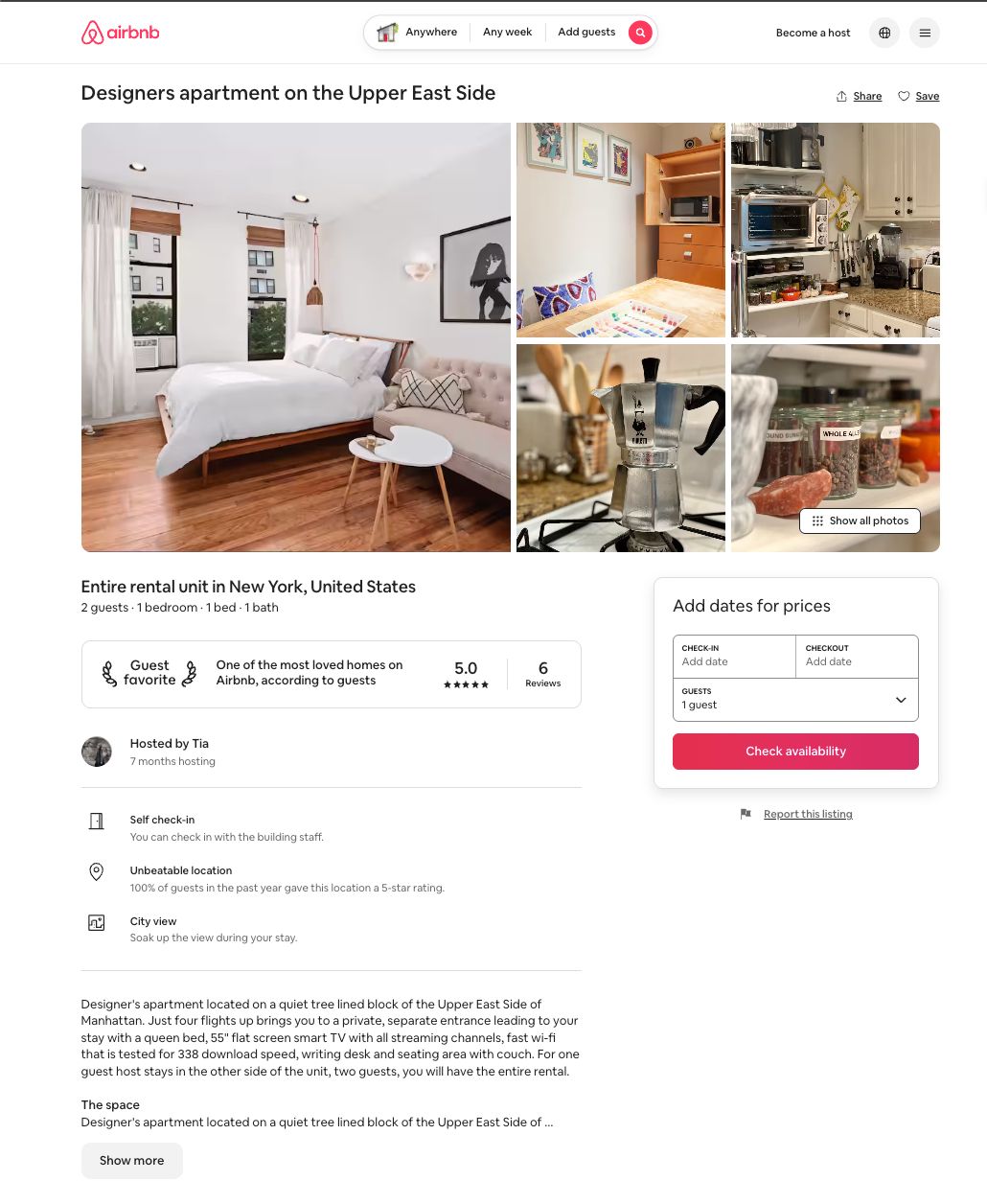
|
RAG Summary Behavior
rag.py is built to be practical, not fragile.
Instead of assuming every listing page is fully scrapeable, the app uses a two-path summary design:
Path 1: Retrieved Summary
Used when the listing page provides enough usable text.
- fetch the Airbnb listing page
- extract metadata plus visible body content
- split the content into chunks
- embed the chunks with
text-embedding-3-large - retrieve the most relevant chunks with FAISS
- ask
gpt-4o-minito write a short factual summary
Path 2: Metadata Fallback
Used when scraping or retrieval is weak.
- listing name
- price
- rating
- description returned by the search
This fallback means the UI still shows useful summaries even when full page retrieval is not possible.
Why The RAG Layer Helps
- It gives summaries grounded in listing-specific text rather than generic model guesses.
- It surfaces concrete details such as layout cues, amenities, and neighborhood hints.
- It keeps summaries short enough for fast comparison across multiple listings.
- It degrades gracefully instead of failing hard when a listing page is blocked.
Testing
Run focused unit tests:
pytest -q tests/unit/test_listing_parser.py tests/unit/test_rag.py
Run the full test suite:
pytest -q
Deployment Notes
Streamlit Community Cloud
Before deploying, make sure the following are addressed:
- main file path is set to
streamlit_app.py - Python version is set to
3.11in the Streamlit Community Cloud app settings for the safest redeploy path OPENAI_API_KEYis configured in Streamlit secrets- Node.js and npm are available through
packages.txt airbnb_mcp.jsonlaunches the Airbnb MCP server withnpx
Important: this app depends on the Airbnb MCP server process at runtime. The repo is now configured to launch it portably with npx, which is more suitable for Streamlit Cloud than a machine-specific Homebrew path.
Troubleshooting
The app says the MCP server is not responding
Check:
airbnb_mcp.jsonexists- the
commandpath is correct - the MCP binary runs locally
Summaries fall back to metadata
This is expected when:
- a listing page blocks scraping
- the page does not expose enough usable content
- retrieval returns weak context
Streamlit UI loads but searches fail
Check:
OPENAI_API_KEYis set- the MCP server starts successfully
- your environment can reach OpenAI
Key Files
chatbot.py: main Streamlit app, UI rendering, runtime diagnostics, MCP query flowlisting_parser.py: parsing and normalization of assistant listing outputrag.py: listing summarization pipeline with RAG and fallback behaviormcp_use/agents/langchain_agent.py: LangChain tool adapter layer used by the MCP agentairbnb_mcp.json: MCP server process configuration
Contributing
- Create a feature branch.
- Make your changes.
- Run tests.
- Verify the Streamlit app locally.
- Open a pull request.
License
This project is licensed under the MIT License. See LICENSE.