
READMEmain
We couldn't render this README. Read it on GitHub
🤖 PR Reviewer with Claude + Notion + GitHub
This project automates the analysis of Pull Requests (PRs) using a LLM (Claude) connected via the MCP (Model Context Protocol).
The system receives a PR link, generates a technical summary, and stores it in a Notion page as documentation.
🧩 Architecture
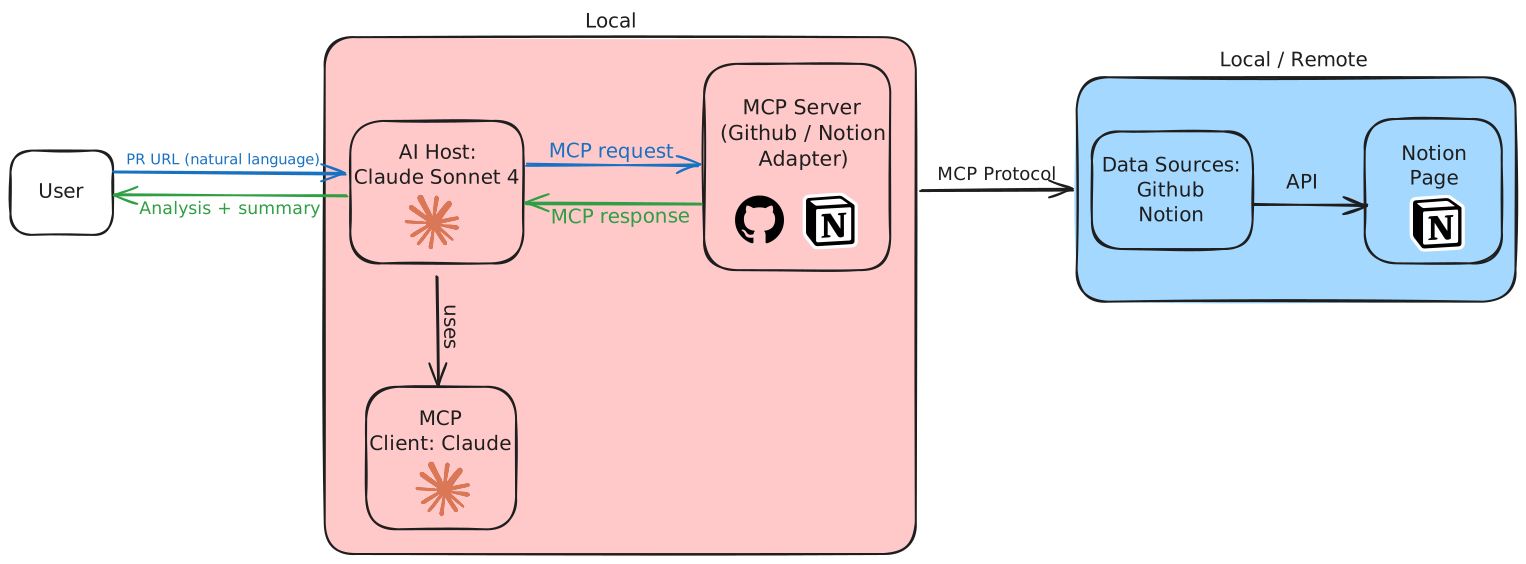
- The user sends a PR URL to Claude Desktop.
- Claude interprets the request and uses its internal MCP Client.
- The MCP Client sends a structured request to the local MCP Server.
- The MCP Server acts as an adapter to fetch PR data from GitHub and save a summary to Notion, using both platforms’ APIs.
- The retrieved and processed information is returned to Claude, who presents it to the user as a technical summary.
- Finally, the information is automatically saved to a Notion page.
✨ Features
- Automatically fetches PR changes via GitHub API.
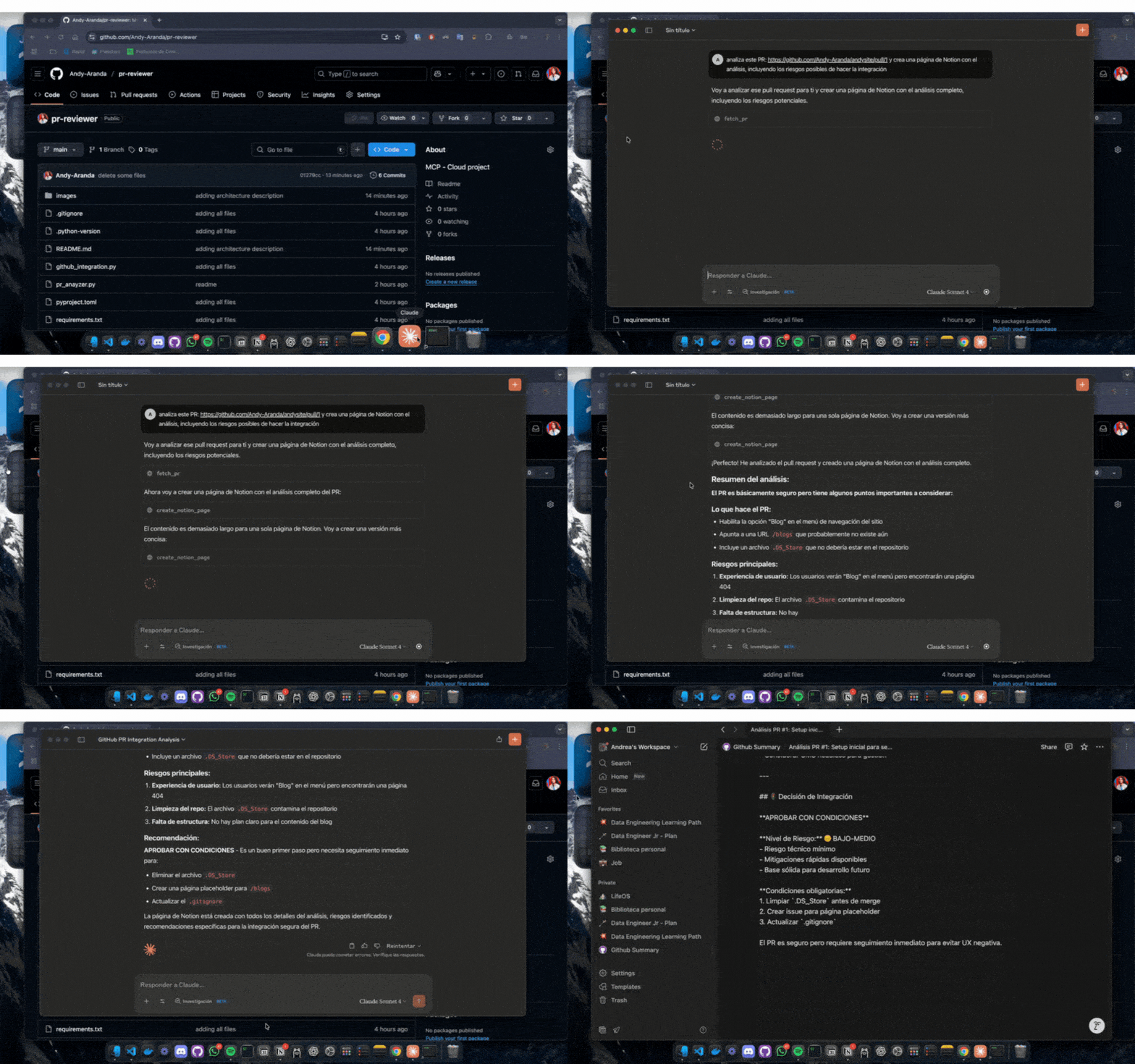
- Uses Claude Desktop to generate a semantic analysis of the code.
- Creates a Notion entry with the generated summary.
- Modular and extensible: you can add more tools to the MCP server.
🚀 How It Works
- Claude Desktop detects the MCP server when it runs locally.
- The user sends a PR link to Claude.
- Claude calls the MCP server and uses:
fetch_pr→ fetches PR metadata and diffs from GitHub.create_notion_page→ saves the analysis in a new Notion page.
- The whole process is triggered from Claude's interface with no manual steps.
🔧 Requirements
- Python 3.10+
- Claude Desktop
- Account / API key from:
⚙️ Setup
-
Install
uv(lightweight Python environment manager):curl -LsSf https://astral.sh/uv/install.sh | sh -
Initialize project:
uv init pr_reviewer cd pr_reviewer uv venv source .venv/bin/activate -
Install dependencies:
uv add "mcp[cli]" requests python-dotenv notion-client -
Create
.envfile:GITHUB_TOKEN=ghp_*************** NOTION_API_KEY=secret_************** NOTION_PAGE_ID=xxxxxxxx-xxxx-xxxx-xxxx-xxxxxxxxxxxx -
Configure Claude Desktop with the
claude_desktop_config.jsonfile, e.g.:{ "mcpServers": { "pr-reviewer": { "command": "/path/to/python", "args": ["/path/to/pr_anayzer.py"], "cwd": "/path/to/project" } } }
🧪 Usage
-
Run the MCP server:
python pr_anayzer.py -
Open Claude Desktop and pass a PR link:
https://github.com/your_username/your_repo/pull/1 -
Claude will analyze the PR and ask whether to save the result in Notion.
📌 Possible Improvements
- Full automation using
n8nor GitHub Actions. - PR validation with custom rules.
- Integration with other tools like Slack or ClickUp.