READMEmain
We couldn't render this README. Read it on GitHub
Elastic Book Chat
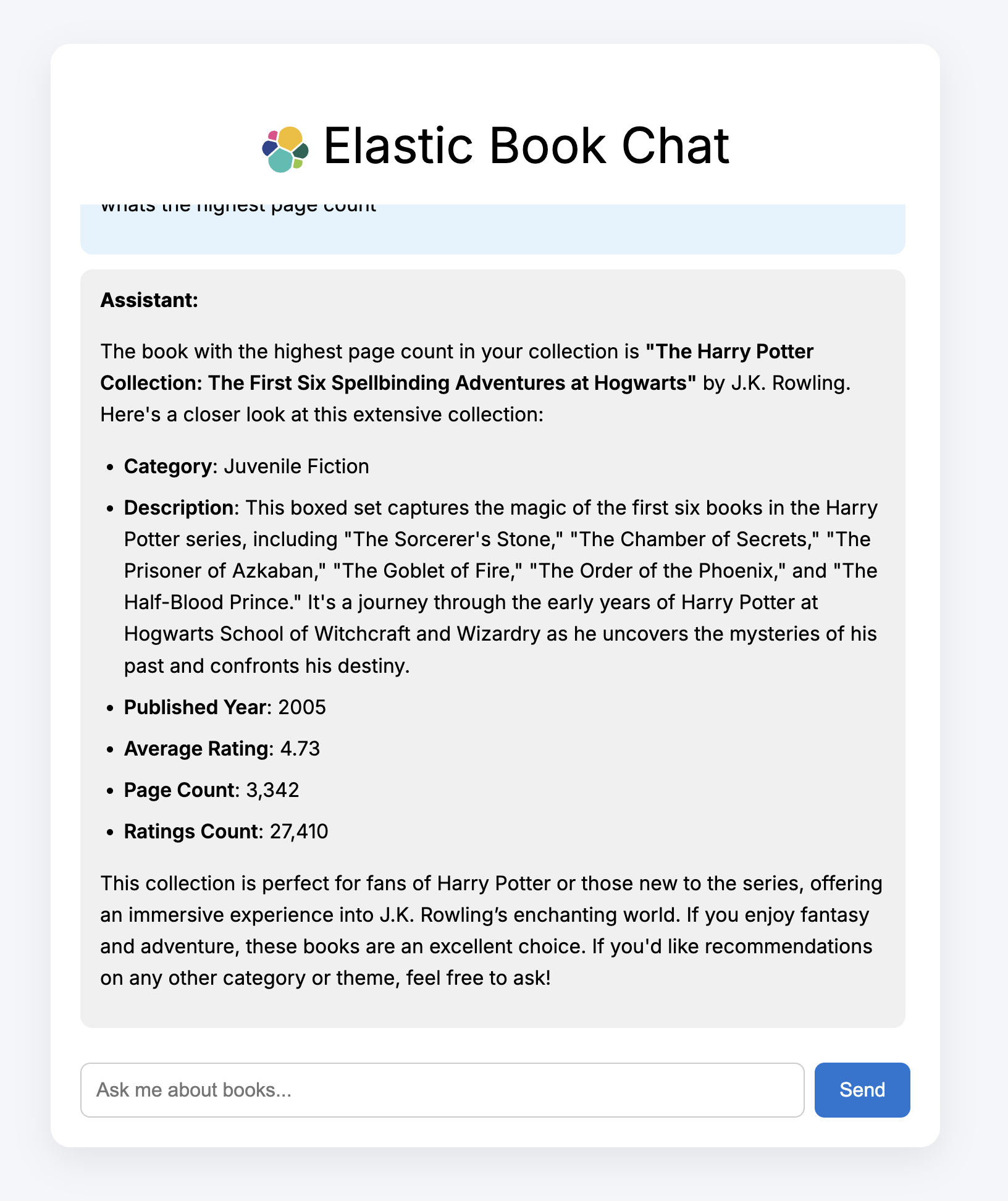
The book chat app is a conversational book recommendation demo incorporating:
- Azure OpenAI (GPT-4o)
- Elastic with MCP (https://github.com/elastic/mcp-server-elasticsearch?tab=readme-ov-file)
- FastAPI backend
- Vite + React frontend
The app allows users to query a book database in natural language and receive helpful, librarian-style responses powered by real search results.
Features
- Natural language search over books via Elastic MCP
- GPT-4o used for response generation and formatting
- Clear, human-readable summaries of books
- Remembers recent chat history
- Clean, responsive user interface
Tech Stack
| Component | Technology |
|---|---|
| Frontend | React |
| Backend | FastAPI (Python 3.11) |
| Search | Elastic MCP + Elastics |
| LLM | Azure OpenAI (GPT-4o) |
| Agent Engine | LangChain MCPAgent |
Getting Started
Pre-reqs:
- Elasticsearch cluster
- Python 3.11
- Kaggle API key (optional - see below)
- Azure openAI key
Set Up/Data Ingest
- Clone down the repository and navigate to the mcp-demo folder:
git https://github.com/camillegeorgiou/mcp-demo
cd mcp-demo
- Set up the Python backend:
python -m venv .venv
source .venv/bin/activate
pip install -r requirements.txt
- Modify the .env file to include your credentials:
AZURE_OPENAI_API_KEY=your_azure_openai_key
ES_URL=your_elastic_url
ES_API_KEY=elastic_api
- Navigate to kaggle, spin up an account and download an API key:
- Add the downloaded kaggle.json file to
.kaggle
**Alternatiely, you can download the books.csv and modify the script to push the dataset to Elastic.
- Run the books.py script and confirm data has made it into your cluster:
python books.py
Backend
- Configure the mcp server in:
backend/elasticsearch_mcp.jsonand establish the connection to your Azure endpoint:
- Modify elasticsearch_mcp to include your ES credentials. The API key should have relevant permissions. See: https://github.com/elastic/mcp-server-elasticsearch?tab=readme-ov-file
- Modify the following to reflect your Azure OpenAI deployment settings in server.py:
llm = AzureChatOpenAI(
        openai_api_version="2025-01-01-preview",
        azure_deployment="gpt-4o",
        azure_endpoint="https://",
- Start the backend
uvicorn backend.server:app --reload or .venv/bin/uvicorn server:app --reload
- You should see the following output (or similar):
INFO:     Uvicorn running on http://127.0.0.1:8000 (Press CTRL+C to quit)
INFO:     Started reloader process [15448] using StatReload
INFO:     Started server process [15450]
INFO:     Waiting for application startup.
INFO:     Application startup complete.
Frontend
- In a separate terminal, set up the frontend app:
cd bookchat-frontend
npm install
npm run dev
- Your bookchat app should be available at http://localhost:5173.
Sample Queries
What are the best books on computing? Which books have the highest rating? Any good biographies for young readers? Which book is the longest?