
READMEmain
We couldn't render this README. Read it on GitHub
Introduction
- This repo contains code for a simple MCP server which contains tools for fetching exchange rates between currencies.
- This MCP Server relies on ExchangeRate APIs provided by VATComply website.
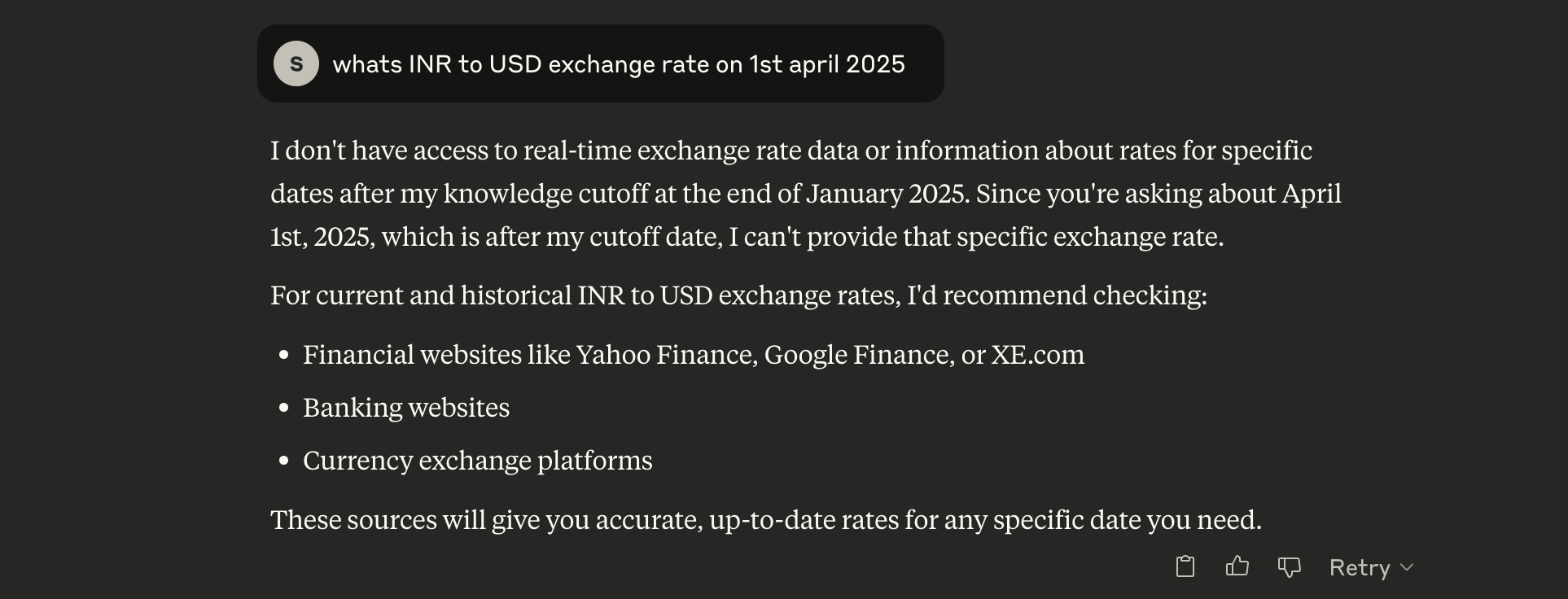
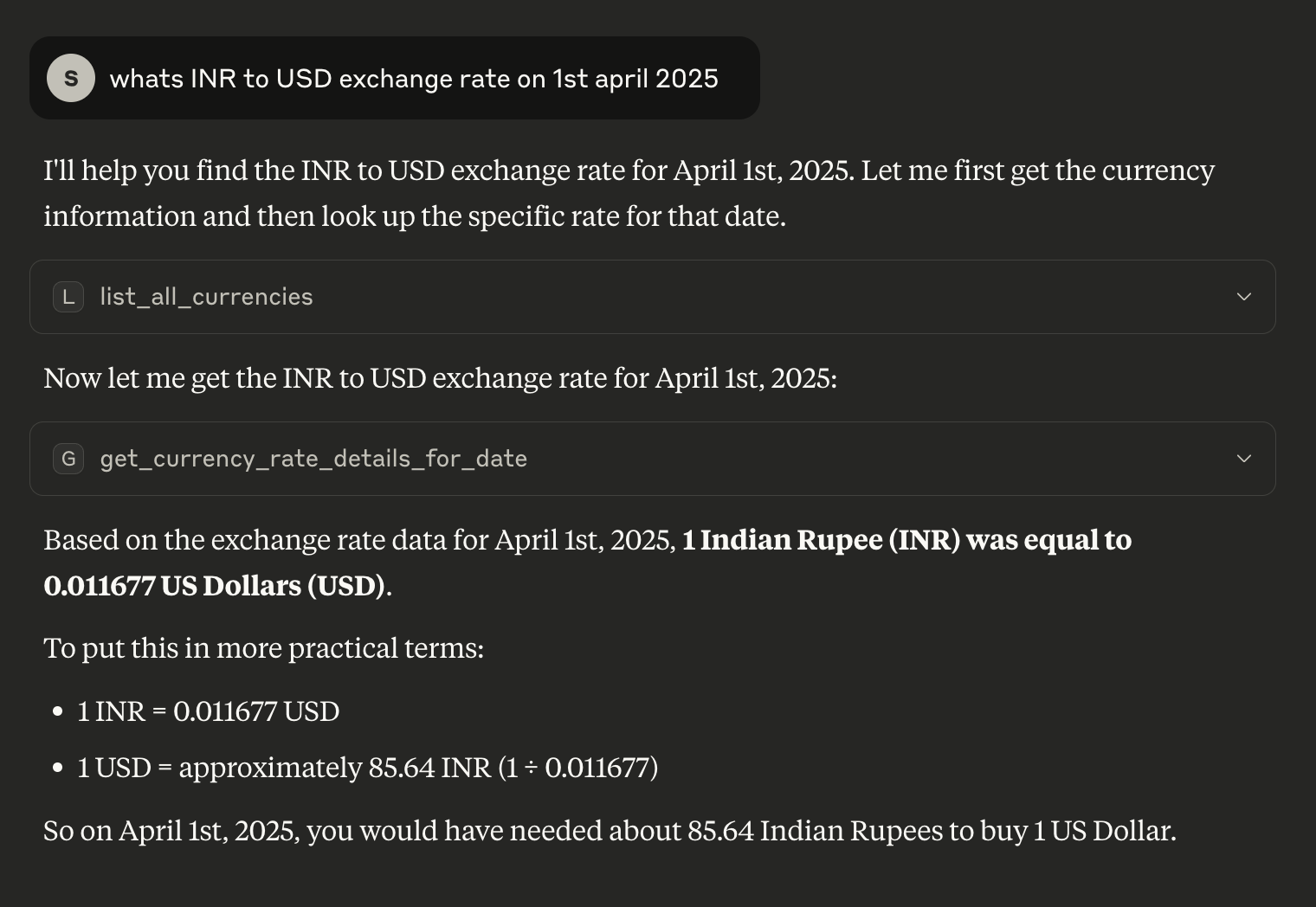
- Sample screenshots of response of Claude 4 Sonnet:-
- Without MCP Server:-
- With MCP Server enabled:-
- Without MCP Server:-
Steps to use and Tech Stack:-
- This project is simple TS-MCP server which uses pnpm for dependency management.
- Steps to use this server:-
- Clone the repo to your local machine.
- Run
pnpm installcommand. - Run
pnpm buildcommand. This creates dist/src/index.js file which will be used as MCPServer. - Add below config to
claude_desktop_config.jsonfile:-
"currencyrate": { "command": "node", "args": [ "/Users/sripadt/Projects/CurrencyRate-MCP/dist/src/index.js" ] }- With this step, MCPServer is available for usage with Claude desktop.
Steps to run MCP server manually:-
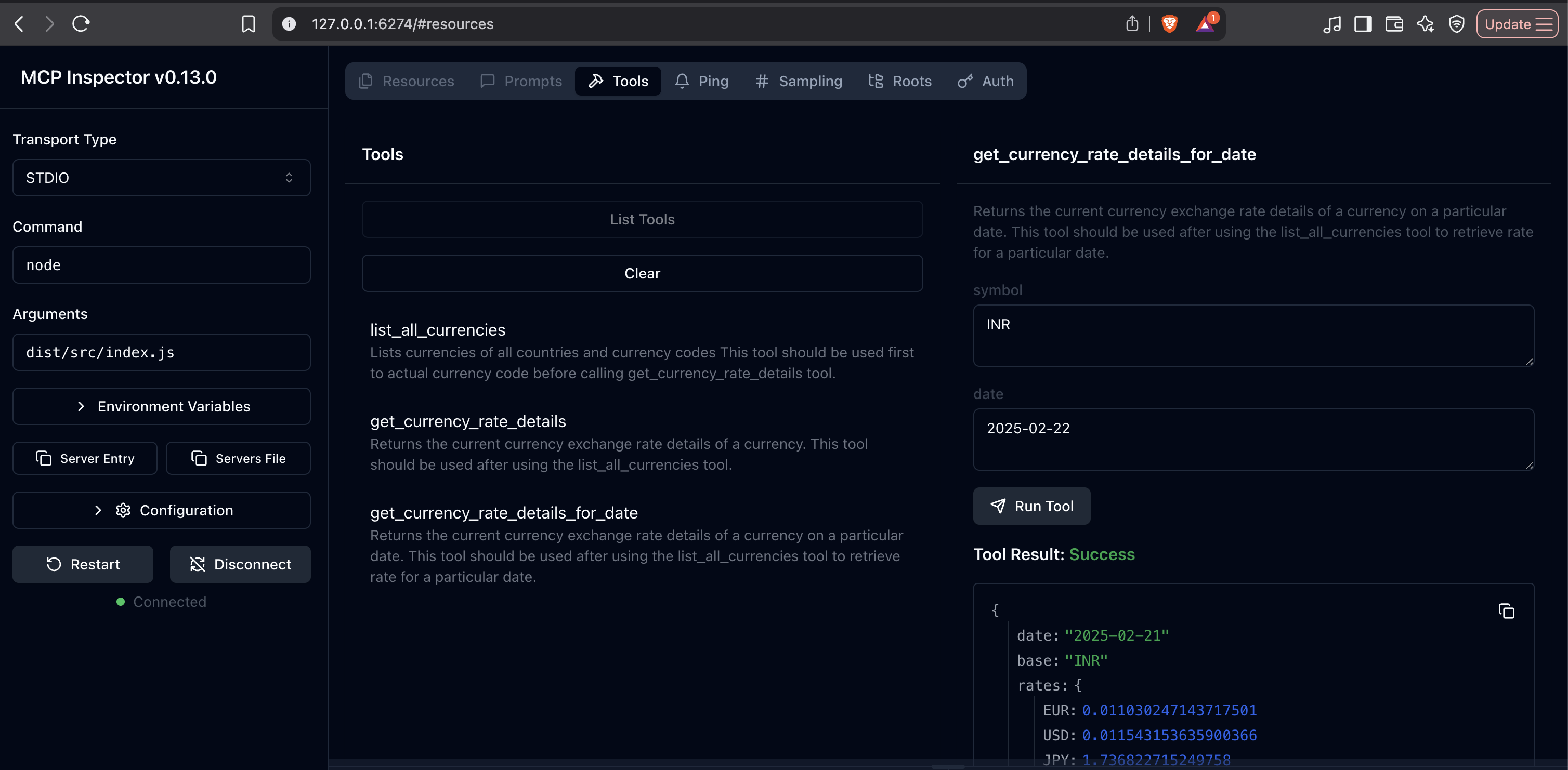
- If you wish to debug this using MCPInspector, you can run the command
pnpm dlx @modelcontextprotocol/inspector- This opens up MCPInspector UI on http://127.0.0.1:6274/ where you need to specify
nodeas command to run withdist/src/index.jsas argument. This gives us UI to connect with out mcp server for debugging. - Screenshot -
- This opens up MCPInspector UI on http://127.0.0.1:6274/ where you need to specify