
READMEmain
We couldn't render this README. Read it on GitHub
mcp-server-demo
Overview
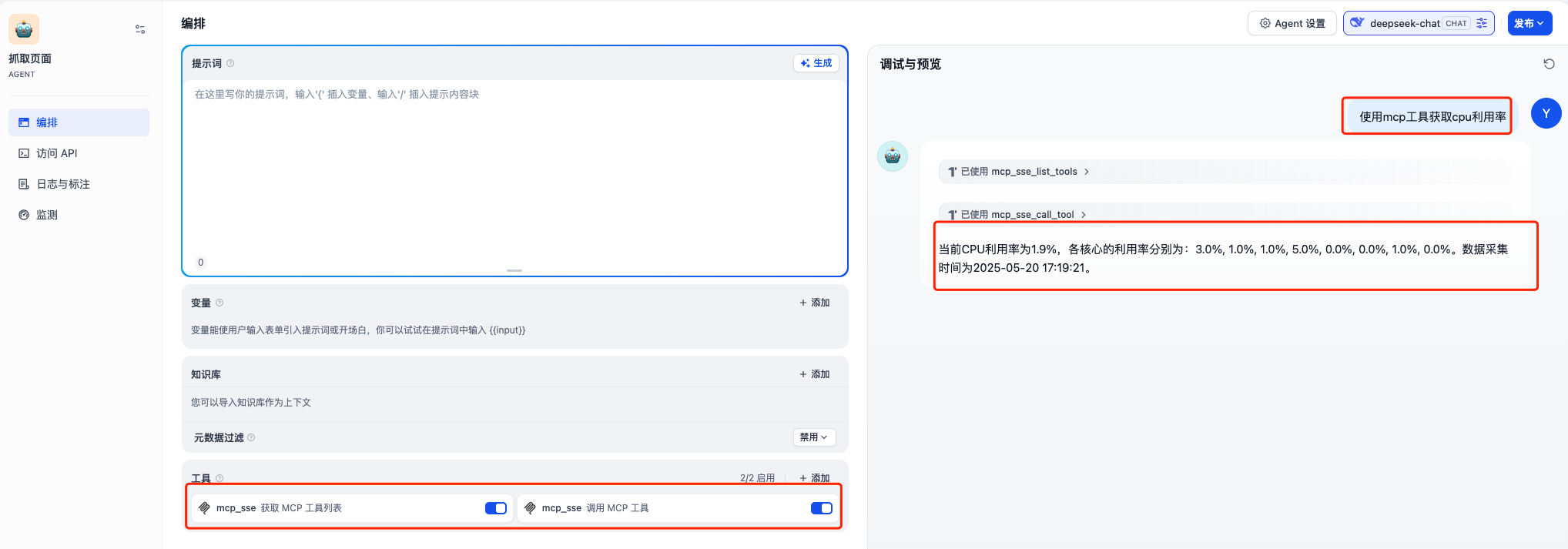
为了测试验证Dify的MCP功能,Dify上使用MCP SSE/StreamableHTTP插件,需要一个mcp server来对接验证。本项目采用streamable_http传输模式构建的的mcp-server示例,实现了查询linux服务器cpu利用的简单功能。
最终效果如下图所示
Get Started
如何安装MCP SSE/StreamableHTTP插件,这里不赘述
下载代码
git clone https://github.com/hchyue/mcp-server-demo.git
cd mcp-server-demo
运行环境
# Create a virtual environment and install dependencies
# 如何没有安装uv,可以执行下面这个命令,如果已经安装,可以跳过

# macOS
pip3 install uv --break-system-packages

# Linux(ubuntu)
pip3 install uv --break-system-packages
执行
# We support using Python 3.10, 3.11, 3.12
uv venv .mcpvenv --python=3.10

# Activate the virtual environment
# For macOS/Linux
source .mcpvenv/bin/activate

uv pip install psutil Flask
python mcp-server.py
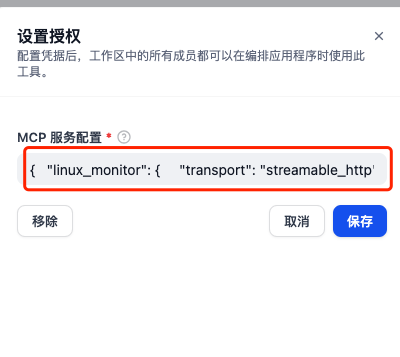
MCP SSE/StreamableHTTP插件的授权配置
找到MCP SSE/StreamableHTTP插件的授权配置入口

填写如下的json,注意x.x.x.x是mcp-server.py所运行的server IP
{
    "linux_monitor": {
        "transport": "streamable_http",
        "url": "http://x.x.x.x:5000/mcp",
        "headers": {
            "X-Mcp-Protocol": "streamable_http",
            "X-Mcp-Version": "1.0",
            "Content-Type": "application/json"
        },
        "timeout": 30,
        "provider_name": "linux_monitor"
    }
}
验证
创建一个agent,增加“mcp_sse 获取MCP工具列表”和“mcp_sse 调用MCP工具”两个工具,然后输入“使用mcp工具获取cpu利用率”


