
READMEmain
We couldn't render this README. Read it on GitHub
🌐 Intelligent Browser Agent with MCP
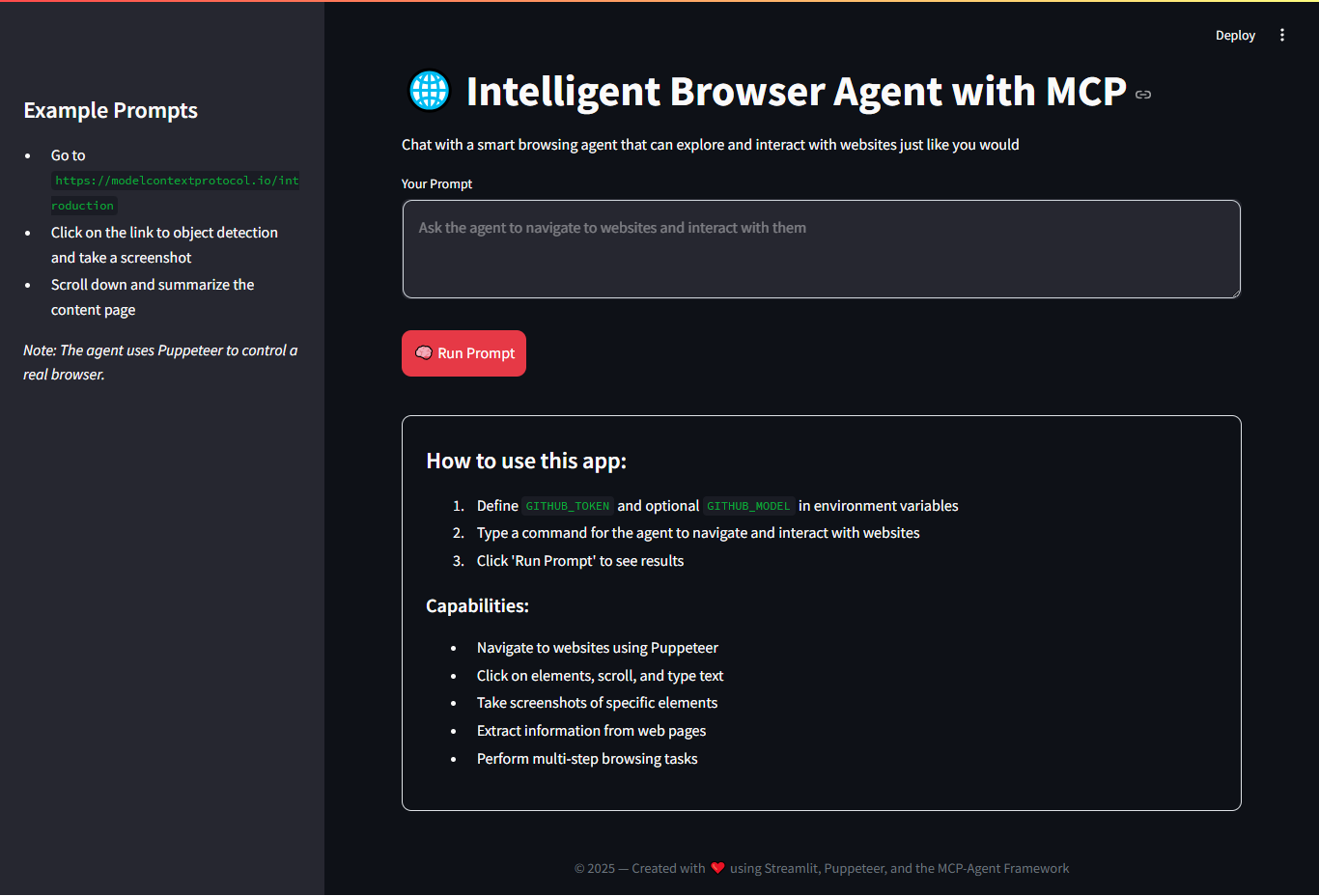
An interactive application built with Streamlit and the MCP-Agent framework to control a real browser using Puppeteer. You can send natural commands for the agent to navigate, interact with websites, take screenshots, and summarize content using a language model (LLM) like Gemini, OpenAI, or Azure OpenAI.
🚀 Features
- Navigate to websites with natural language commands.
- Perform actions like click, scroll, type, and extract data.
- Take screenshots of web elements.
- Summarize content using LLMs (Gemini, Azure, OpenAI).
- Visual interface built with Streamlit.
- Easily switch between multiple LLM providers.
🛠️ Requirements
- Python 3.10+
- Node.js (for Puppeteer)
npxinstalled- API Key for Gemini, Azure, or OpenAI
📦 Installation
git clone https://github.com/your-username/your-repo.git
cd your-repo

# Create virtual environment
python -m venv .venv
source .venv/bin/activate  # On Windows: .venv\Scripts\activate

# Install dependencies
pip install -r requirements.txt
🔐 Configuration
Create a .env file in the root directory with the following variables based on the LLM provider you use:
🌟 Gemini (Google AI)
GEMINI_API_KEY=your_gemini_key
GEMINI_MODEL=gemini-pro
☁️ Azure OpenAI (optional)
AZURE_API_KEY=your_azure_key
AZURE_BASE_URL=https://your-resource-name.openai.azure.com/
GITHUB_MODEL=gpt-4
🔓 OpenAI (optional)
OPENAI_API_KEY=your_openai_key
OPENAI_BASE_URL=https://api.openai.com/v1
GITHUB_MODEL=gpt-4
🧠 Run the App
streamlit run app.py
This opens a web interface where you can enter commands like:
Go to https://modelcontextprotocol.io/introduction
Click on the link to object detection
Take a screenshot of the section
📋 Example Commands
Go to Google.com and search for "Machine Learning"Scroll down and summarize the contentClick on the first link and extract the heading textTake a screenshot of the main section
📁 Project Structure
📁 mcp_browser_agent
├── browser-mcp-agent-v1.py        # Main Streamlit app
├── browser-mcp-agent-v2.py        # Main Chainlit app
├── .env.sample                    # Environment variables
├── mcp_agent.config.yaml          # mcp agent configs
├── mcp_agent.secrets.sample.yaml
├── requirements.txt               # Dependencies
└── README.md                      # This file
📄 License
This project is licensed under the MIT License - free to use, modify, and distribute.
🤝 Credits
This project uses:


