
Open Multiple Model MCP Client
A flexible client for interacting with multiple Model Control Protocol (MCP) servers through a unified interface, enabling Claude to use tools from various MCP servers.
Overview
This project is designed to serve as a gateway between Anthropic's Claude API and multiple downstream MCP servers. It allows Claude to:
- Access tools from multiple MCP servers in a unified way
- Invoke tools and receive their results
- Compose responses that incorporate tool output
Features
- Multiple MCP Server Support: Connect to multiple MCP servers simultaneously
- Flexible Connection Types: Support for both STDIO and SSE connections
- Dynamic Tool Management: Enable/disable servers and tools at runtime
- Gateway API: Expose MCP-compatible endpoints through FastAPI
- Unified Chat Interface: Simple API for interacting with Claude and tools
Prerequisites
- Python 3.12+
- Anthropic API key
Installation
-
Clone the repository:
git clone https://github.com/yourusername/open-mutiple-model-mcp-client.git cd open-mutiple-model-mcp-client -
Create a virtual environment and install dependencies:
python -m venv venv source venv/bin/activate # On Windows: venv\Scripts\activate uv sync -
Create an environment file:
cp .env-example .env -
Add your Anthropic API key to the
.envfile:ANTHROPIC_API_KEY=sk-ant-xxxxx OPENAI_API_KEY=sk-xxxx
Configuration
Environment Variables
ANTHROPIC_API_KEY: Your Anthropic API keyHOST: Host to bind the server to (default: 0.0.0.0)PORT: Port to run the server on (default: 8000)MCP_COMPOSER_PROXY_URL: URL for the MCP composer proxy (default: http://localhost:8000)MCP_SERVERS_CONFIG_PATH: Path to the MCP servers configuration file (default: ./mcp_servers.json)
MCP Servers Configuration
Configure MCP servers in the mcp_servers.json file:
{
  "mcpServers": {
    "time": {
      "command": "docker",
      "args": ["run", "-i", "--rm", "mcp/time"]
    },
    "remote_server": {
      "url": "https://your-remote-mcp-server.com/mcp"
    }
  }
}
Usage
Starting the Server
python main.py
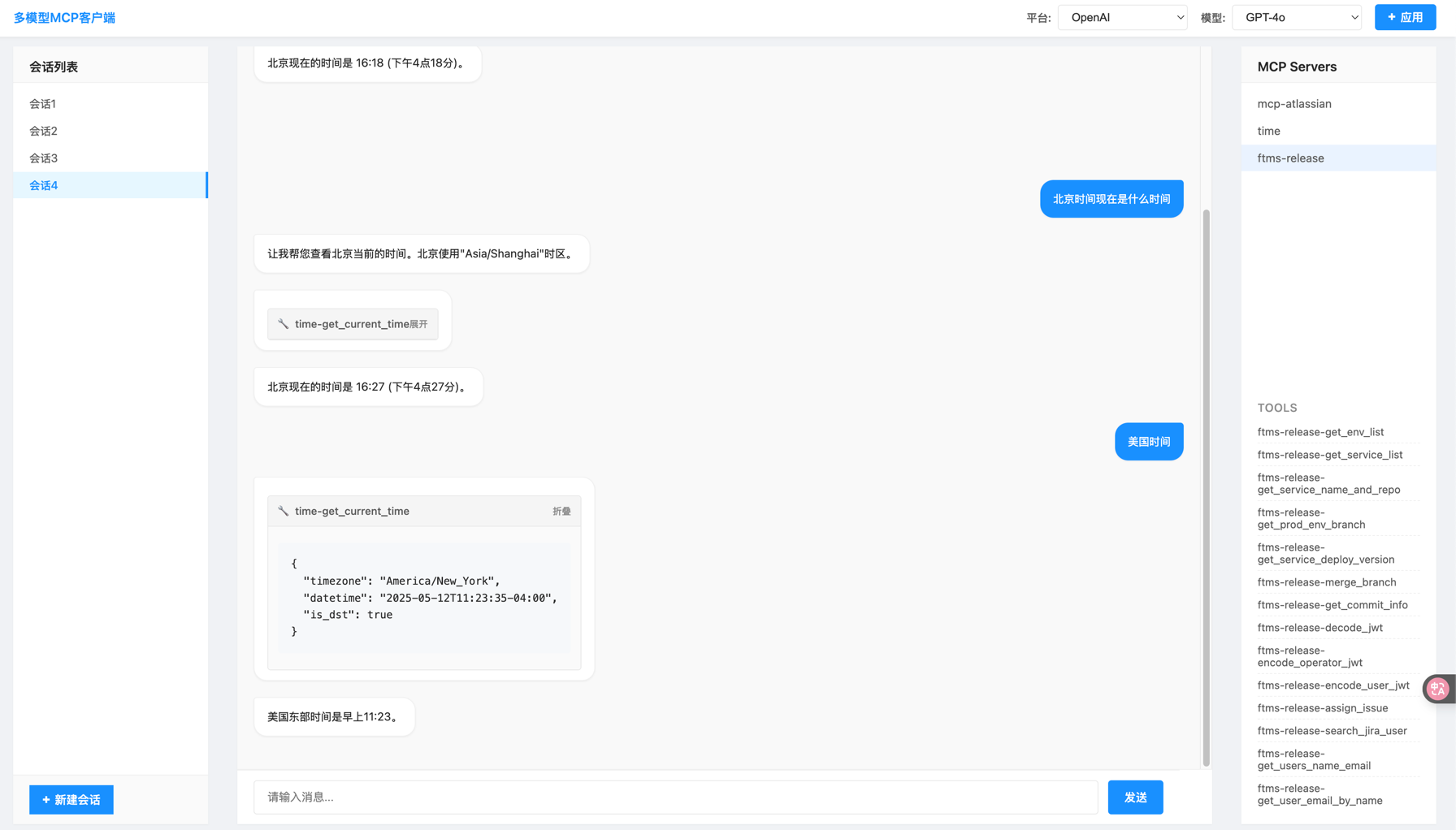
By default, the server runs on port 3333 and can be accessed at http://localhost:3333, you will see.
Using the Chat API
Send a POST request to the /chat endpoint:
curl -X POST "http://localhost:3333/chat" \
  -H "Content-Type: application/json" \
  -d '{"message": "What time is it now?"}'
API Endpoints
-
POST /chat: Main chat endpoint
- Accepts:
{ "message": "your message" } - Returns: Text response from Claude, including tool use results
- Accepts:
-
MCP Gateway:
/mcp/{server_kit_name}/mcp/{server_kit_name}/sse: SSE endpoint for MCP clients/mcp/{server_kit_name}/messages: HTTP POST endpoint for MCP messages
Architecture
The application follows a layered architecture:
- API Layer (
main.py): FastAPI application that exposes chat endpoints - Client Layer (
mcp_client.py): Handles communication with Anthropic's API - Controller Layer (
downstream_controller.py): Manages downstream MCP servers - Composer Layer (
composer.py): Orchestrates server kits and gateways - Gateway Layer (
gateway.py): Provides MCP-compatible endpoints
Extending the Client
Adding New MCP Servers
To add a new MCP server:
- Update the
mcp_servers.jsonfile with your server configuration - Restart the application
Custom Server Implementations
You can implement custom MCP servers by:
- Creating a new server that follows the MCP specification
- Adding it to the
mcp_servers.jsonconfiguration


