READMEmain
We couldn't render this README. Read it on GitHub
MCP Sniffer
MCP Sniffer captures network traffic between MCP clients and servers.
It runs as a reverse proxy between the client and server, capturing request and response payloads that can be visualized in a web UI.
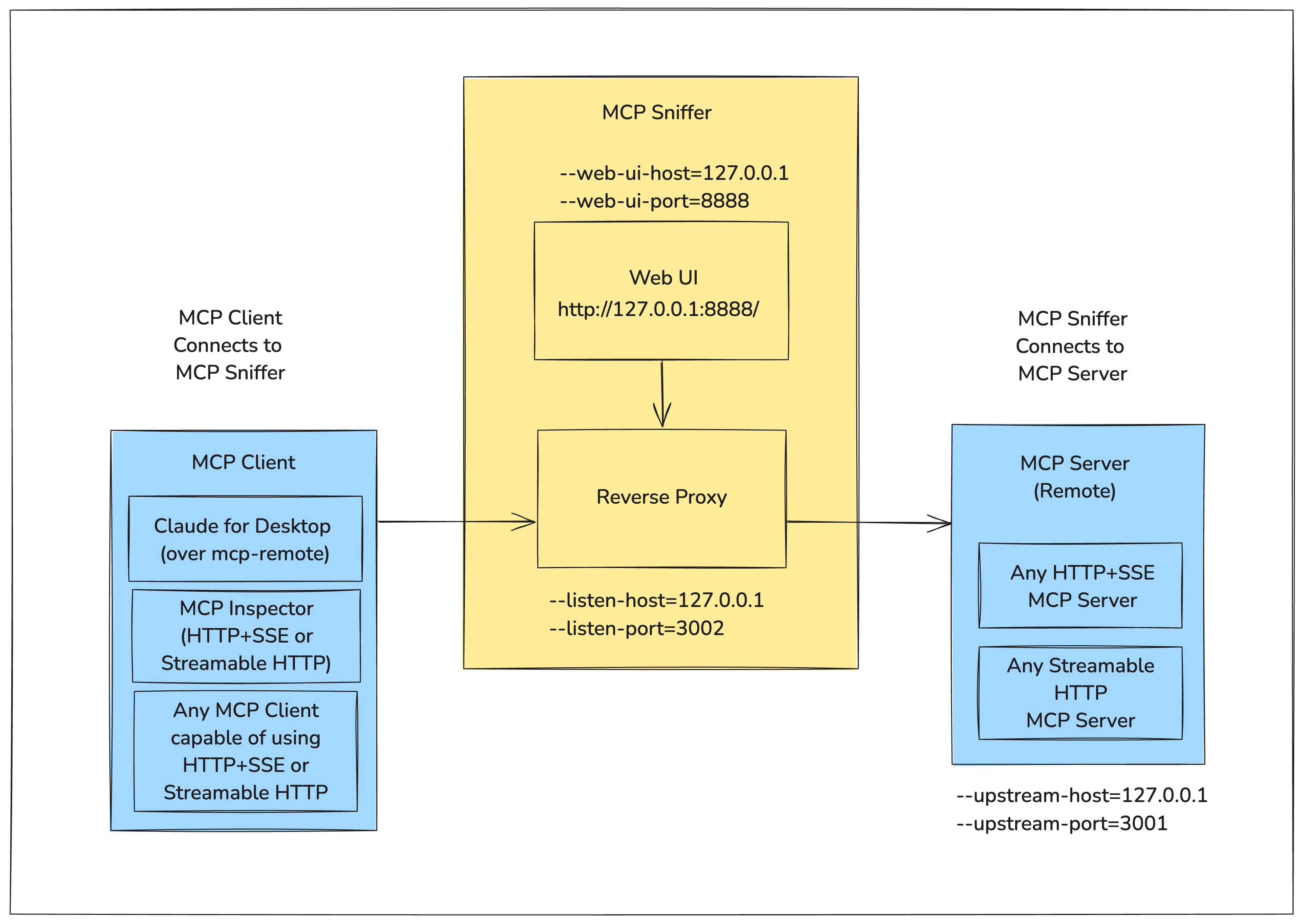
The following diagram shows how MCP Sniffer fits into the MCP Client-Server Model.
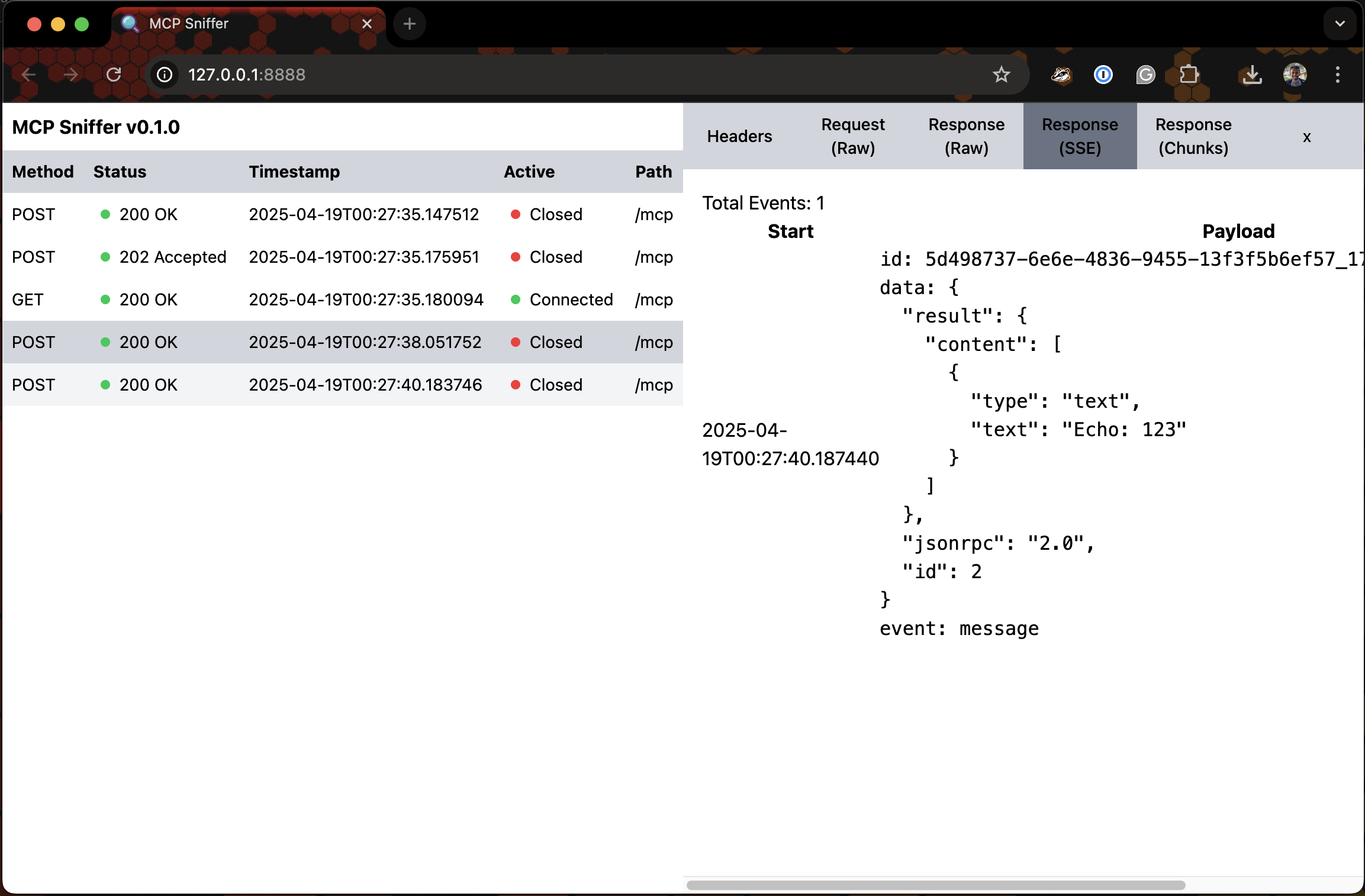
For the Web UI - Imagine Google Chrome DevTools' Network Tab for Model Context Protocol.
Following is a very early version of it.


Install
pipx install mcp-sniffer
Usage
$ mcp-sniffer --help
usage: mcp-sniffer [-h] [--listen-host LISTEN_HOST] [--listen-port LISTEN_PORT] [--upstream-host UPSTREAM_HOST]
                   [--upstream-port UPSTREAM_PORT] [--web-ui-host WEB_UI_HOST] [--web-ui-port WEB_UI_PORT]
                   [--log-level LOG_LEVEL]

MCP Sniffer

options:
  -h, --help            show this help message and exit
  --listen-host LISTEN_HOST
                        Host to listen on (default: env LISTEN_HOST or 127.0.0.1)
  --listen-port LISTEN_PORT
                        Port to listen on (default: env LISTEN_PORT or 3002)
  --upstream-host UPSTREAM_HOST
                        Upstream host (default: env UPSTREAM_HOST or 127.0.0.1)
  --upstream-port UPSTREAM_PORT
                        Upstream port (default: env UPSTREAM_PORT or 3001)
  --web-ui-host WEB_UI_HOST
                        Web UI host (default: env WEB_UI_HOST or 127.0.0.1)
  --web-ui-port WEB_UI_PORT
                        Web UI port (default: env WEB_UI_PORT or 8888)
  --log-level LOG_LEVEL
                        Log level (default: env LOG_LEVEL or INFO)
Run
mcp-sniffer --listen-port 3002 --upstream-port 3001
INFO:     Started server process [6174]
INFO:     Waiting for application startup.
INFO:     Application startup complete.
2025-04-27 19:52:53 devmachine.local mcp_sniffer.proxy[6174] INFO Listening on ('127.0.0.1', 3002)...
INFO:     Uvicorn running on http://127.0.0.1:8888 (Press CTRL+C to quit)
Web UI
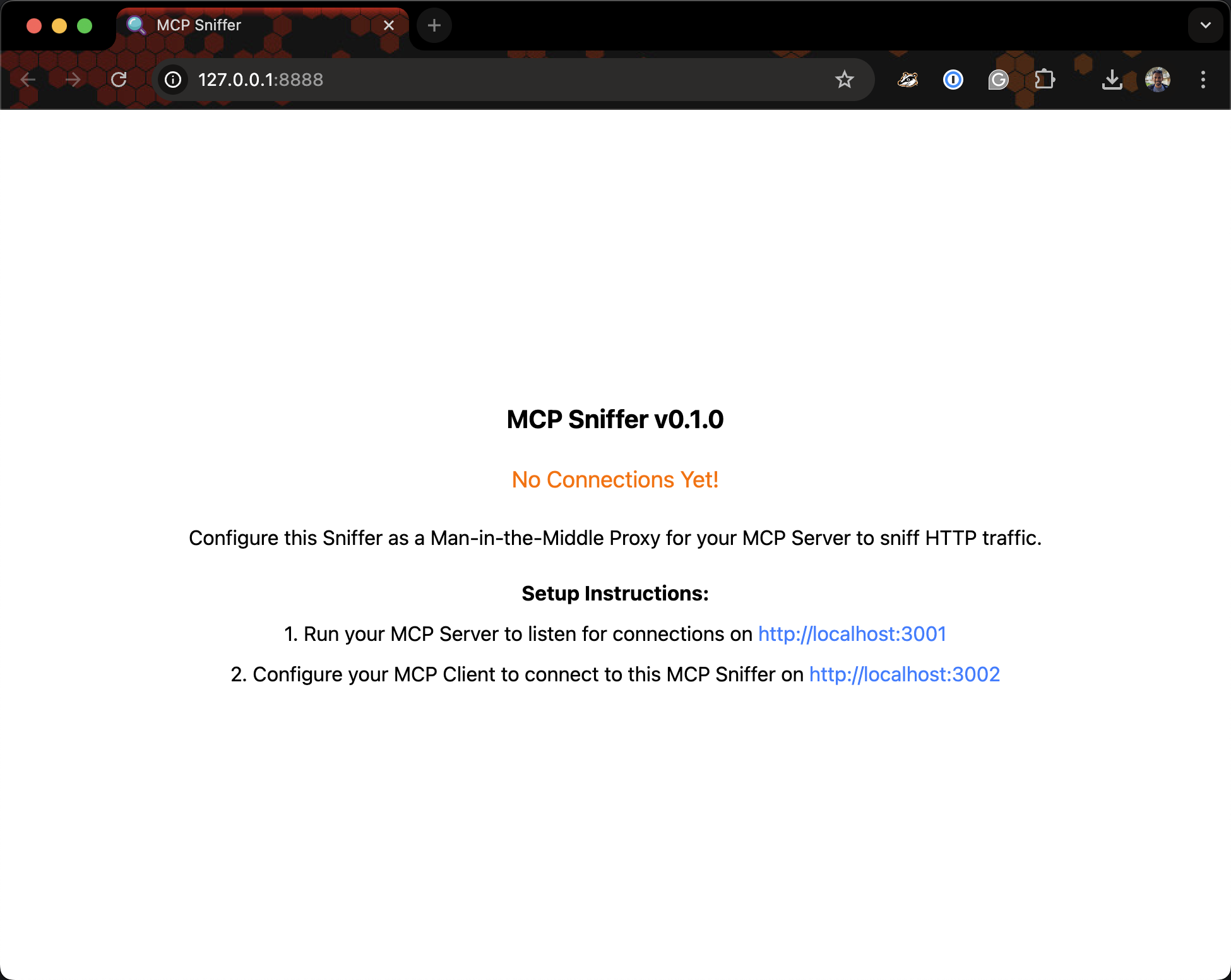
Visit http://127.0.0.1:8888.
Setup