
READMEmain
We couldn't render this README. Read it on GitHub
📈 FinMCP - 金融多维度分析 LLM 系统
🧭 项目简介
FinMCP 是一个为金融领域设计的多维度分析 LLM 系统,适合作为 Agent 项目练习和扩展。
它基于 沧海数据 提供的高质量金融市场 API,包括股票、指数、债券等数据,支持按量付费,非常灵活方便。
⚠️ 本项目仅包含 MCP 相关服务,LLM 需自行集成。
✨ 效果展示
| 问答示例 | 工具面板 |
|---|---|
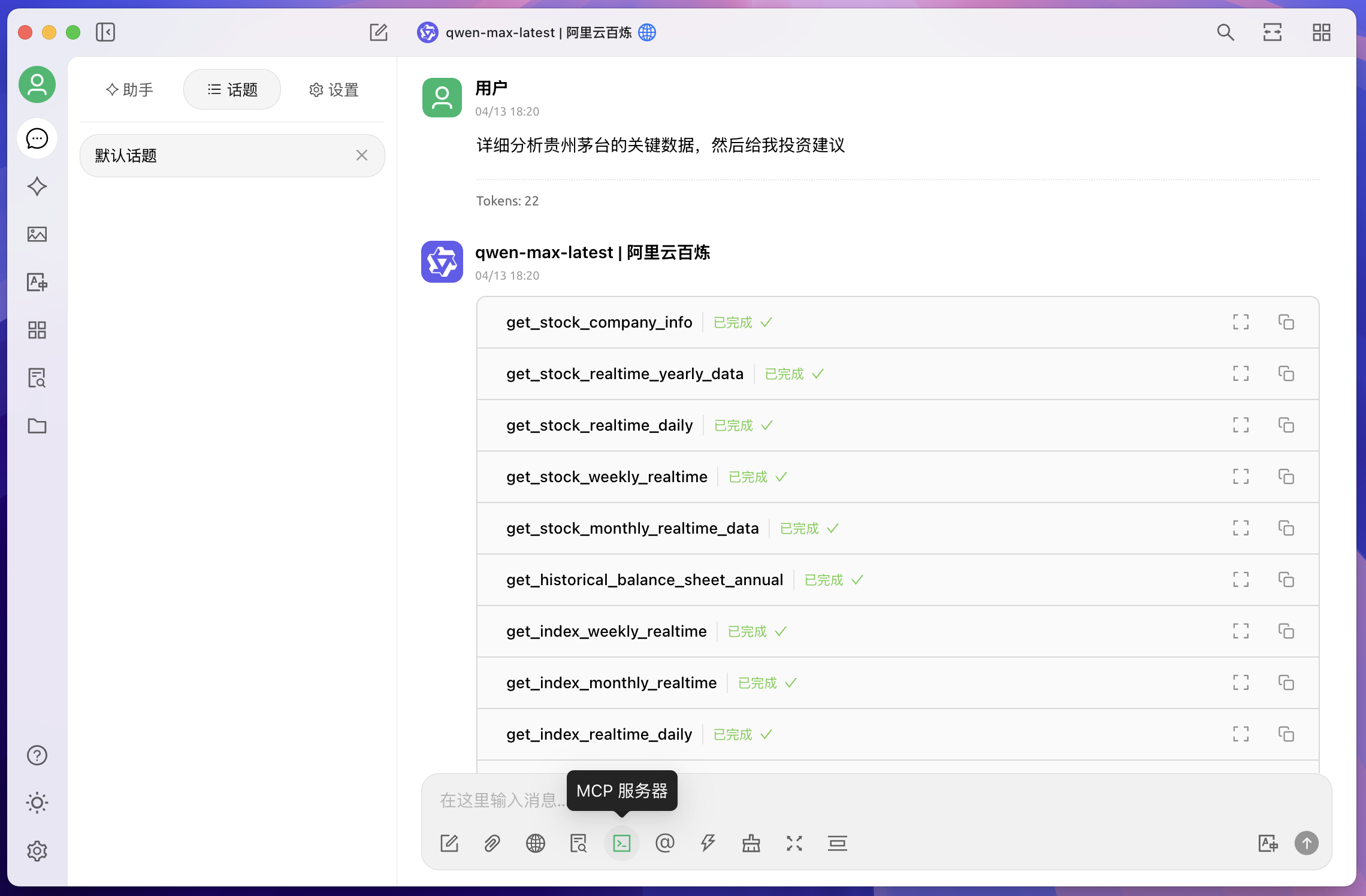 | 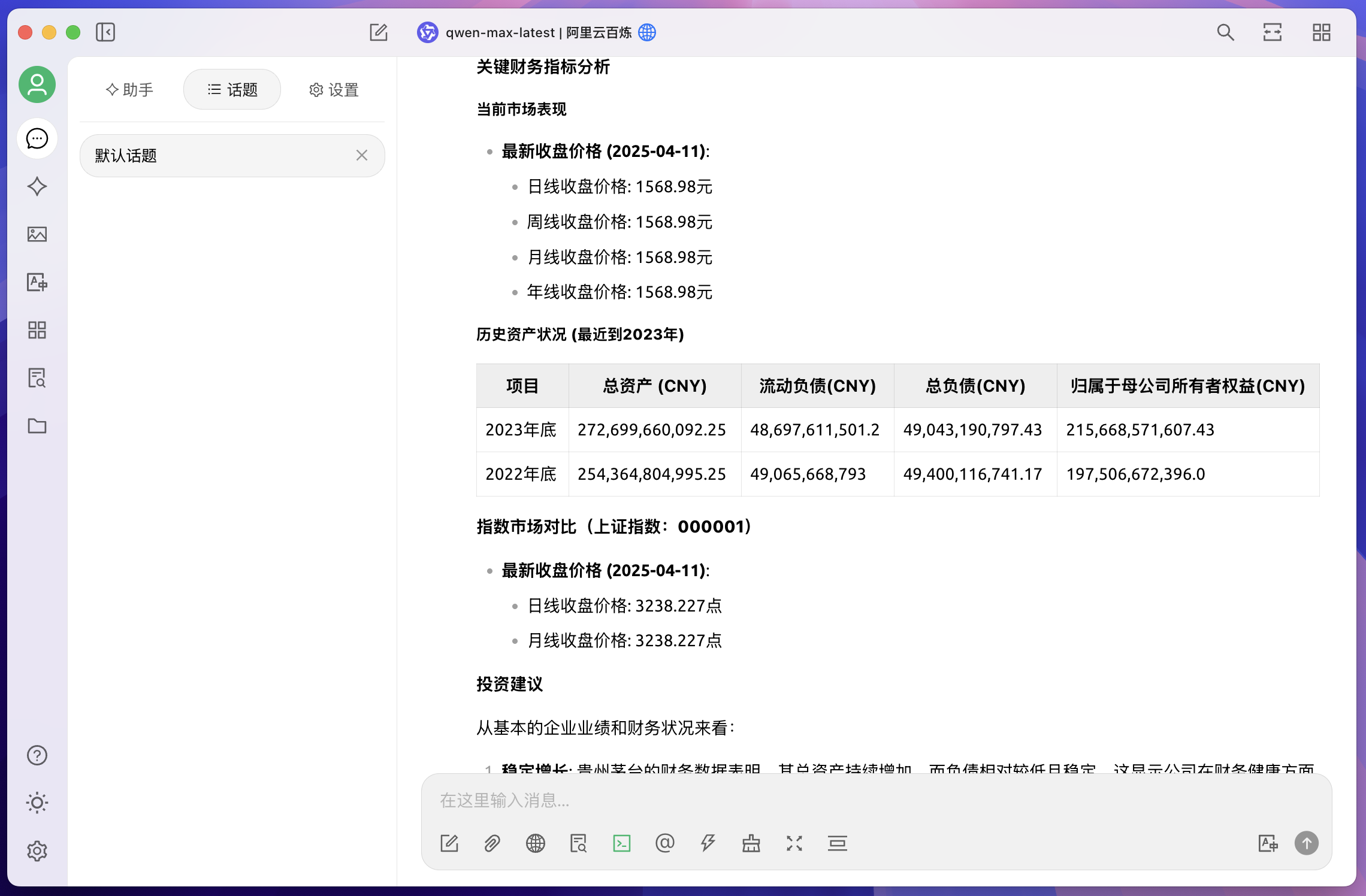 |
🧩 核心功能
- 📊 股票数据查询:实时行情、历史K线、财务报表、分红配股等
- 📈 指数数据查询:成分股、实时指数、历史走势等
- 💹 市场信息:交易所、股票列表、公司基础资料等
- 💰 财务分析:资产负债表、现金流量表、利润表
- 🏢 企业信息:公司概况、管理层、股东结构等
⚡ 快速开始
1. 环境搭建
conda create -n finMCP python=3.11
conda activate finMCP
pip install uv
2. 克隆项目
git clone https://github.com/Ryenlvy/FinMCP.git
cd FinMCP
3. 启动服务
export FIN_API_TOKEN=your_api_token  # 替换为你在沧海数据获取的 token
bash start_server.sh
启动参数说明(可在 start_server.sh 中修改):
--transport:通信方式,支持stdio/sse/fastapi--host:绑定地址(如0.0.0.0)--port:监听端口(默认 8000)
🖥️ 前端配置(使用 Cherry Studio)
项目推荐搭配 Cherry Studio 使用:
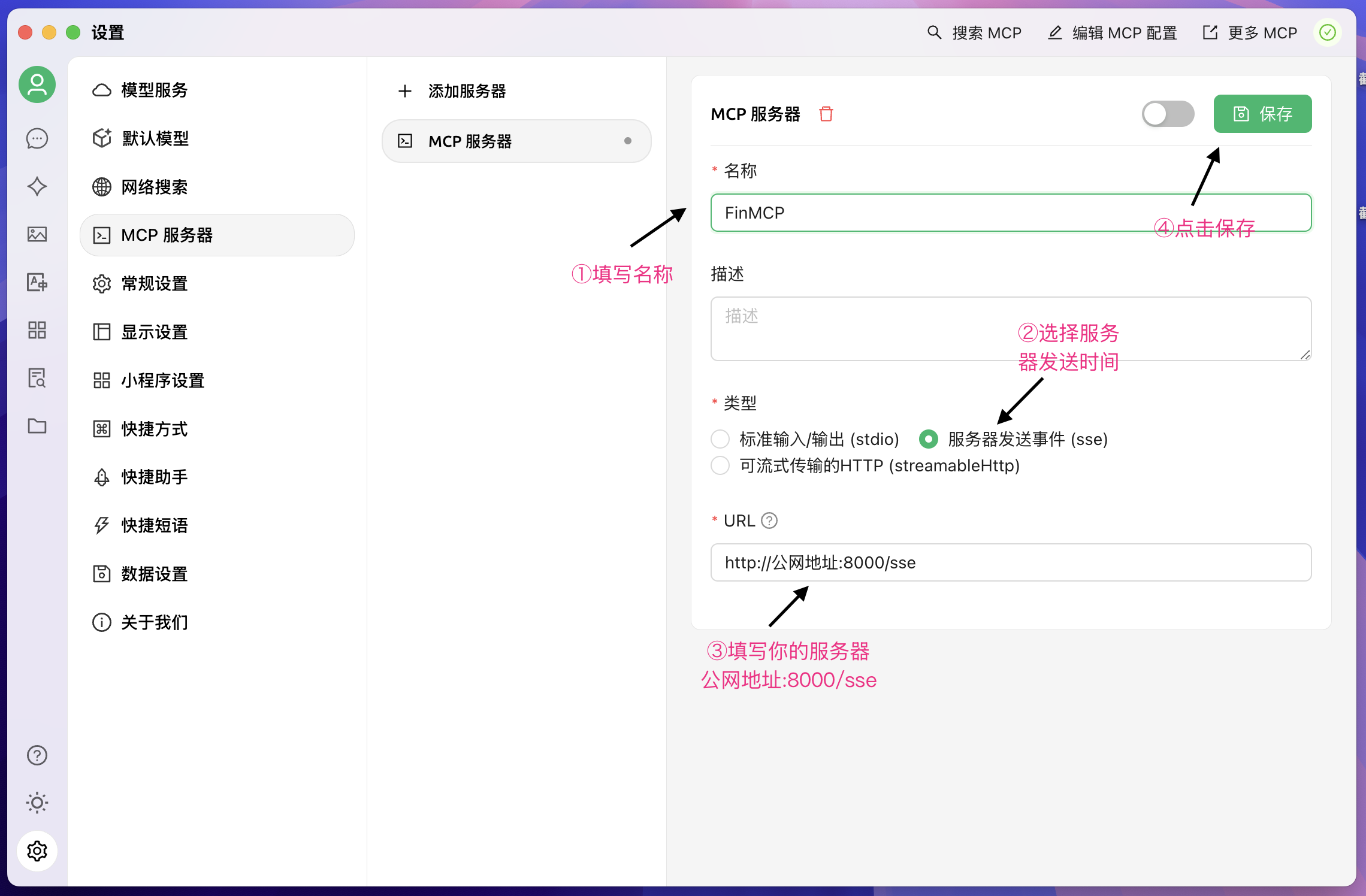
- 进入 Cherry Studio,点击
设置 - MCP服务器 - 参考 MCP 安装教程 添加服务
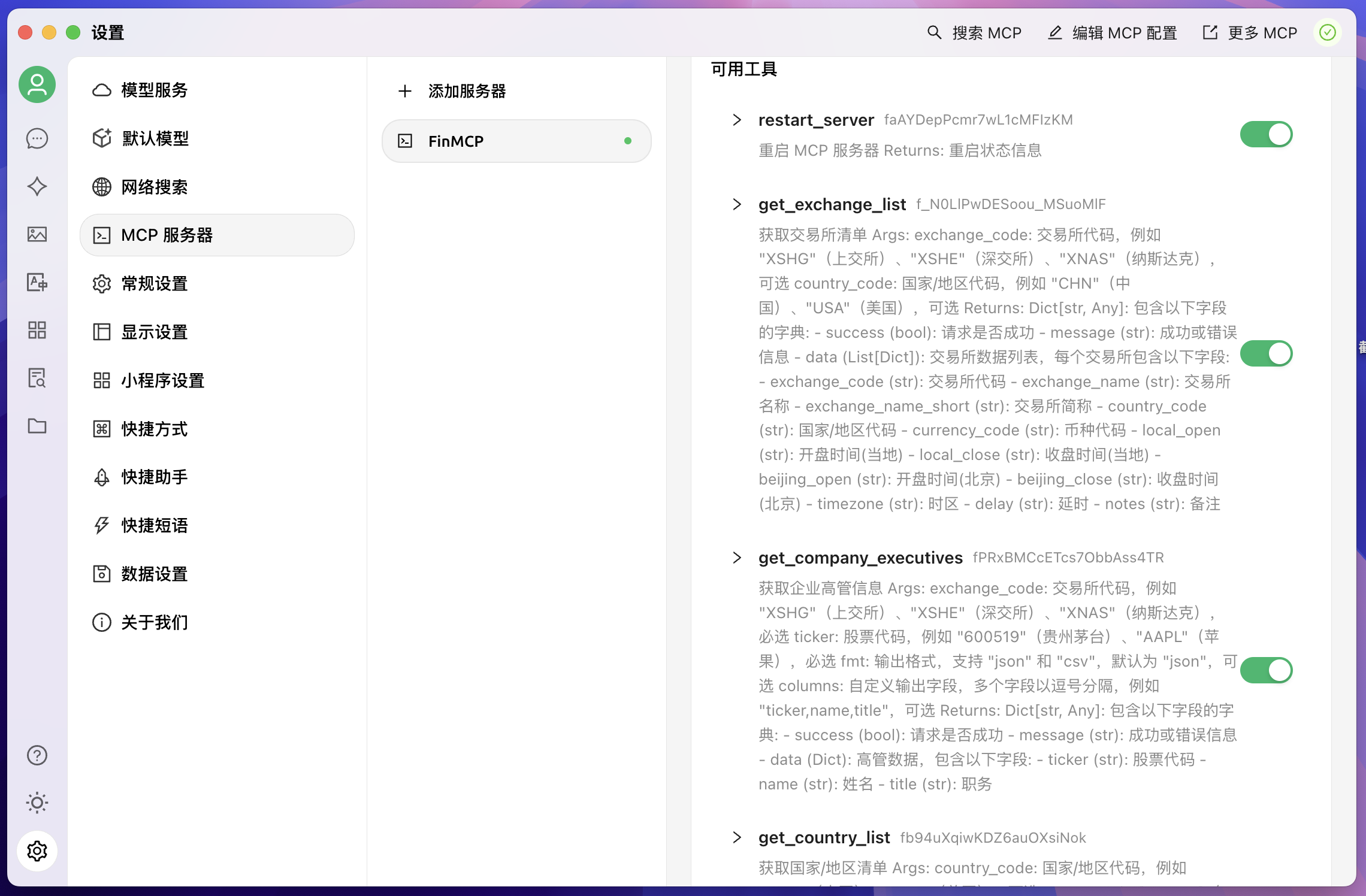
- 成功连接后界面如下:
配置界面示意:
-
添加服务器:
-
工具展示页面:
🔧 API 示例代码
获取股票实时行情
async def get_stock_realtime_daily(exchange_code: str, ticker: str):
    url = f"https://tsanghi.com/api/fin/stock/{exchange_code}/daily/realtime"
    params = {"token": FIN_API_TOKEN, "ticker": ticker, "fmt": "json"}

    async with httpx.AsyncClient() as client:
        response = await client.get(url, params=params)
        return response.json()
获取公司信息
async def get_stock_company_info(exchange_code: str, ticker: str):
    url = f"https://tsanghi.com/api/fin/stock/{exchange_code}/company/info"
    params = {"token": FIN_API_TOKEN, "exchange_code": exchange_code, "ticker": ticker}

    async with httpx.AsyncClient() as client:
        response = await client.get(url, params=params)
        return response.json()
🛠️ 自定义工具函数开发指南
如果你只想搭建本项目,那么以上的内容就足够了,以下内容给出一个流程化tools生成的参考思路:
crawl_tsanghi_docs.py:爬取沧海 API 文档code_creater.py:基于文档调用qwen-max自动生成工具函数代码
工具生成步骤:
- 运行
crawl_tsanghi_docs.py爬取所有接口说明,每个功能保存为一个json - 使用
code_creater.py将json和server.py,tools.py一起丢给qwen-max,生成 Python 函数,一个json生成一个函数 - 最后将生成的函数统一放入
tools.py而server.py 只要 from tools import * 即可,非常的方便快捷、自动化程度很高
📁 项目结构一览
FinMCP/
├── server.py                 # 主服务入口
├── tools.py                  # 所有工具函数汇总
├── crawl_tsanghi_docs.py     # 爬虫脚本(抓取 API 文档)
├── code_creater.py           # 代码生成器(自动创建工具函数)
├── tsanghi_docs/             # 存放爬取的文档
└── tools_code/               # 生成的工具函数代码临时目录
🩺 健康检查与调试接口
GET /health:服务健康状态检查GET /tools/list:列出所有已注册的工具函数


