READMEmain
We couldn't render this README. Read it on GitHub
Storefront MCP Tool Enable AI-Assistant
Experimental Printer Store MCP-SSE Enabled AI Assistant that support customer inquiries about product inventory, facilitates purchase transactions, and handles analytics questions.
Solution Architecture
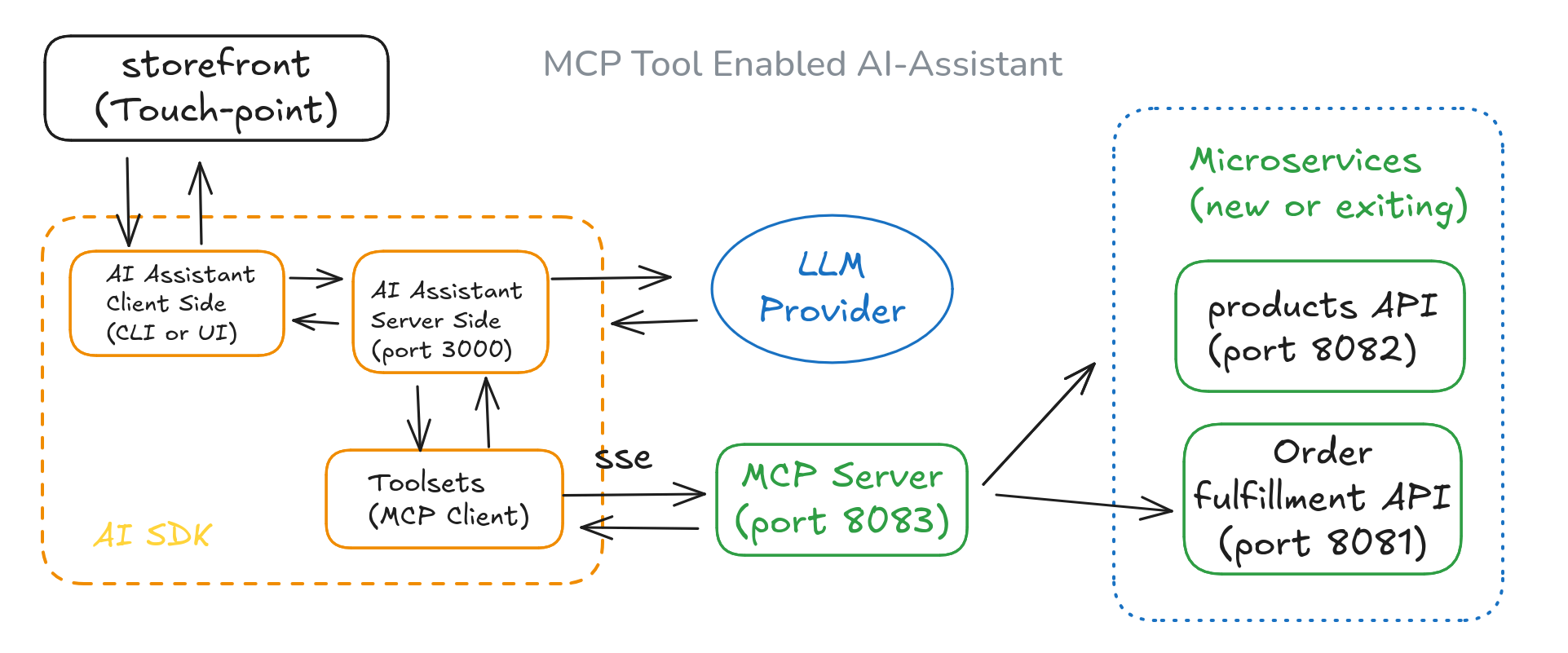
Features
- Provide customer service through AI/Assistant with real-time access to product information and inventory levels, allowing for custom orders.
- Recommend products based on customer preferences and available stock.
- Use the MCP tool server for real-time interaction with microservices.
- Check real-time inventory levels when answering product inquiries.
- Facilitate product purchases by using product IDs and quantities.
- Update inventory levels in real time after order fulfillment.
- Offer ad-hoc analytics on order transactions through natural language queries.
Use Case Samples
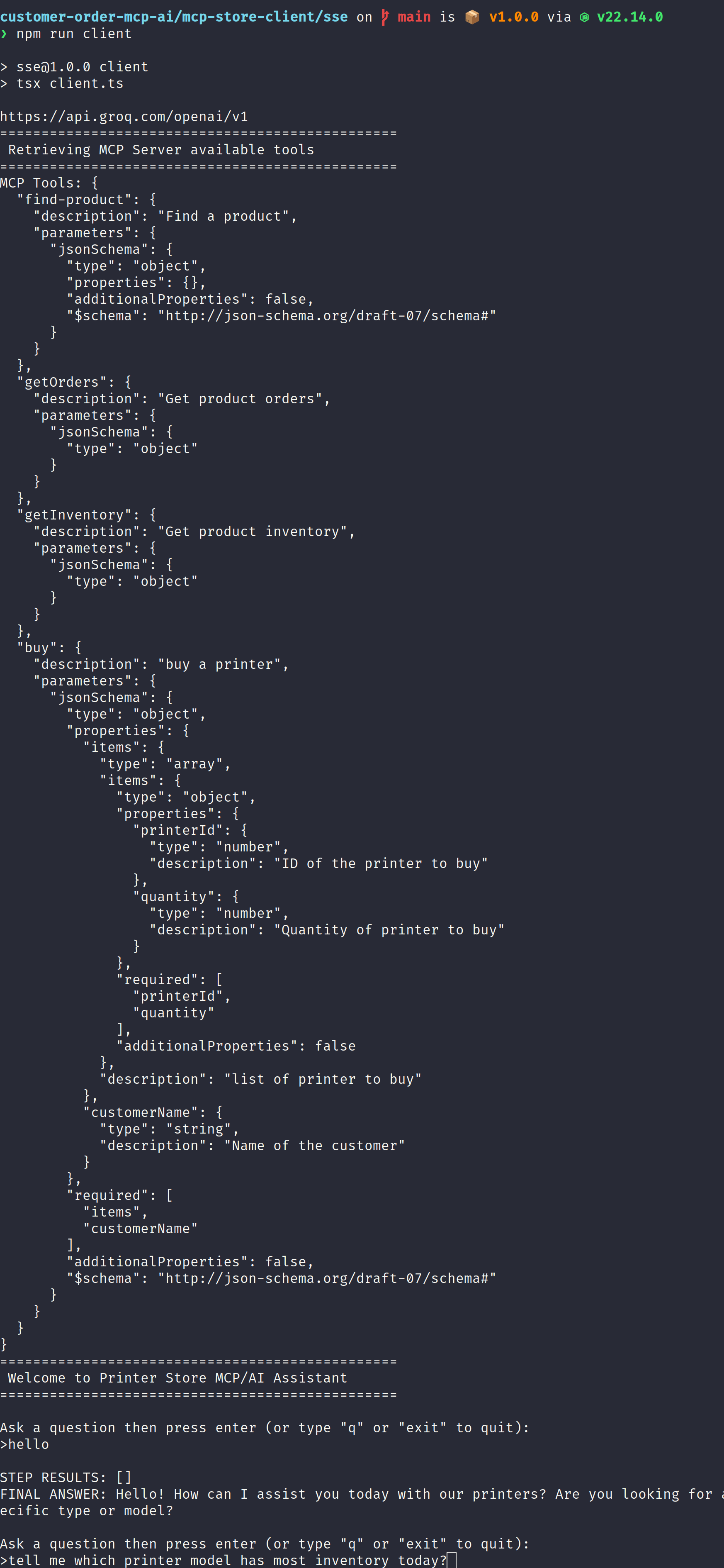
Using CLI AI/Assistant in support
Using Web AI/Assistant in Web storefront
Environment Setup
❯ node --version
v22.14.0
❯ npm --version
10.9.2
❯ pnpm --version
10.6.5
Setup LLM Provider
❯ cat .env_example
GROQ_API_KEY="Your GROQ_API_KEY"
GROQ_API_URL="https://api.groq.com/openai/v1"
> make a copy to file .env
cp .env.examples .env
> enter your own API key
repeat above step in MCP client and server folder
Setup API Servers
Run Microservices Products API (port 8082)
$ git clone https://github.com/minyang-chen/customer-order-mcp-ai.git
$ cd backoffice-products-api
$ npm install
$ npm run dev
result log
customer-order-mcp-ai/backoffice-products-api on main via v22.14.0
❯ npm run dev
> products-api@1.0.0 dev
> PORT=8082 tsx watch server.ts
Printer Store Products API Server is running on port http://localhost:8082
/products
Run Microservices Order Fulfimment API (port 8081)
$ git clone https://github.com/minyang-chen/customer-order-mcp-ai.git
$ cd backoffice-fulfillment-api
$ npm install
$ npm run dev
result log
❯ npm run dev

> fulfillment-api@1.0.0 dev
> PORT=8081 tsx watch server.ts

Printer Store Fulfillment API Server is running on port http://localhost:8081
/inventory
/orders
/purchase
Setup MCP Servers
Run Order MCP Server (port 8083)
$ git clone https://github.com/minyang-chen/customer-order-mcp-ai.git
$ cd mcp-order-server
$ npm install
$ npm run dev
result log
❯ npm run start

> apps@1.0.0 start
> node order-sse-server.js

Printer Store MCP SSE Server is running on http://localhost:8083/sse
/sse
/messages
Setup Assistant
Run CLI AI/Assistant
$ git clone https://github.com/minyang-chen/customer-order-mcp-ai.git
$ cd mcp-store-client/sse
$ npm install
$ npm run dev
result log
customer-order-mcp-ai/mcp-store-client/sse on main is 📦 v1.0.0 via v22.14.0
❯ npm run client
> sse@1.0.0 client
> tsx client.ts
https://api.groq.com/openai/v1
================================================
Retrieving MCP Server available tools
================================================
MCP Tools: {{
Technology Stack
LLM Provider - Groq (Qwen2.5)
AI SDK by Vercel
Nodejs / express for microservices
Contribution
welcome any suggestions and improvement ideas.